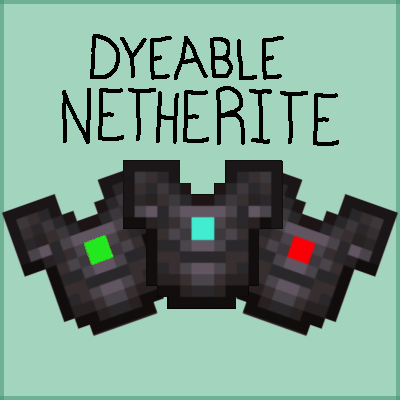
Dyeable Netherite
Java mod listed for Minecraft 1.17–1.19. Downloads from the MC Java Mods app on Android.
I don't know my version or loader
Dyeable Netherite a mod for Fabric


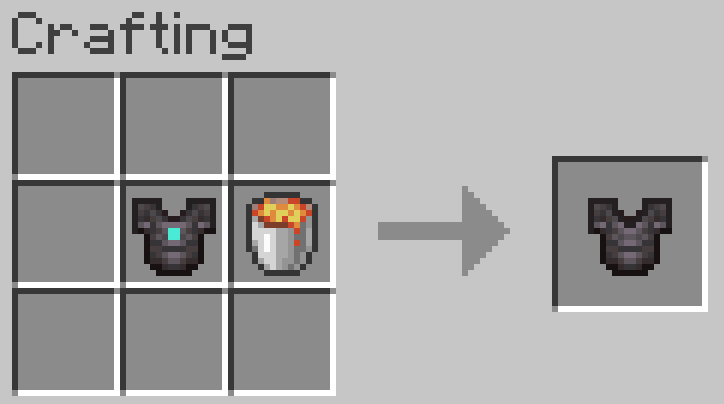
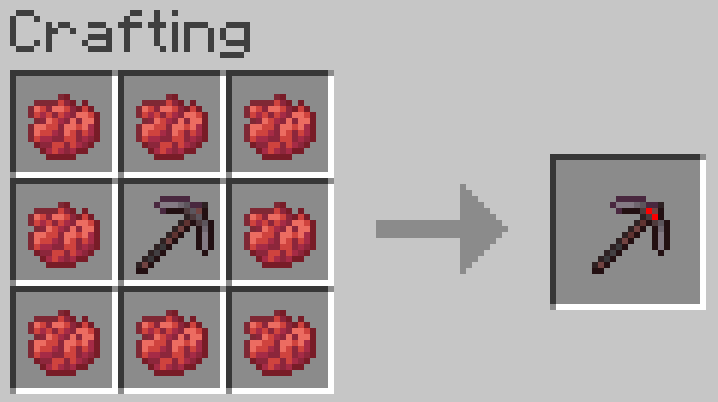
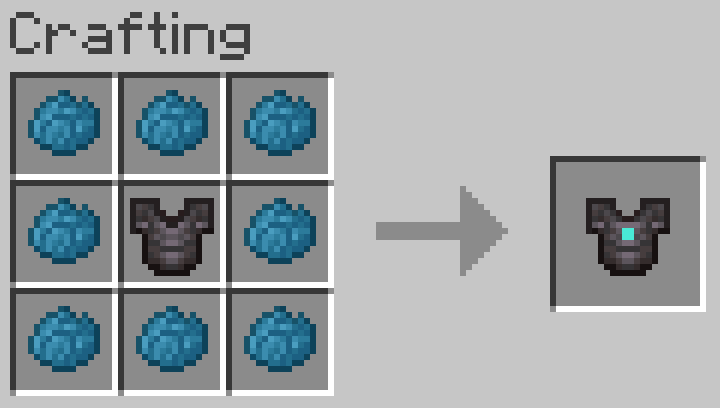
Dyeable Netherite is a relatively simple mod inspired by Ph1lza's resource pack. It adds 12 sets of tools & armour to the game, each with different colours. This is also a survival-friendly mod, so all the tools and armour have a recipe, as well as a way to revert them back to vanilla Netherite; these recipes are quite simple, only requiring 8 of the respective dye for each tool or armour piece. If you would then like to revert the dyed piece back to standard netherite you can craft it with a lava bucket and you will get the plain netherite piece, as well as the bucket back.
Please note:
This mod is for Fabric and requires Fabric API, and is for 1.17.1-1.19, it will not work if you do not use these. If this mod is used on a server it will be required both server and client side.
Credit also goes to Ph1lza for inspiration, as the mod is heavily inspired by his resource pack.
Recipes:
All recipes are shapeless, and dyes are swappable, this is the general pattern
To craft the tools or armour, simply take the respective dye (note: blue requires cyan, green lime and purple magenta) and whichever netherite tool or armour piece you would like to dye in a crafting table.
To undye pieces, just take a lava bucket and a dyed piece. You will get the empty bucket back.
There are also example recipes under images.
Permissions/Modpacks:
You may use this in modpacks or other and it is open-source, however, please provide credit or a link to this post :D
Issues:
If there are bugs or issues with the mod, please use the Github linked here or the issues tab at the top of this page.
As of now, there are no known conflicting mods, but please report any if you find them.
- Edition: Minecraft Java
- File type: .jar
- Minecraft versions listed: 1.19.1, 1.19, 1.18.1
- How to install: Install the matching mod loader (Forge, Fabric or NeoForge) for your Minecraft version. → Download the .jar. → Put it in the .minecraft/mods folder and launch that loader profile.
- Where to get it: Opens on CurseForge — not every file is mirrored on our own servers.
Install steps are the general flow for this file type — How to install Minecraft Java mods & modpacks walks through it step by step.
- Ships as dyeable-netherite-1.0.0.jar — drop this file into the mods folder
- Download size: 541 KB
- Download link checked 14 Oct 2026 — working
These come from our own check of the pack file, not from the source page.