Random Mob Effects (Legacy Fabric)
Java mod listed for Minecraft 1.16–1.17. Downloads from the MC Java Mods app on Android.
I don't know my version or loader


Requires the library mod Collective (Fabric) and the Fabric API.
Random Mob Effects is a configurable mod created to make the game a little more difficult. Every hostile mob receives a random potion effect upon joining the world. There are a few potion effects disabled by default, but a blacklist is created on first load and you may change the values. The effect applied has a duration of the maximum integer value in java, which is 2147483647 ticks; around 30000 hours in-game. The particle effect can be disabled.
Configurable: ( how do I configure? )
potionEffectLevel (default = 1, min 1, max 50): The default level of the effects the mod applies, by default 1.
hideEffectParticles (default = false): When enabled, hides the particles from the mobs with an effect.
disableCreepers (default = true): Creepers can create infinite lingering potion effects which is probably not what you want. When enabled, the mod doesn't give creepers a random effect.
The default blacklist
is generated upon first load of the mod. It cycles through all potion effects within the registry. This means that modded effects are supported, just make sure to refresh the config if a new mod with an effect is added. You can disable an effect by adding an exclamation mark (!) in front of the name.
The blacklist file is located in ./config/randommobeffects/ and is called blacklist.txt.
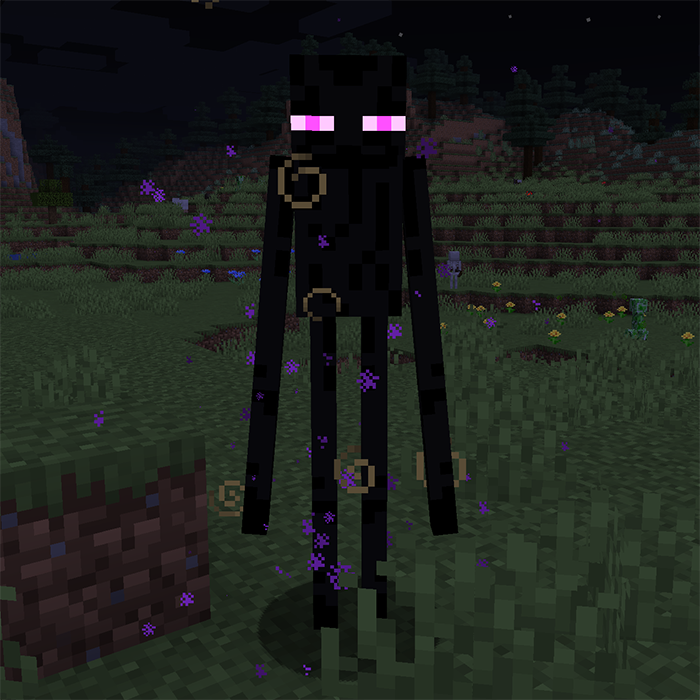
Two GIFs displaying the hostile mobs, each with their own potion effect:


------------------
You may freely use this mod in any modpack, as long as the download remains hosted within the CurseForge ecosystem.
Serilum.com contains an overview and more information on all mods available.
Comments are disabled as I'm unable to keep track of all the separate pages on each mod.
For issues, ideas, suggestions or anything else there is the Github repo. Thanks!
- Edition: Minecraft Java
- File type: .jar
- Minecraft versions listed: 1.16.5, 1.17.1, 1.17
- How to install: Install the matching mod loader (Forge, Fabric or NeoForge) for your Minecraft version. → Download the .jar. → Put it in the .minecraft/mods folder and launch that loader profile.
- Where to get it: Opens on CurseForge — not every file is mirrored on our own servers.
Install steps are the general flow for this file type — How to install Minecraft Java mods & modpacks walks through it step by step.
- Ships as randommobeffects-fabric_1.16.5-2.4.jar — drop this file into the mods folder
- Download size: 35 KB
- Download link checked 14 Oct 2026 — working
These come from our own check of the pack file, not from the source page.