
CPS & Combat Guard
All-in-one PvP & Anti-Cheat solution for Bedrock servers! Features customizable CPS/RCPS counters, accurate Combo tracking, Anti-Macro/Auto-Clicker…
⬇ Download on CurseForge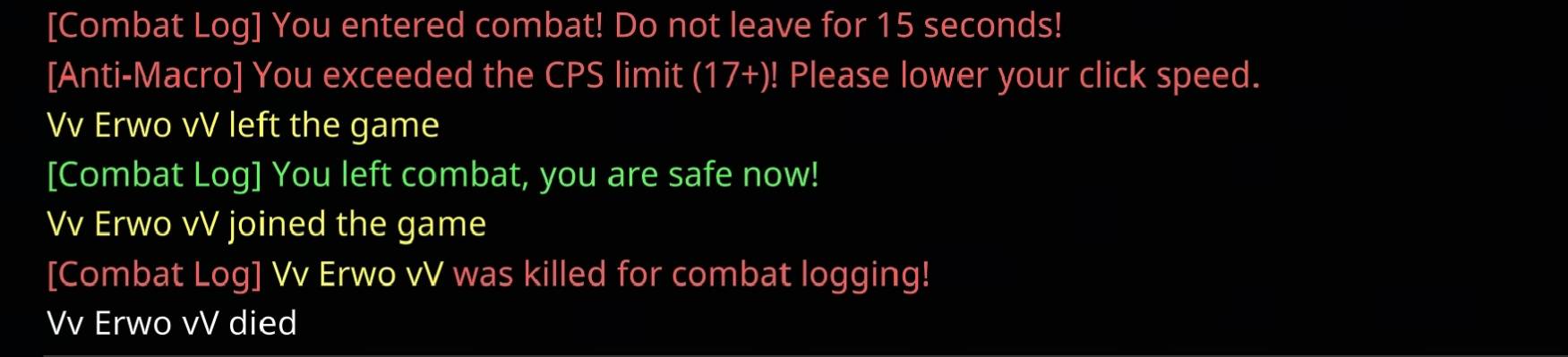
CPS & Combat Guard (v1.5.3) Made By Bertoaga
CPS & Combat Guard is an advanced, lightweight, and fully customizable Bedrock Script Addon designed to enhance PvP mechanics while protecting your server against auto-clickers, macros, and combat loggers.
HIGHLIGHTED FEATURES
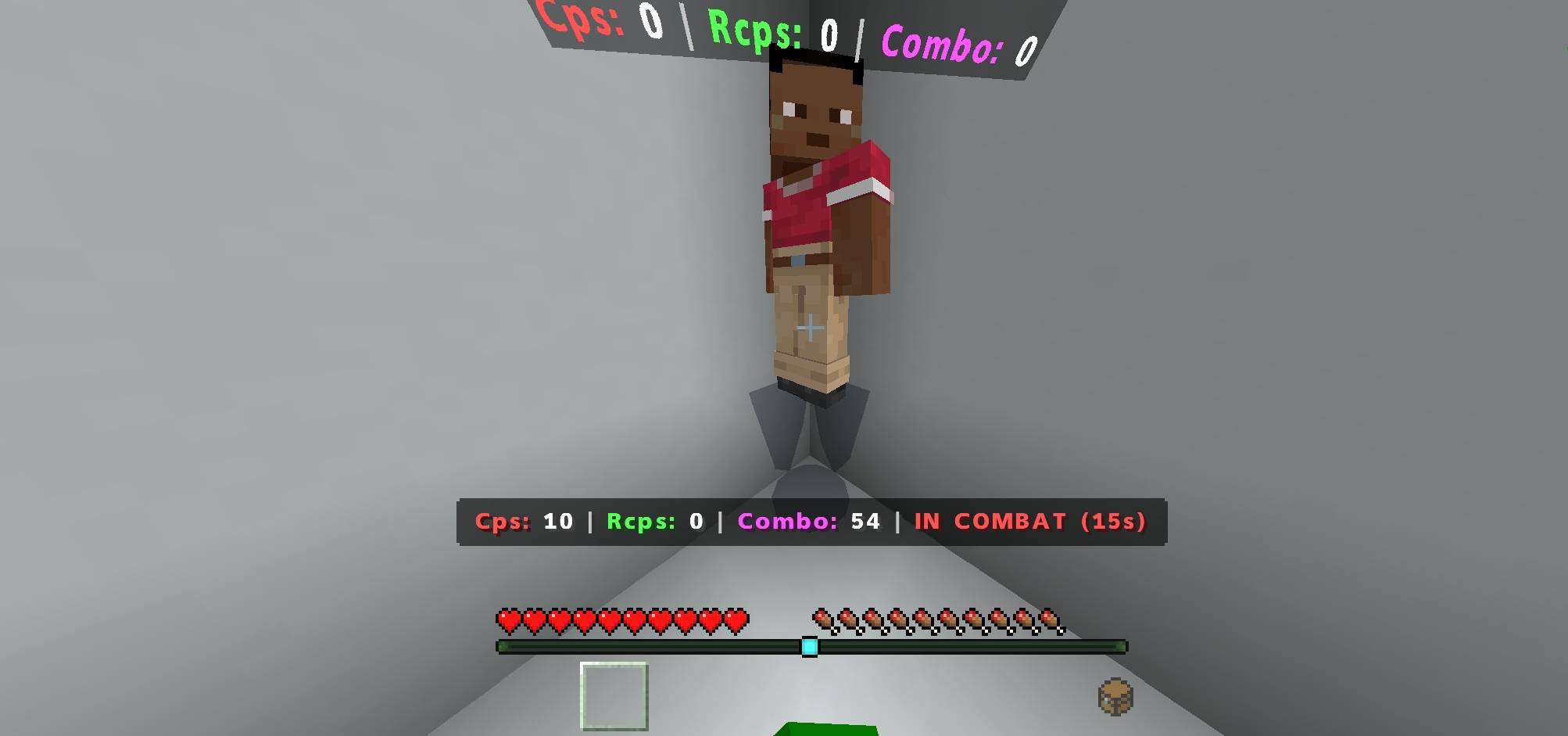
Real-Time CPS and RCPS Tracker: Displays left-click and right-click speeds (CPS) live on the actionbar display and above player nametags.
Smooth Combo Counter: Highly responsive hit-detection system that tracks player PvP combos seamlessly.
Anti-Macro and Auto-Clicker Protection: Automatically detects excessive CPS rates from macro and auto-clicker abusers.
- Damage Cancel System: Applies weakness effect when the designated CPS limit is reached to prevent unfair combat advantages.
- Automated Kick System: Kicks players from the server automatically based on your custom CPS limits.
Combat Logging Prevention: Prevents players from rage-quitting during active PvP encounters.
- Displays a live combat timer countdown on the player screen.
- Automatically executes and slays players who disconnect while in active combat once they rejoin.
Global Server Language Selector: Admins can switch the entire server language with a single click from the admin menu. Supports 12 native language translations including English, Turkish, German, Spanish, Portuguese, Russian, French, Italian, Chinese, Japanese, and Korean.
Advanced Admin Configuration: Accessible via a compass item, allowing you to adjust color themes, auto-hide durations, CPS limits, combat timers, and HUD toggles in real time.
HOW TO ACCESS THE ADMIN MENU
Grant yourself the admin tag using the in-game command: /tag @s add admin
Right-click or hold a Compass item. The full settings menu will open immediately.
- Edition: Minecraft Bedrock
- File type: .mcpack or .mcaddon
- Minecraft versions listed: 1.20.80, 26.40
- How to install: Download the .mcpack or .mcaddon file. → Open it — Minecraft imports it. → In your world: Behavior Packs → Available → Activate, then the same under Resource Packs.
- Where to get it: Opens on CurseForge — not every file is mirrored on our own servers.
Install steps are the general flow for this file type — How to install Minecraft Bedrock addons & mods walks through it step by step.
CPS & Combat Guard is a free Minecraft Bedrock addon. Compatible with Minecraft 1.20.80, 26.40. Downloaded 640 times (via CurseForge). Download it and open it directly in the game.