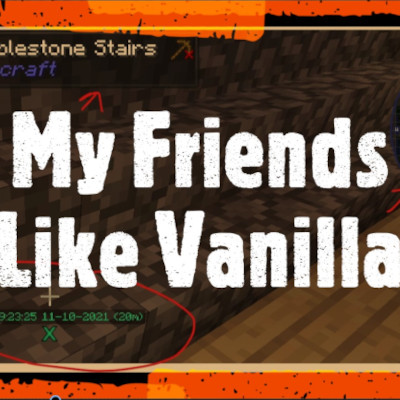
My Friends Play without Mods
Java modpack listed for Minecraft 1.16–1.19. Downloads from the MC Java Mods app on Android.
I don't know my version or loader
Me? I love mods, I would never play vanilla if I didn't have friends that wanted to play it, but here I am...playing vanilla...I miss all of my mods, like chest sorting, minimaps, waypoints, changing my sound device without restarting, being able to press F7 and see where mobs can spawn, having JEI to look up recipes.

Keys to know-
Press J to see the big map
Press B to make a waypoint
Press F7 to see where mobs can spawn Red means they can spawn in the day, yellow at night.
Other changes to the client you will notice-
Chunks instead of appearing animate and fall up
When you look at blocks it tells you what they are.
Remapping keys is better with Controlling.
In single player when walking around with a torch in your hand, the light will follow you from the torch, this will not stop others from connecting to your share to lan game.
Trees and grass look better.
When pressing tab you can see ping in actual numbers not just a bar.
Advancements are better organized.
There are buttons to sort chests and your inventory---this is a must for me, I Need this!
Your client will not auto jump, you need to turn it on if you like that behavior.
Popups are blocked, so you don't get constant notifications from Minecraft congratulating you on picking up a block of cobble, dirt..stick...pop pop pop pop...
If you find a clientside mod that needs to be added, join my discord and let me know! https://discord.gg/hw7nFVf
- Edition: Minecraft Java
- File type: .jar
- Minecraft versions listed: 1.19.4, 1.19.3, 1.19.2
- How to install: Install the matching mod loader (Forge, Fabric or NeoForge) for your Minecraft version. → Download the .jar. → Put it in the .minecraft/mods folder and launch that loader profile.
- Where to get it: Opens on CurseForge — not every file is mirrored on our own servers.
Install steps are the general flow for this file type — How to install Minecraft Java mods & modpacks walks through it step by step.
- Downloads as My Friends Like Vanilla 1.19.2-2.zip
- Download size: 2 KB
- Download link checked 25 Sept 2026 — working
These come from our own check of the pack file, not from the source page.