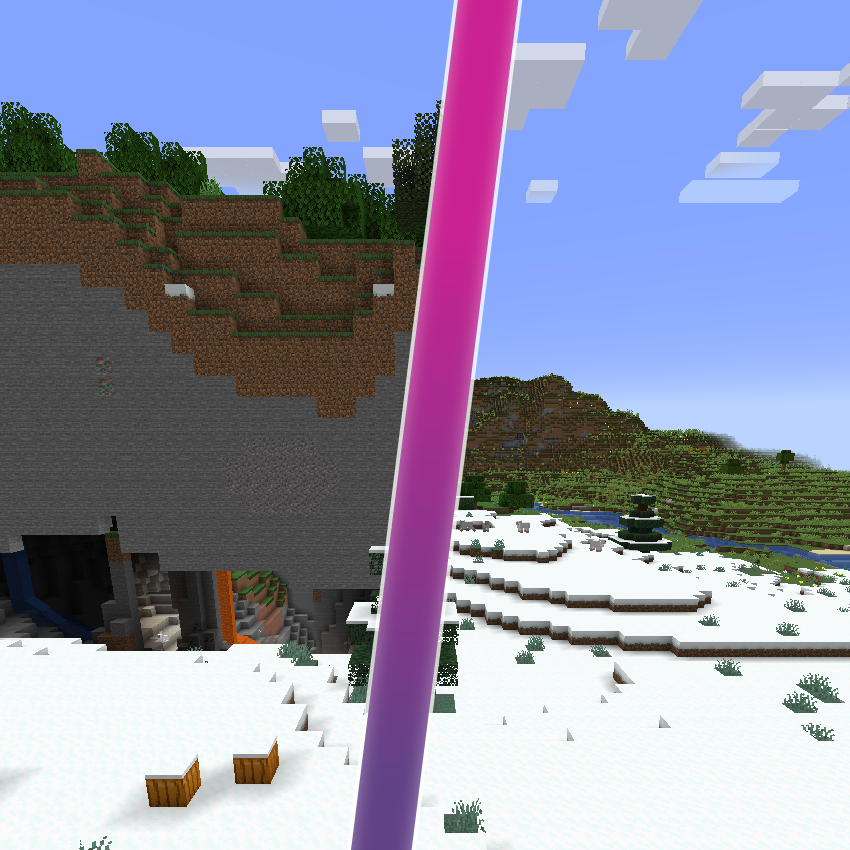
World Blend Snapshots
Java mod listed for Minecraft 1.18. Downloads from the MC Java Mods app on Android.
I don't know my version or loader
A Minecraft mod that enables 1.18's world blending for worlds created in 1.18 snapshots, since normally it only works for worlds created in 1.17.x and older.
Installation
The following mod loaders are supported:
After you install the mod loader of your choice, download the mod and place the .jar file into .minecraft/mods.
How to Use
This mod requires Minecraft 1.18.1 or newer. It will only blend chunks which have been saved by previous versions, so it will not work if you already opened your world in 1.18.1 or newer, and loaded chunks at the edge of the world.
- 1. Install Minecraft 1.18.1
- 2. Install the mod
- 3. Create a backup of your world now, and continue making regular backups of every world you play on, regardless of whether you use this mod or not
- 4. Load your world in Minecraft 1.18.1 with this mod installed
If you already opened the world in 1.18.1 and the mod isn't working because some chunks have been re-saved in 1.18.1, you could try using a tool like MCA Selector, select all edge chunks, and change their DataVersion tag to 2864 (i.e. one version before 1.18.1). Note that blending is only applied to newly generated chunks, which are adjacent to existing chunks saved before 1.18.1. If you already generated new chunks in 1.18.1, you will need to delete them.
In the future, I might improve this mod to also work with worlds that have already been opened in 1.18.1, but only if there is enough interest.
- Edition: Minecraft Java
- File type: .jar
- Minecraft version listed: 1.18.1
- How to install: Install the matching mod loader (Forge, Fabric or NeoForge) for your Minecraft version. → Download the .jar. → Put it in the .minecraft/mods folder and launch that loader profile.
- Where to get it: Opens on CurseForge — not every file is mirrored on our own servers.
Install steps are the general flow for this file type — How to install Minecraft Java mods & modpacks walks through it step by step.
- Ships as WorldBlendSnapshots-Forge-1.18.1+v1.1.0.jar — drop this file into the mods folder
- Download size: 6 KB
- Download link checked 5 Nov 2026 — working
These come from our own check of the pack file, not from the source page.