Dofus Portals
Minecraft Java mod. Downloads from the MC Java Mods app on Android.
⬇ Download on CurseForge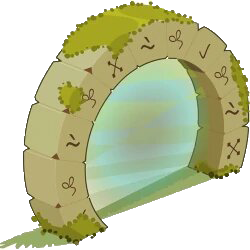
Dofus Portals
Mod add portals from an online game called Dofus.
About
Dofus Portals is a modification that adds portals (zaaps) to the game, the idea of which was taken from the tactical turn-based MMORPG game "Dofus", developed and published by the French producer Ankama Games. On the game was released the animated series "Wakfu".
About the modification itself:
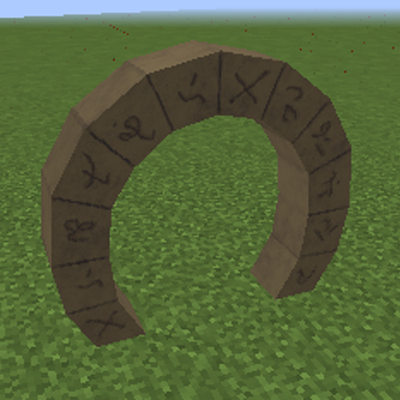
The portals are stone arches called Zaaps.
The Zaap Gate is a temporary gate that allows you to instantly travel to other Zaaps. Each of the portals can only lead to one other portal, thus the Zaap gates provide a kind of corridors linking two distant areas.
Typically, gates look like round or ellipsoidal portals made of stone
To create a path from one place to another, you need to create and install two portals at point A and point B. You can connect them using a special object, which is a small vial in the form of a drop with a blue substance inside. By right-clicking on the portal at point A, and then going up to the portal at point B and clicking on it - the two portals will connect.
Portals will not be active all the time. Every 24 hours (1,728,000 ticks) they stop working. To reactivate them, you need to throw the same phial into one of them.
Installing the mod:
- 1. Make sure Forge is installed
- 2. Put the DofusPortals - 1.12.2 jar in your mods folder
- 3. Run the game!
- Edition: Minecraft Java
- File type: .jar
- How to install: Install the matching mod loader (Forge, Fabric or NeoForge) for your Minecraft version. → Download the .jar. → Put it in the .minecraft/mods folder and launch that loader profile.
- Where to get it: Opens on CurseForge — not every file is mirrored on our own servers.
Install steps are the general flow for this file type — How to install Minecraft Java mods & modpacks walks through it step by step.
- Ships as DofusPortals-0.0.1-1.12.2.jar — drop this file into the mods folder
- Download size: 2.9 MB
- Download link checked 15 Oct 2026 — working
These come from our own check of the pack file, not from the source page.