Chat Colors
Java mod listed for Minecraft 1.16–1.21. Downloads from the MC Java Mods app on Android.
I don't know my version or loader
Chat Colours
Overhauls the game's 13 year old text formatting syntax.
Markdown-like syntax
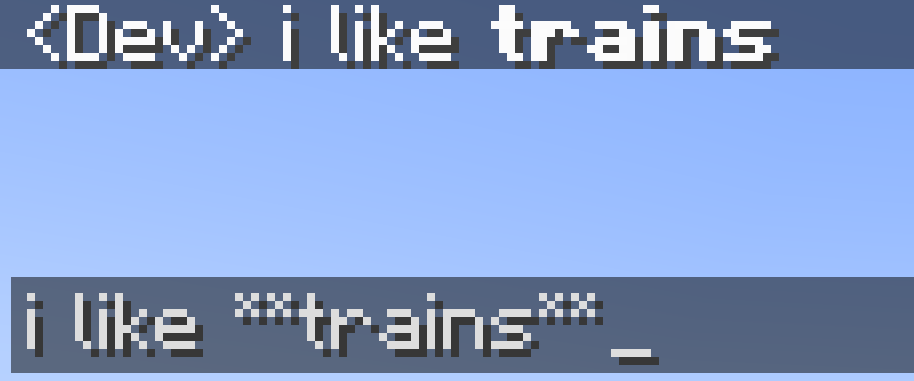
This mod allows you to use markdown-like syntax to format your text in minecraft:
*italic text* -> italic text
**bold text** -> bold text
***bold + italic*** -> bold + italic
__underline__ -> underline
~~strikethrough~~ -> strikethrough
this **is** bold -> this is bold
this __*is* multiple things__ -> this is multiple things
The terminating set of symbols is optional, e.g. **hello will still be bold.
If you put a star at the start of the name of an item in an anvil, it will cancel out the italic
Hex codes/custom colours
This mod allows you to colour your text with custom colours:
[#ff0000]red text-> red text
[#ff00FF]pink text-> pink text**[#00ff00]bold green text**or[#00ff00]**bold green text**-> bold green text
The codes are case-insensitive.
Extended format syntax
This feature has been replaced by new syntax, but still works.
The mod allows you to use named colours instead of the normal single letters.
The names are white, black, blue, green, aqua (or cyan), red, purple, gray and yellow.
The names are case-insensitive.
To use the dark version of the colour (except white and black), put "d", "dark" or "deep" before or after the name. You can optionaly use a space or underscore between the name and the prefix/suffix. For example, §[dark_blue], §[deepblue], §[blue d], §[dblue] all make dark blue text
§[gold], the name MCWiki gives the colour, can also be used for dark yellow.
Bold, underline, italics, etc
You can also use:
§[s]for strikeout text,§[b]for bold text,§[o]for obfuscated text,§[u]for underlined text,- and
§[r]for §r (reset)
Multiple style options
Format options can be chained without needing multiple §s. For example, §[red][u][i]text will show red, bold, underlined text. You need to put the colour before the bold and underline. This is because the colour code resets the style to be coloured, but not italic, bold, etc. This is a minecraft thing, and also applies to vanilla formatting codes.
Use on servers
If you want to use this mod on a server, this mod will have to be installed on it, or the server must otherwise allow you to send '§' in chat, or the server will automatically kick you when you use formatting.
- Edition: Minecraft Java
- File type: .jar
- Minecraft versions listed: 1.21.1, 1.19.4, 1.18.2
- How to install: Install the matching mod loader (Forge, Fabric or NeoForge) for your Minecraft version. → Download the .jar. → Put it in the .minecraft/mods folder and launch that loader profile.
- Where to get it: Opens on CurseForge — not every file is mirrored on our own servers.
Install steps are the general flow for this file type — How to install Minecraft Java mods & modpacks walks through it step by step.
- Ships as chatcolours-1.19.4-3.1.jar — drop this file into the mods folder
- Download size: 16 KB
- Download link checked 24 Sept 2026 — working
These come from our own check of the pack file, not from the source page.