Upgradable Crystal Tools
Java mod listed for Minecraft 1.18–1.21. Downloads from the MC Java Mods app on Android.
I don't know my version or loader
Crystal Tools
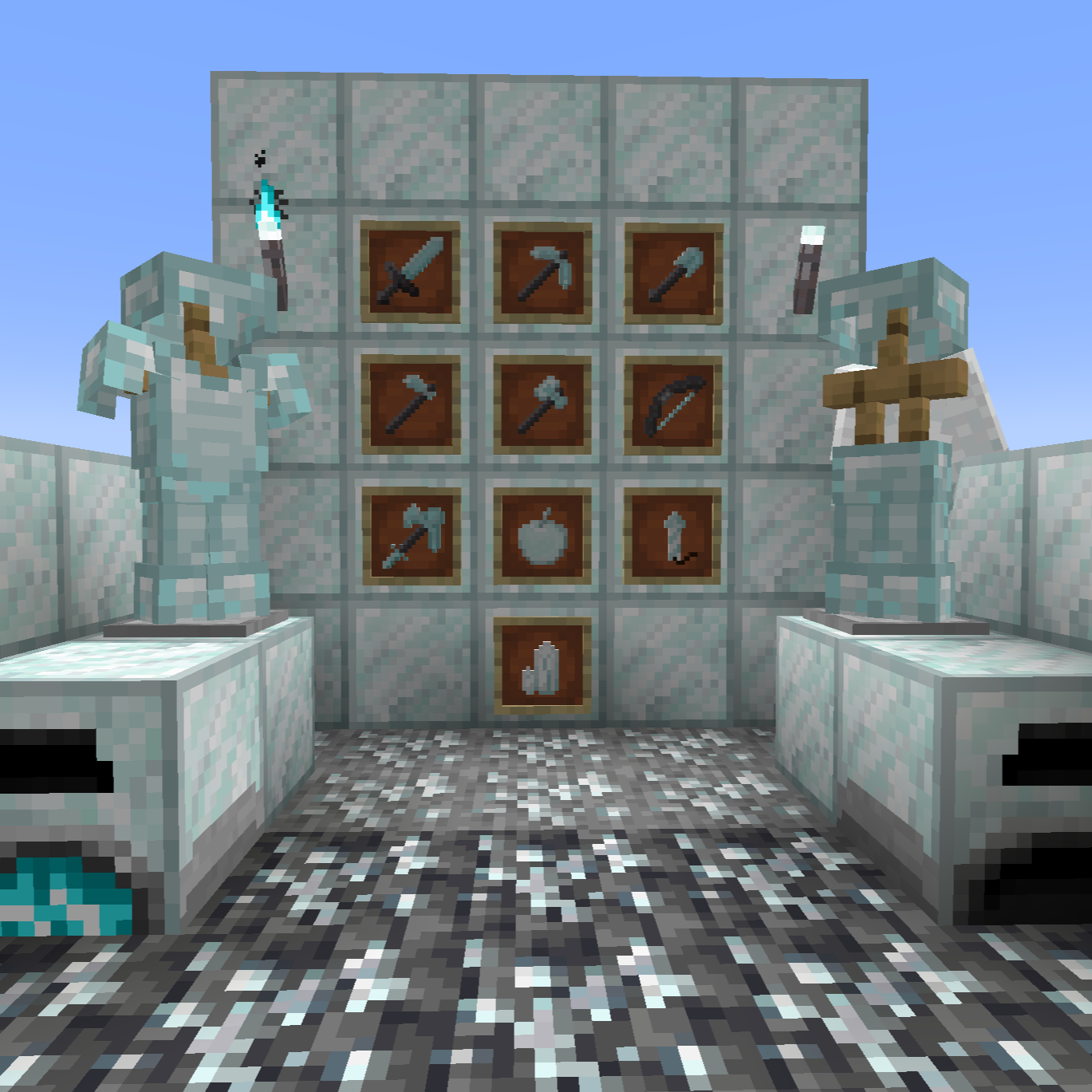
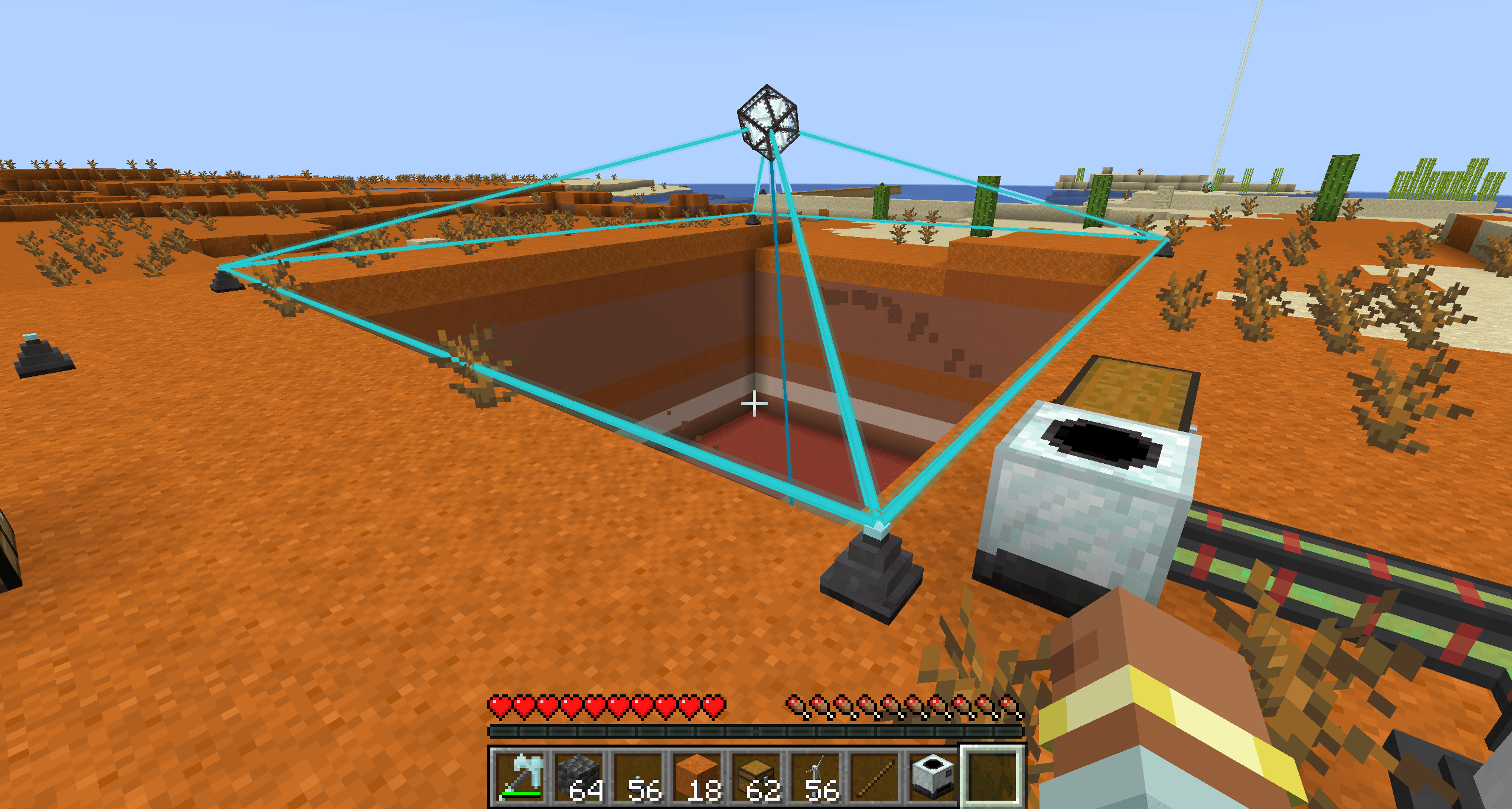
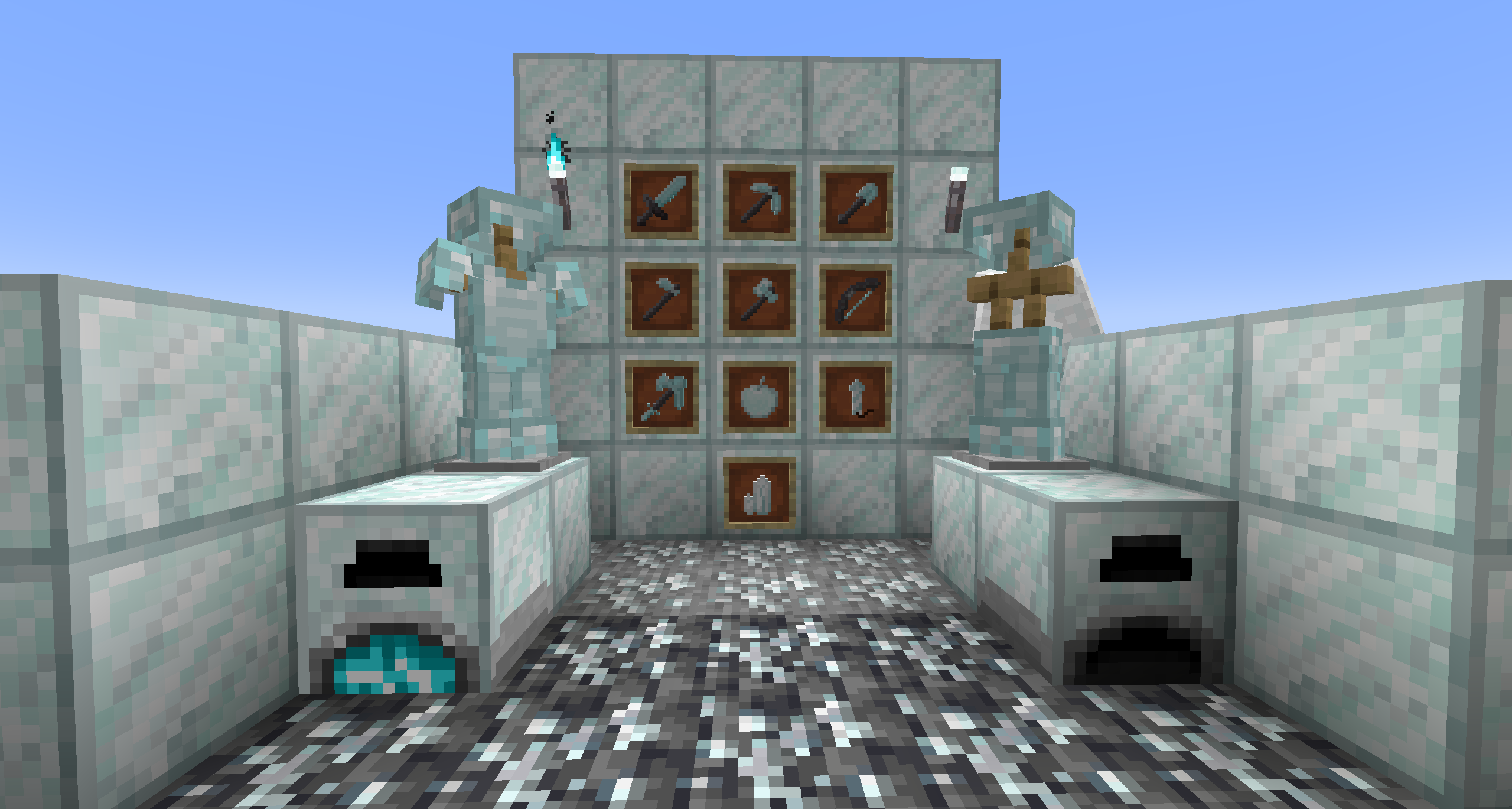
This mod adds a new class of tools to Minecraft called crystal tools. They are meant to be a post-netherite tool that can keep getting better as you use it.
You can download the mod on Curse Forge, Modrinth, or from Github Releases.
Please report any bugs you find in the Issues tab or in the comments. You can also suggest features or ask questions there.
Blocks
- Crystal Ore
- Deepslate Crystal Ore
- Crystal Block
- Crystal Torch
- Acts as a normal torch just with a different texture
- These can be placed with an upgrade on some tools
- Crystal Furnace
- Crystal Generator
- Crystal Quarry
- Crystal Pedestal
World Generation
Ore
Deepslate Crystal Ore Generates Below Y -44 in veins of size 5. The ore generates very rarely, currently only about one vein per chunk.
Geode
There is a new type of Geode that spawns in the nether! Inside you can find Crystal Geodes, Netherite Infused Crystal Geodes, and rarely
Ancient Debris.

Netherite Infused Crystal Geodes drop Netherite Infused Crystal Shards which are used to craft the Crystal Upgrade Smithing Template
which is then used to upgrade netherite armor into crystal armor.
Tools
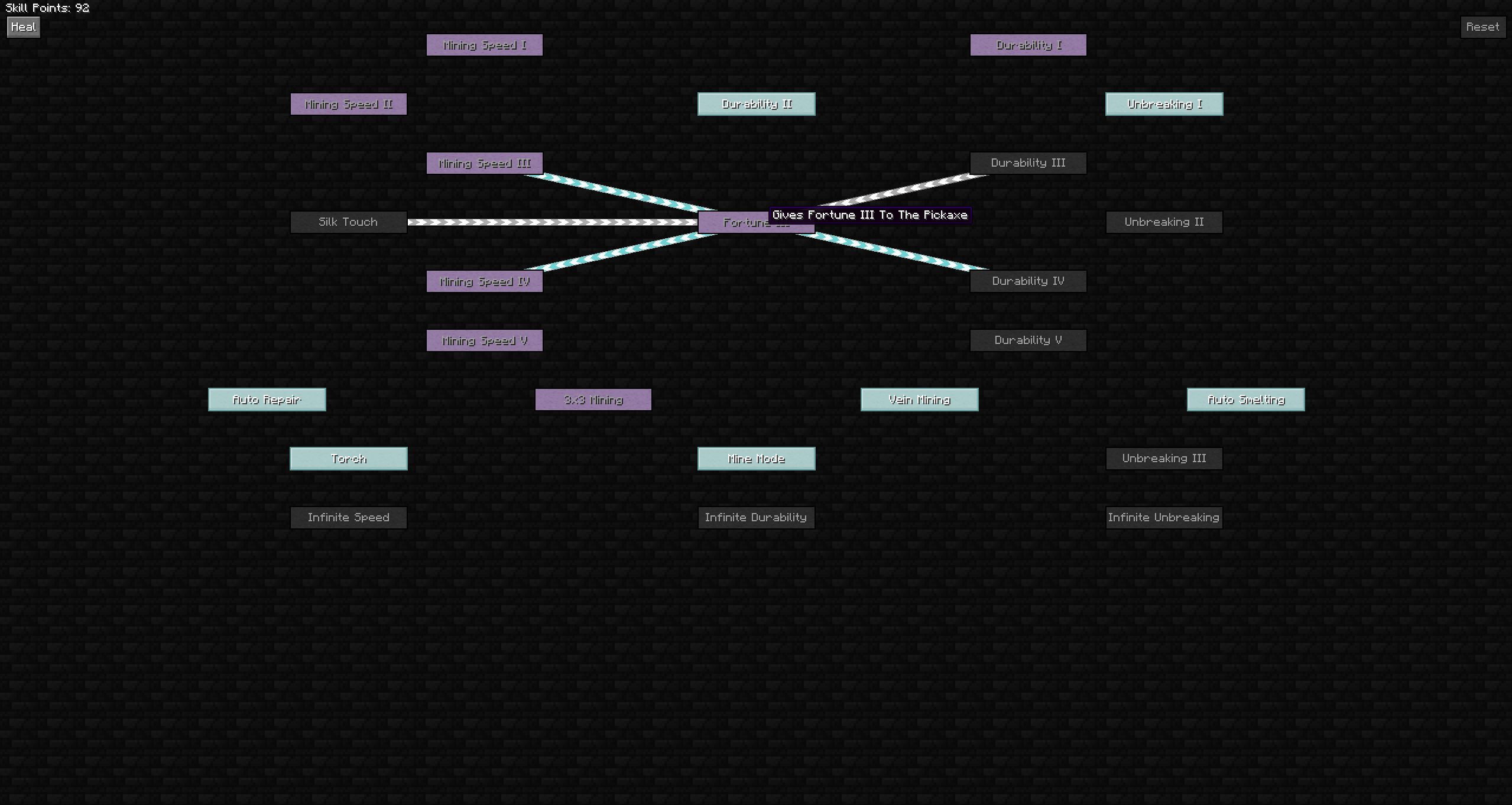
Tools gain experience by using them. You can see how much exp you need to get to the next level by looking at the tooltip. You can open the skill tree by pressing k by default. Skill points can be using to get a new skill or to fully repair your tool.
The following tools/armor pieces are implemented:
- Crystal Pickaxe
- Crystal Axe
- Crystal Shovel
- Crystal Hoe
- Crystal Sword
- Crystal AIOT (All In One Tool)
- Crystal Bow
- Crystal Helmet
- Crystal Chestplate
- Crystal Leggings
- Crystal Boots
- Crystal Elytra
- Crystal Rocket
- Crystal Apple
- Crystal Backpack
- Crystal Trident
- Crystal Fishing Rod
- Crystal Shield
- Crystal Magnet
Other Items
- Crystal Backpack
Upgrades
There will be upgrades that are common to most tools, and tools will each get unique upgrades as well. Below is a list of all currently implemented upgrades.
All Tools
- Durability
- Auto-Repair
Mining Tools (Pickaxe, axe, shovel, hoe)
- Mining Speed
- Silk Touch
- Fortune
- Auto Smelting
- 3x3 Mining
- Auto Pickup
- Mode Switch
- Allows you to upgrade both Fortune and Silk Touch on your tool, and switch between them. (
mby default)
- Allows you to upgrade both Fortune and Silk Touch on your tool, and switch between them. (
Pickaxe
- Vein Mining
- Will mine out an entire vein of ore when you are holding the vein miner key.
- It applies silk touch, fortune, and auto smelt to evey one mined.
- Can add more points to increase the number of blocks mined
- Torch Placer
- Places a torch when you right-click on a block, uses 10 durability.
Axe
- Tree Chopper
- Will chop or strip multiple blocks if you hold the vein miner key. You can increase the number of blocks by adding more points to it.
- Leaf Miner
- Allows axe to mine leaves efficiently.
Sword
- Attack Damage
- Attack Speed
- Fire Aspect
- Knockback
- Knockback Resistance
- You take less knockback when holding the sword
- Lifesteal
- You heal each time you hit an enemy
- Looting
- Capturing
- Mobs you kill have a chance to drop their spawn egg
- Beheading
- Mobs you kill have a chance to drop their head
Trident
- Attack Damage
- Projectile Damage
- Projectile Speed
- Riptide Level
- Loyalty Level
- Channeling (Add more points to increase lightning damage)
- Switch between Loyalty and Riptide
- Allow Riptide when not raining
- Instant Loyalty (It won't have to travel back to you, when it hits something it will instantly appear in your inventory)
Bow
- Arrow Damage
- Arrow Speed
- Draw Speed
- Flame
- Infinity
- Arrow Knockback
- Tipped Arrows
- Poison
- Weakness
- Slowness
- Wither
- Auto Target Entities
Fishing Rod
- Lure
- Luck of the Sea
- Chance to Double Drops (by default 20% per level)
Shield
- Shield Bash
- Increases attack damage
- Thorns
- Damages mobs who hit your shield
- Flaming Shield
- Mobs who attack the shield catch on fire
- Slow Mobs
- Mobs who attack the shield are slowed
- Totem Slot
- Adds a slot of a Totem of Undying. Craft the shield with a Totem of Undying to insert it.
- Shield Knockback
- Mobs who attack the shield are knocked back
- Poison Mobs
- Mobs who attack the shield are poisoned
- Wither Mobs
- Mobs who attack the shield are withered
- Target Mobs
- Reflected projectile will auto-target mobs (mostly just arrows in vanilla)
- Reduce Cooldown
- Decreases the cooldown when the shield is disabled (if you have all of the points in this, the shield can't be disabled)
Magnet
- Item Speed
- Increases how fast items are pulled in
- Range
- Pull Xp
- Allows the magnet to pull in experience orbs
- Pull Mobs
- Allows the magnet to pull in mobs
- Can be disabled with shift + mode switch key
- Filter
- Adds the ability to whitelist and blacklist which items are picked up
- Instant Pickup
- Items are not dragged to you, they are just picked up immediately
All Armor
- Protection
- Fire Protection
- Blast Protection
- Projectile Protection
- Thorns
- Armor Value Bonus
- Toughness Bonus
Helmet
- Aqua Affinity
- Respiration
- Night Vision
Chestplate
- Health Bonus
Leggings
- Speed Bonus
Boots
- Feather Falling
- Depth Strider
- Soul Speed
- Frost Walker
- Negate Fall Damage
Elytra
- Creative Flight
Rocket
- Flight Duration
Apple
- Nutrition
- Saturation
- Eat Speed
- Always Eat
- Effects
- When eaten gain positive effects
- Possible effects:
- Speed
- Haste
- Strength
- Jump Boost
- Regeneration
- Resistance
- Fire Resistance
- Water Breathing
- Invisibility
- Night Vision
- Absorption
- Saturation
- Slow Falling
Furnace
- Furnace Speed
- Decreases the time to smelt items
- Fuel Efficiency
- Increases the time fuel burns
- Experience Boost
- Increase the experience (Minecraft exp) that you get from smelting items
- Slot
- Adds one additional input and one additional output slot
- Fuel Slot
- Adds one additional fuel slot
- Auto Split
- Automatically splits the inputs up over the input slots
- Auto Output
- Automatically ejects output items to connected inventories
Generator
- FE Generation
- Increases the FE per tick generated
- Fuel Efficiency
- Increases the burntime of fuels
- FE Capacity
- Increases the FE capacity
- Redstone Control
- Allows you to turn off the generator with a redstone signal
- Metal Generator
- Allows the generator to burn metals for FE
- Currently works with all vanilla metals and any item with the
ingottag - If you want specific mod compatability, leave a comment or issue and I can add it
- See DataMaps for how to add custom entries
- Food Generator
- Allows the generator to burn food for FE
- Gem Generator
- Allows the generator to burn gems for FE
- Currently works with all vanilla gems and any item with the
gemtag - If you want specific mod compatability, leave a comment or issue and I can add it
- See DataMaps for how to add custom entries
- Save Fuel
- Doesn't waste fuel when there is no room to output FE
Quarry
- Mining Speed
- Redstone Control
- Allows you to disable the quarry with a redstone signal
- Trash Filter
- Allows you to void certain items
- Auto Output
- Will output items to adjacent inventories
- Silk Touch
- Fortune
- Chunkloading
- Keeps the quarry loaded even when you are not around
Backpack
- Capacity
- Adds 9 more item slots
- Auto Pickup
- Items that you pickup will go into your backpack if they match the filter
- Can be toggled off with the Mode Switch key
- Filter Slots
- Each level adds 5 filter slots for deciding what the backpack picks up
- Has a button to switch between whitelist and blacklist
- Sort
- Adds a button that will automatically sort the contents of the backpack
- By default, it will sort by number of items. This can be changed in the config to
QUANTITY,NAME,MOD, orID
- Store In Inventory
- Shift Right-clicking on a chest or another inventory will attempt to store all items from the backpack in the inventory
Crafting Recipes
Tools
Pickaxe

Axe

Shovel

Hoe

Sword

Trident

Fishing Rod

AIOT
- Will give you skill points equal to all the points on tools used to craft it (spent or unspent)

Shield

Magnet

Armor
Helmet

Chestplate

Leggings

Boots

Elytra
- Will give you skill points on the crystal elytra based on points on chestplate (spent or unspent) and one for each level of enchantment on the elytra

Rocket

Apple

Blocks
Furnace

Generator
- Will transfer all skill points from the furnace used to craft it

Quarry
- Will transfer a percentage of skill points from the AIOT used to craft it

Pedestal

Misc
Netherite Stick

Crystal Block

Crystal

Crystal Backpack

Config
The following config options are available. The default values are in parentheses.
You can change these values in config/crystal_tools.toml or in the in-game UI.
Common
Experience Settings
base_experience_cap(75): Starting EXP requirements for Tools and Armor. Range: 1 - 10000.max_exp(1000): The maximum amount of exp that can be required for the next level. Range 1 - 100000.experience_multiplier(1.1): Multiplier for max experience to the next level. Range: 1.0 - 100.0.furnace_experience_boost(1): Multiplies how much experience Furnaces get, experience is calculated byEXP_GAINED= RECIPE_EXP * 10 * FURNACE_EXPERIENCE_BOOST. Range: 0.1 - 1000.0.fishing_rod_exp(10): Determines how much experience you get for fish caught. Range 1 - 1000.experience_leveling_scaling(10): Number of levels in a tool before the experience level costs increases. Set to 0 to disable scaling. Range: 0 - 100.experience_per_skill_level(10): Determines the number of experience levels you need to gain a level on a tool. Set to 0 to disable. Range: 0 - 100.
Tool Settings
tool_repair_cooldown(50): Determines the cooldown between durability repairs for tools with the auto repair upgrade in ticks (20 ticks per second). Range: 1 - 10000.repair_in_hand(false): If true, tools will auto repair while you are holding themrocket_repair_modifier(10): Multiplied by TOOL_REPAIR_COOLDOWN to get the cooldown of the auto repair on the rocket. Range: 1 - 10000.apple_repair_modifier(10): Multiplied by TOOL_REPAIR_COOLDOWN to get the cooldown of the auto repair on the apple. Range: 1 - 10000.vein_miner_range(4): Determines the range of the vein miner upgrade on the shovel, pickaxe, and AIOT. It will mine blocks upo to this range away from the ore broken. Range 1 - 100.tree_chopper_range(10): Determines the range of the tree chopper and tree stripper upgrade on the axe. It will mine logs up to this range away from the log broken. Range 1 - 100.always_channel(true): If true, channeling Crystal Tridents will summon lightning even if they don't hit an entity.
Furnace Settings
fuel_efficiency_added_ticks(100): Number of ticks that are added to each fuel piece per level of fuel efficiency.speed_upgrade_subtract_ticks(10): Number of ticks subtracted from every recipe's duration per level of furnace speed.experience_boost_percentage(0.1): Percentage increase of experience gained per level of experience boost.
Generator Settings
base_fe_generation(40): Base FE generation per tick. Range: 1 - 1000000.base_fe_storage(10000): Base FE the crystal generator can store. Range: 1 - 1000000.base_fe_transfer(80): Base FE transfer per tick. Range: 1 - 1000000.fe_generation_per_level(10): FE generation gained per level of FE Generation. Range: 1 - 1000000.fe_storage_per_level(2000): FE storage gained per level of FE capacity. Range: 1 - 1000000.food_burn_time_multiplier(20): The food burntime formula is: (food_nutrition+food saturation) *food_burn_time_multiplier. Range: 0.01 - 10000.skill_points_per_burn_time(0.00625): Determines how much skill experience you get from burning items.skill_exp=fuel_burn_time*skill_points_per_burn_time. Range: 0 - 1.generator_base_experience_cap(50): Starting EXP Cap for the generator. Range 1 - 100000.
Backpack Settings
backpack_sort_type(QUANTITY): Sort method that the backpack uses. Can be one of:QUANTITY,NAME,MOD, orIDbackpack_base_experience_cap(200): Starting EXP requirements for the Backpack. Range: 1 - 10000.max_compression_slot_rows(6): Maximum number of rows of compression slots. These slots will not scroll, so don't set it to larger than your gui scale can render. Range: 1 - 20.
Quarry Settings
quarry_base_energy_cost(40): Quarry base RF/tick. Range: 0 - 100000.quarry_speed_cost_increase(10): How much RF/tick is added to the quarry per speed upgrade. Range: 0 - 100000.quarry_silk_touch_cost_increase(40): How much RF/tick is added to the quarry when silk touch is active. Range: 0 - 100000.quarry_fortune_cost_increase(40): How much RF/tick is added to the quarry when fortune is active. Range: 0 - 100000.quarry_initial_point_multiplier(0.1): What percentage of the points from an AIOT the quarry gets when crafted. Range: 0 - 1.quarry_base_experience_cap(500): Starting EXP Cap for the quarry. Range: 1 - 100000.quarry_speed_upgrade_multiplier(50): Multiplier for the speed upgrade of the quarry. Range: 1 - 100000.quarry_max_size(64): Max size of the quarry. Range: 1 - 256.
Magnet Settings
magnet_base_range(5): Magnet Base Range (in blocks). Range: 0 - 100.
Pedestal Settings
level_items_in_pedestal(true): If true, Items will gain experience when used in pedestals
Miscellaneous Settings
enable_item_requirements(true): Set to false to disable certain nodes from requiring items to upgrade.require_crystal_for_reset(true): Require a crystal item in your inventory for resetting skill points.enchant_tools(false): If true, tools will be enchantable. This could cause weird interactions and issues.
Client
upgrade_screen_background("cracked_deepslate_tiles"): Determines the block texture to use for the background of the upgrade screen. Must be a vanilla block's resource location. Here is a list of options from the wiki.background_opacity(1.0): Controls the background opacity of the skill tree screen. Range: 0 - 1.0.disable_block_target_rendering(false): Disables the block highlighting for 3x3 mining and vein mining.shift_point_spend(10): Number of points to spend while you are holding shift. Range: 1 - 10000.control_point_spend(100): Number of points to spend while you are holding control. Range: 1 - 10000.
Server
creative_flight_points(100): The number of points you need to have in the creative flight node for it to enable. Range: 1 - 1000000.vanilla_skill_trees(NONE): Sets the vanilla skill trees that are enabled.NONEwill set none,ALLwill allow all vanilla toolsNETHERITEwill only allow netherite toolsDIAMOND_NETHERITEwill allow diamond and netherite tools to be leveled
Datapack options
There are a couple of features that can be customized using datapacks.
Tags
entity_type/entity_blacklist: Entities that have this tag will not level up the sword, bow, or AIOT when attacked.- Default Value:
[minecraft:armor_stand]
- Default Value:
block/auto_output_blacklist: The Crystal Furnace and Crystal Quarry will not auto output to blocks with this tag.- Default Value:
[minecraft:hopper]
- Default Value:
More information on tags and datapacks can be found here.
Example
Add a file entity_blacklist.json in a datapack in the location crystal_tools/tags/entity_type that looks like:
{
  "values": [
    "minecraft:armor_stand"
  ]
}
Datamaps
generator_gems: Controls the gems that can be burned with the gem generator upgrade in the crystal generator.generator_metals: Controls the gems that can be burned with the gem generator upgrade in the crystal generator.mob_heads: Controls which heads which mobs drop with the beheading upgrade.pedestal_actions: Controls which items have effects in the Crystal Pedestal
More information on datamaps can be found here.
Examples
Adding a modded gem
Add a file generator_gems.json in a datapack in the location crystal_tools/data_maps/item that looks like:
{
  "values": {
    "ae2:certus_quartz_crystal": {
      "bonusGeneration": 5,
      "burnTime": 1600
    }
  }
}
Where bonusGeneration is the generator added on top of the base from the generator and burnTime is the total burn time in ticks.
Changing the value of an existing gem
{
  "values": {
    "replace": true,
    "minecraft:diamond": {
      "bonusGeneration": 1000,
      "burnTime": 16000
    }
  }
}
Adding an item to the pedestal actions datamap
If you wanted to add another item that would work like a magnet in the pedestal you can add it like this:
{
  "values": {
    "minecraft:netherite_pickaxe": {
      "type": "magnet",
      "params": {
        "durabilityModifier": 3.0,
        "maxTickCounter": 1,
        "range": 2
      }
    }
  }
}
durabilityModifier changes how much durability the item uses when the action is used
maxTickCounter determines how often the action should tick (1 means it will run every tick)
range determines the base range of the magnet
Defining Custom Skill Trees
There are 2 parts to adding a skill tree: the actual skill tree and the datamap to associate it to an item.
Skill Tree
The skill trees are defined in json in a datapack registry. Built in examples can be found here: https://github.com/will-y/crystal-tools/tree/1.22/src/generated/resources/data/crystal_tools/crystal_tools/skill_trees
The built-in datapack has a skill tree defined for every crystal tool, along with a basic mining tool tree and a basic sword tree.
To build custom trees, place custom json files in the directory data/<datapack-namespace>/crystal_tools/skill_trees/items.
Skill Tree Datamap
To actually associate the tree with an item, you will need an entry in the skill tree datapack.
This will go in the file data/crystal_tools/data_maps/item/skill_trees.json.
An example skill tree object looks like:
{
  "values": {
    "minecraft:netherite_pickaxe": {
      "allowRepair": false,
      "allowReset": false,
      "allowXpLevels": false,
      "treeLocation": "crystal_tools:simple_pickaxe"
    }
  }
}
Fields:
treeLocation(required): The location of the skill tree. Either a built-in tree, or one provided in a datapack.baseExperienceModifier(default 0): Increases the amount of base experience the tool starts with.experienceScaling(default 1.0): Determines how fast tools will gain experience.allowRepair(default true): Will allow you to spend skill points to repair your tool.allowReset(default true): Will allow you to reset the skill points on a tool.allowXpLevels(default true): Will allow you to convert xp to skill points for this tool.allowMiningXp(default true): Will allow the tool to get experience from mining blocks.allowDamageXp(default true): Will allow the tool to get experience from attacking entities.
Removing Skill Trees From Items
To remove existing items, you can add this to your datapack:
{
  "remove": [
    "crystal_tools:crystal_pickaxe"
  ]
}- Edition: Minecraft Java
- File type: .jar
- Minecraft versions listed: 1.21.1, 1.21.11, 1.21.10
- How to install: Install the matching mod loader (Forge, Fabric or NeoForge) for your Minecraft version. → Download the .jar. → Put it in the .minecraft/mods folder and launch that loader profile.
- Where to get it: Opens on CurseForge — not every file is mirrored on our own servers.
Install steps are the general flow for this file type — How to install Minecraft Java mods & modpacks walks through it step by step.
- Ships as crystal_tools-1.1.3-ALPHA.jar — drop this file into the mods folder
- Download size: 169 KB
- Download link checked 25 Sept 2026 — working
These come from our own check of the pack file, not from the source page.