Alloygery
Java mod listed for Minecraft 1.18–1.19. Downloads from the MC Java Mods app on Android.
I don't know my version or loader
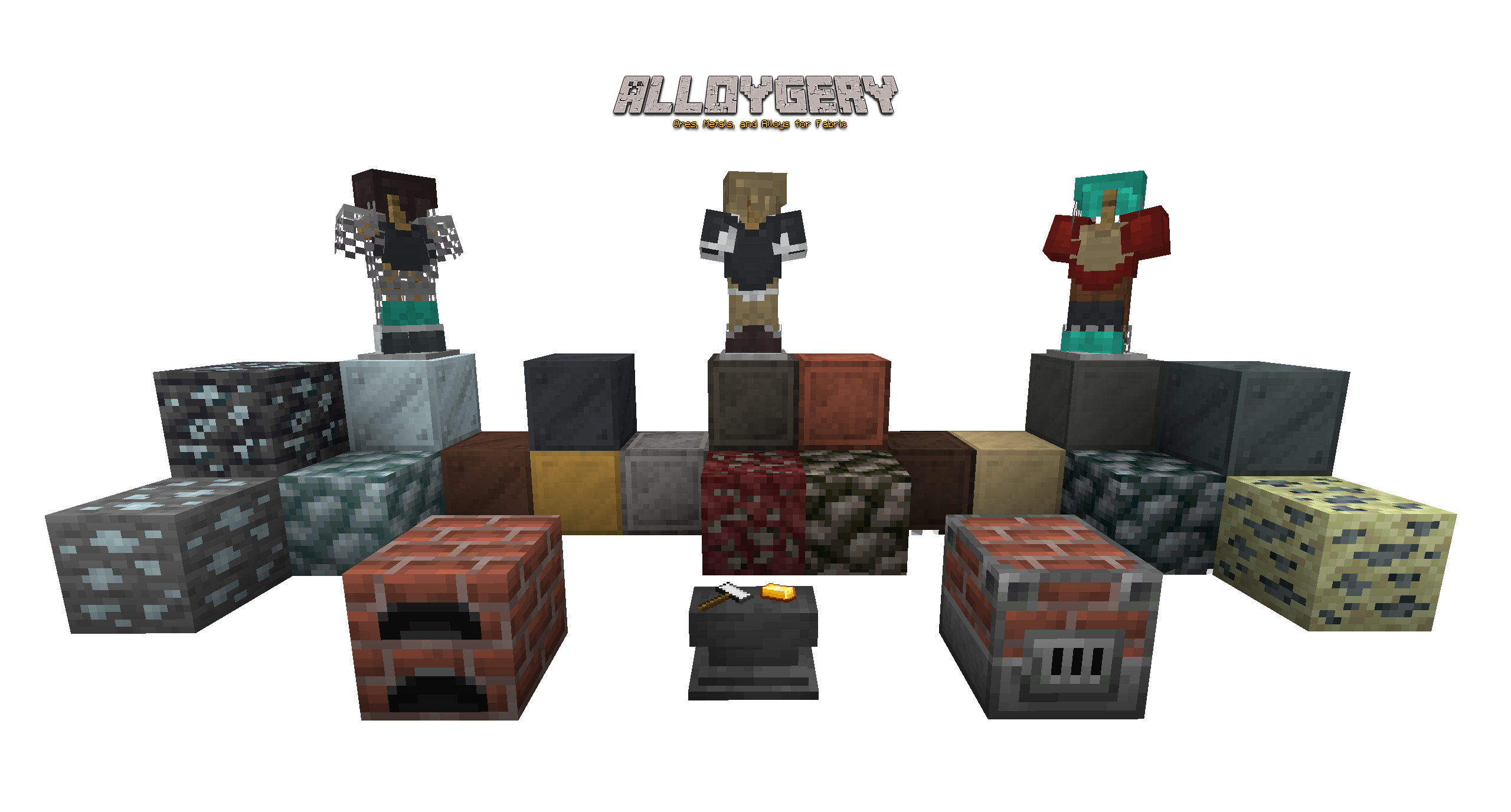



adding new metals and alloys to change up tools and armor while preserving a vanilla feel
Alloygery adds a new way to make alloys from metal and ores.
The Alloy Kiln
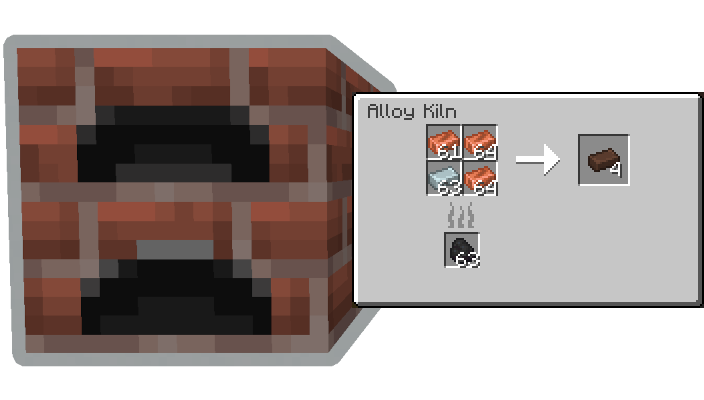
and the Blast Alloy Kiln

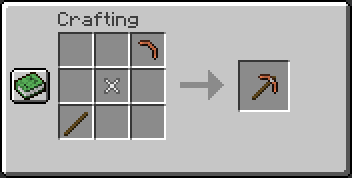
Alloygery introduces a new way to craft tools out of parts made at the Smithing Anvil.
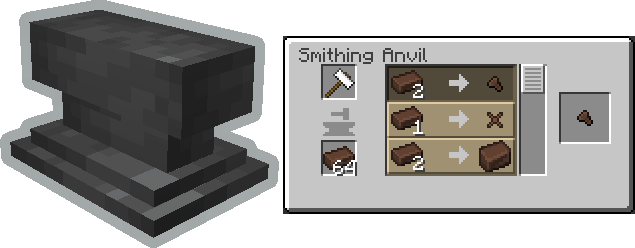
Tools are crafted from a combination of a tool head (like a pickaxe head), a binding, and a handle. Where each part contributes to the overall stats of the tool. Try mix and matching materials to get the best results.
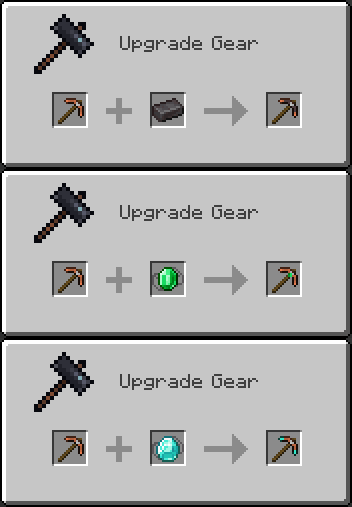
Once you have a tool, take it over to the smithing table to apply an upgrade.
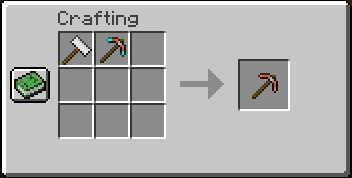
Upgrades are removable by using a smithing hammer.
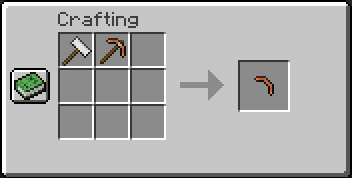
By default, diamond and netherite gear are uncraftable. If you happen to come across some gear via loot or trading, you can still make use of it by salvaging the tool head.
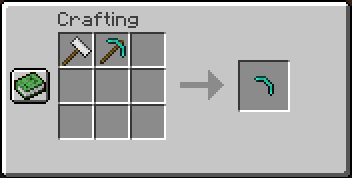
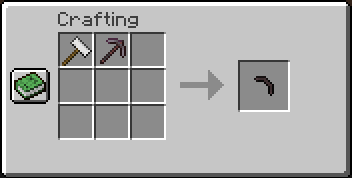
Similarly, regular gear can also be dismantled this way.
 </details>
In a similar way to tool crafting, Alloygery also changes the way armor is made.
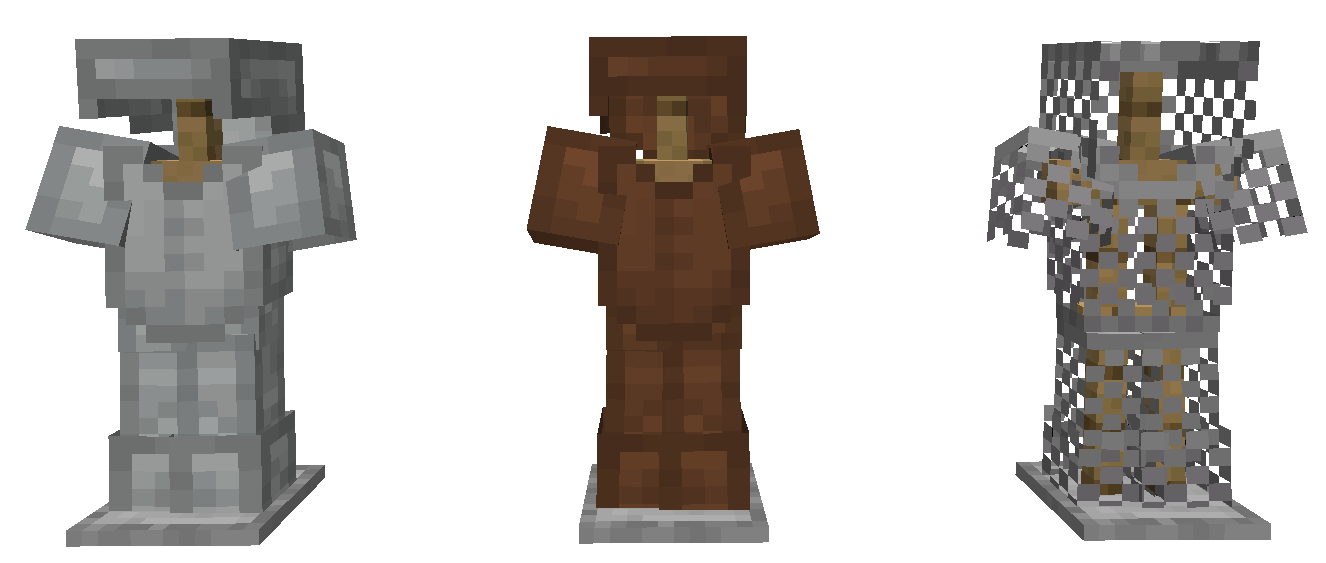
Armor starts with a base layer. There are three base layers: Wool, Leather, and Chain.
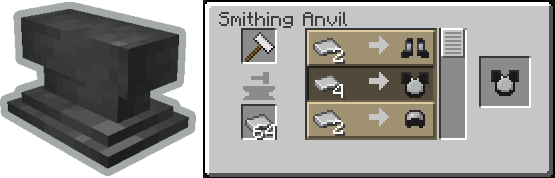
You can craft armor plating to upgrade your armor with at the Smithing Anvil
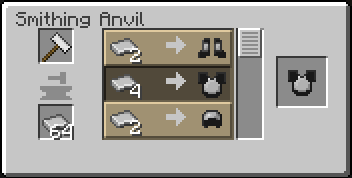
Then apply those upgrades to your base armor at the Smithing Table
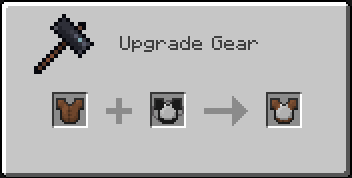
Plating can be removed at the Crafting Table by using a Crafting Hammer
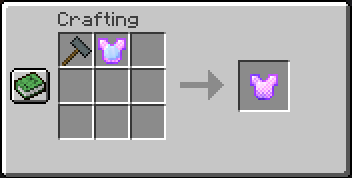
By default, diamond and netherite armor is not craftable. You can make armor plates from any that you find as loot though.
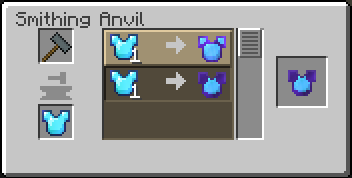
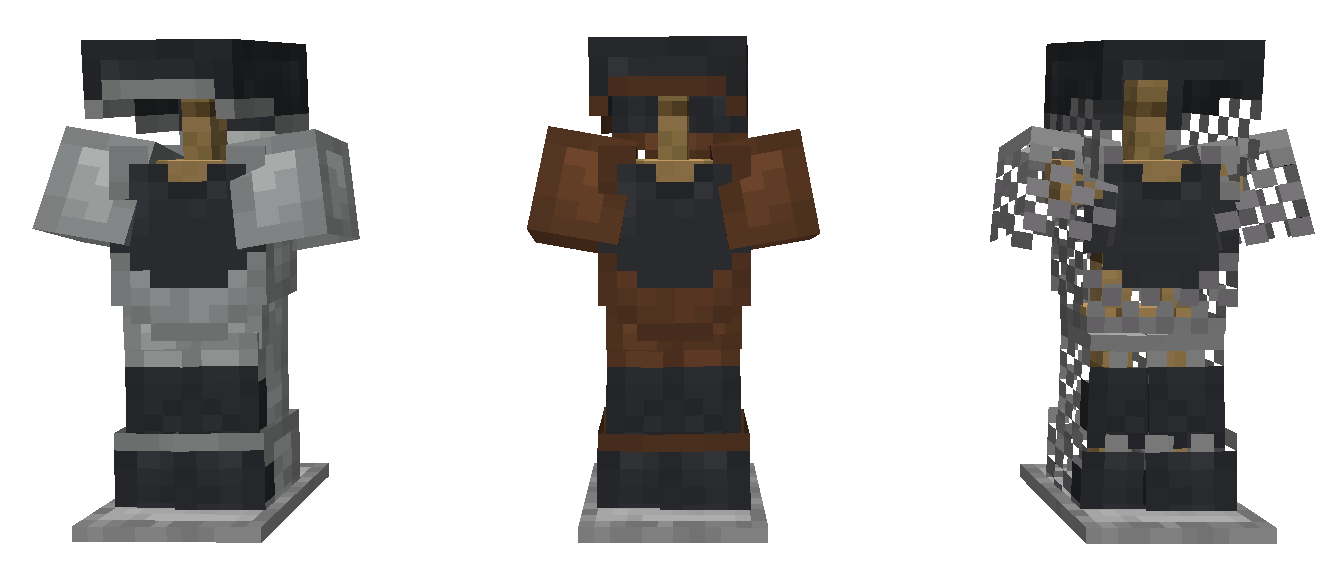
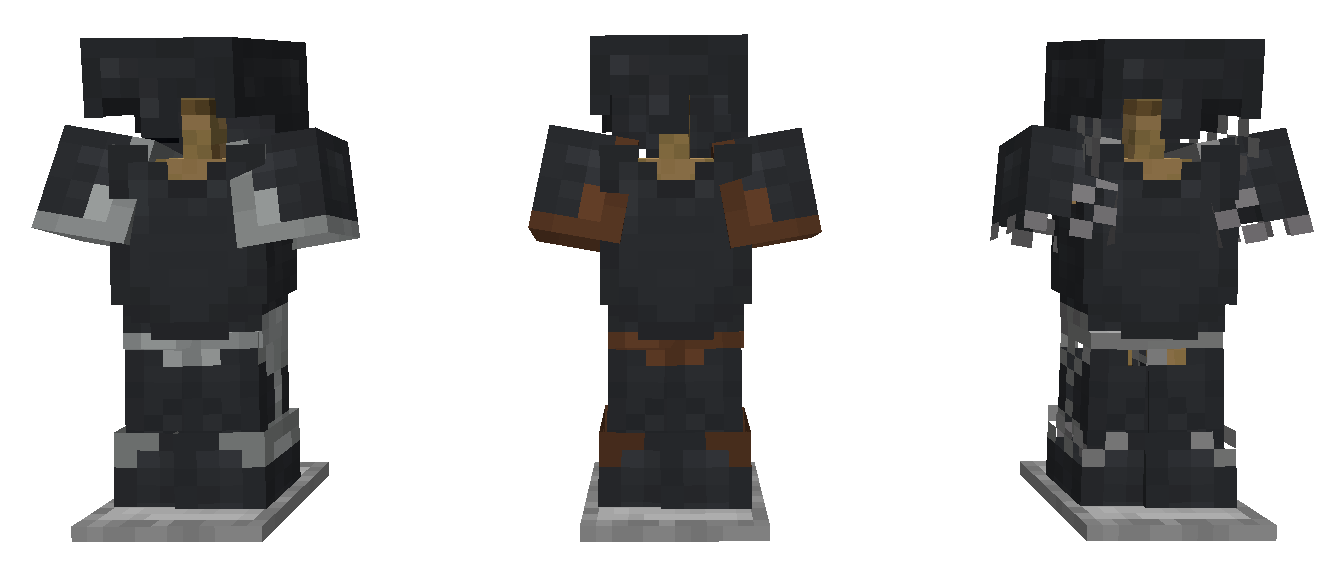
There are two types of armor plating added by Alloygery. Plate, and Heavy Plate.
Depiction of Steel Plate applied to each base armor type.
Depiction of Steel Heavy Plate applied to each base armor type.
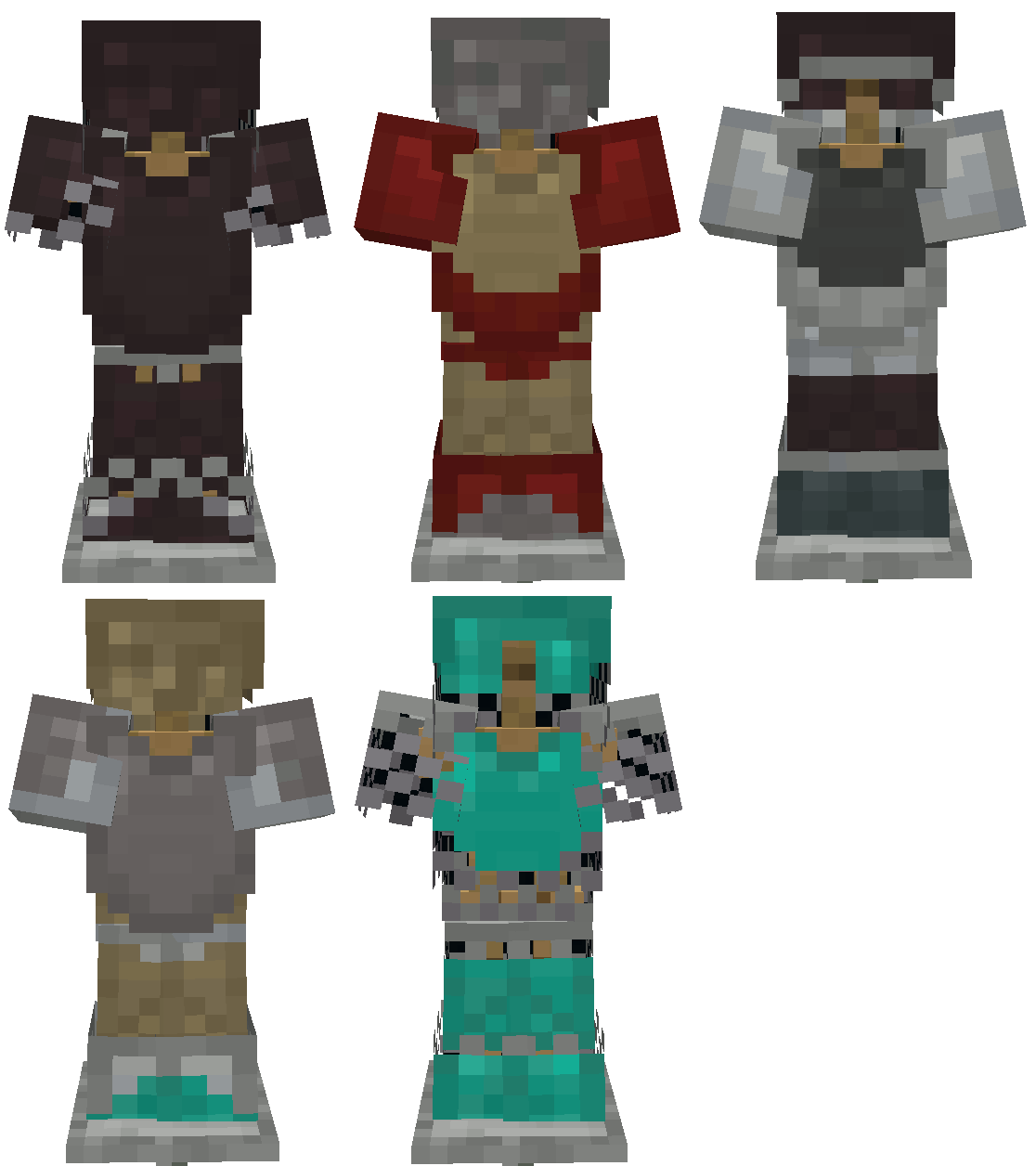
With the ability to dye leather and wool base layers, the possible combinations are extensive.
 </details>
If you have some ideas, or want to talk about Alloygery, consider joining the discord.

- Edition: Minecraft Java
- File type: .jar
- Minecraft versions listed: 1.19.2, 1.18.2, 1.19
- How to install: Install the matching mod loader (Forge, Fabric or NeoForge) for your Minecraft version. → Download the .jar. → Put it in the .minecraft/mods folder and launch that loader profile.
- Where to get it: Opens on CurseForge — not every file is mirrored on our own servers.
Install steps are the general flow for this file type — How to install Minecraft Java mods & modpacks walks through it step by step.
- Ships as alloygery-2.5+1.19.2+rc1.jar — drop this file into the mods folder
- Download size: 1.7 MB
- Download link checked 15 Oct 2026 — working
These come from our own check of the pack file, not from the source page.