
Simple Bigger Fonts
Java resource pack listed for Minecraft 1.16–1.18. Download on the author's site.
⬇ Download on CurseForge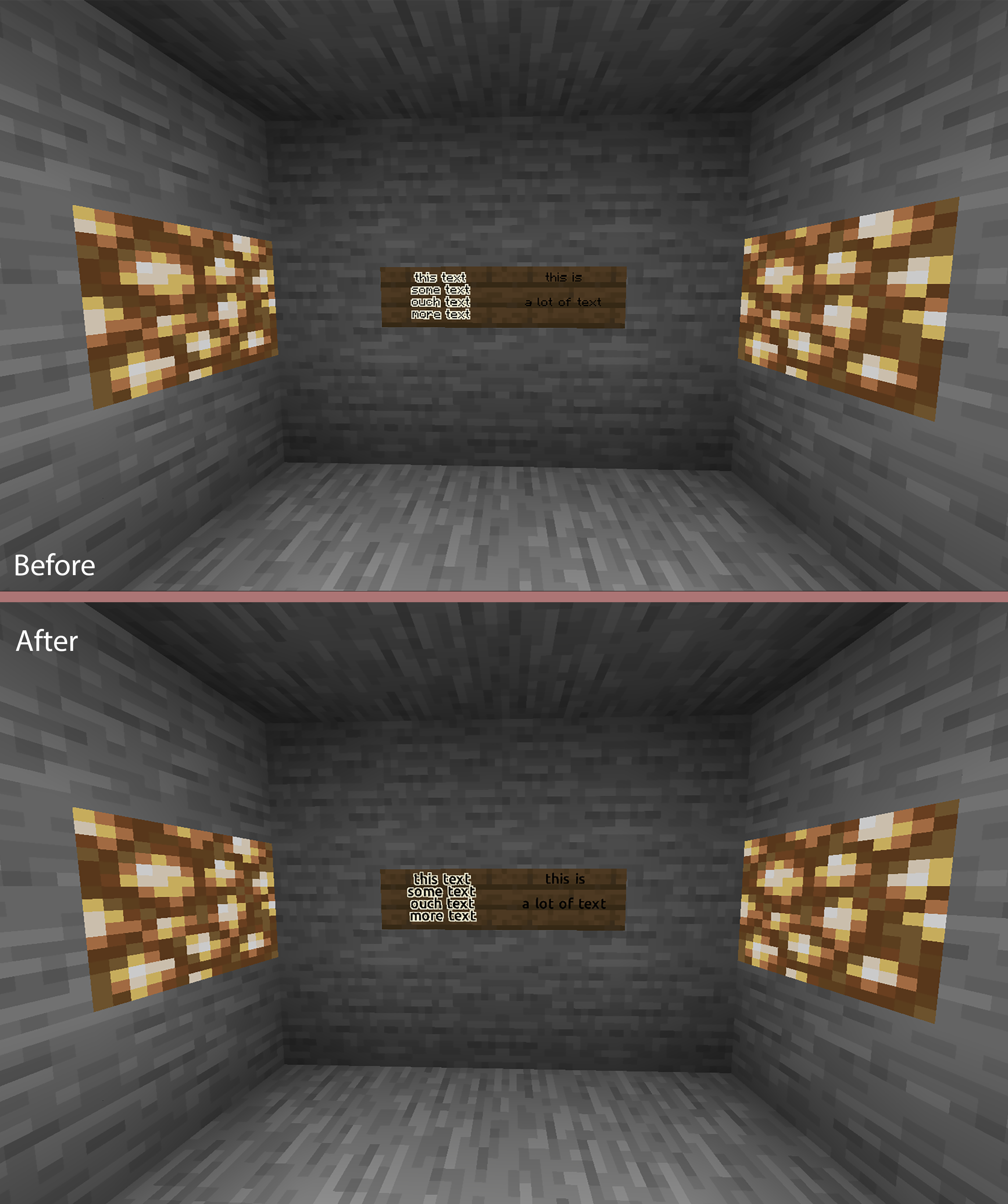
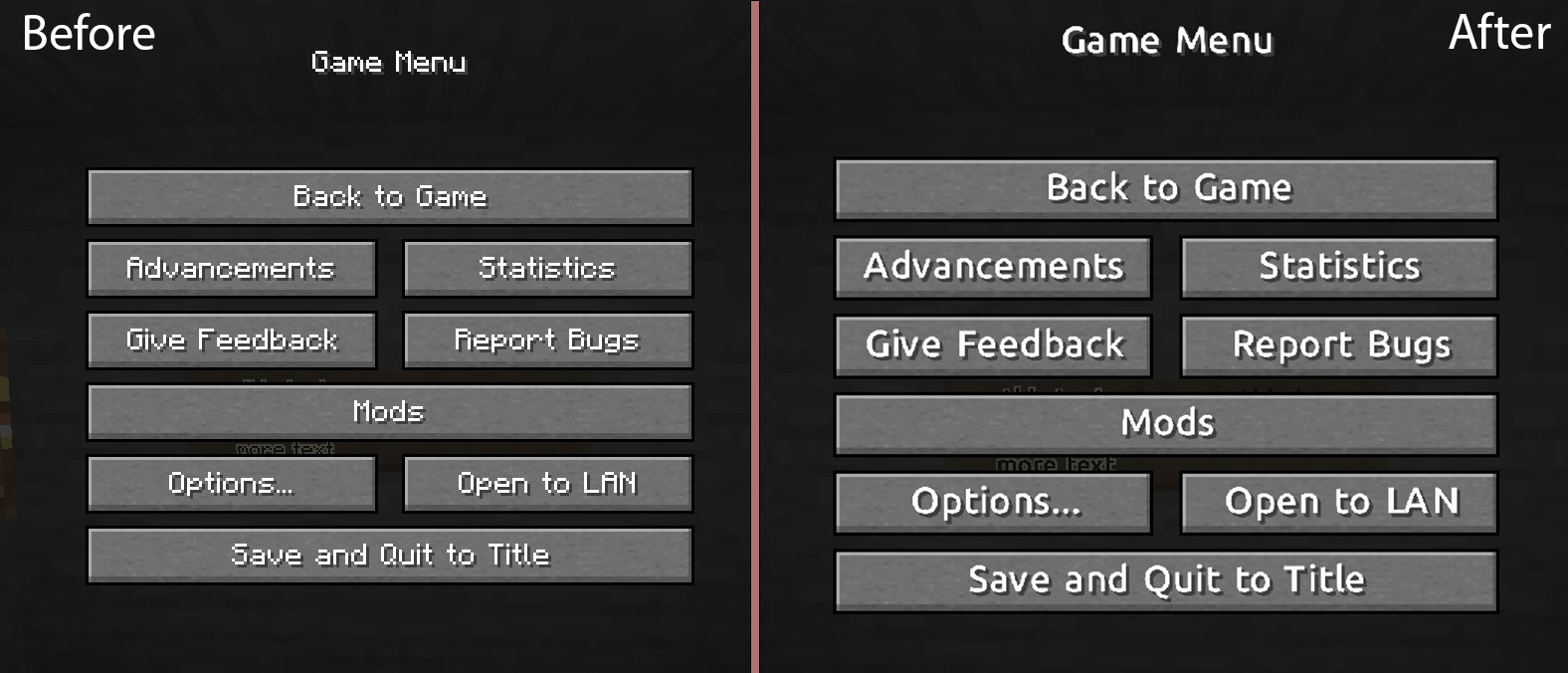
Hello! I've made this very basic Resource Pack, using the default Ubuntu Font from google free fonts (https://fonts.google.com/specimen/Ubuntu) in order to make more readable, in particular on the signs.
1. Change Font Size:
- Edit the .\assets\minecraft\font\default.json file, changing the "size" option with the desidered Font Size. ResourcePack default is 13.0. (Minecraft default is 11.0);
NOTE/PROBLEM: If you have a Sign Text line that reach the sign border (ex. maximum letters in a single line), with size more then 11.5 the last word on the line will be removed
2. Change Font:
- Download the .ttf file of the font;
- Rename the file with all lower case letters;
- Copy the file on the folder .\assets\minecraft\font\
- Edit the .\assets\minecraft\font\default.json "file" option, with the .ttf file name (ex. myfont.ttf -> "minecraft:myfont.ttf");
- Zip the 3 files assets - pack.mcmeta (- pack.png, optional) and insert the zip into the ResourcePack folder.
- Edition: Minecraft Java
- File type: .zip (resource pack)
- Minecraft versions listed: 1.18.1, 1.18, 1.17.1
- How to install: Download the .zip resource pack — do not unzip it. → Put it in .minecraft/resourcepacks. → Enable it in Options → Resource Packs.
- Where to get it: Opens on CurseForge — not every file is mirrored on our own servers.
Install steps are the general flow for this file type — How to install Minecraft Java resource packs walks through it step by step.
Simple Bigger Fonts is a free Minecraft Java resourcepack. Compatible with Minecraft 1.18.1, 1.18, 1.17.1, 1.17 and newer. Downloaded 565 times (via CurseForge). Download it and open it directly in the game.