Automatic Chat Translator
Java mod listed for Minecraft 1.18–1.20. Downloads from the MC Java Mods app on Android.
I don't know my version or loader
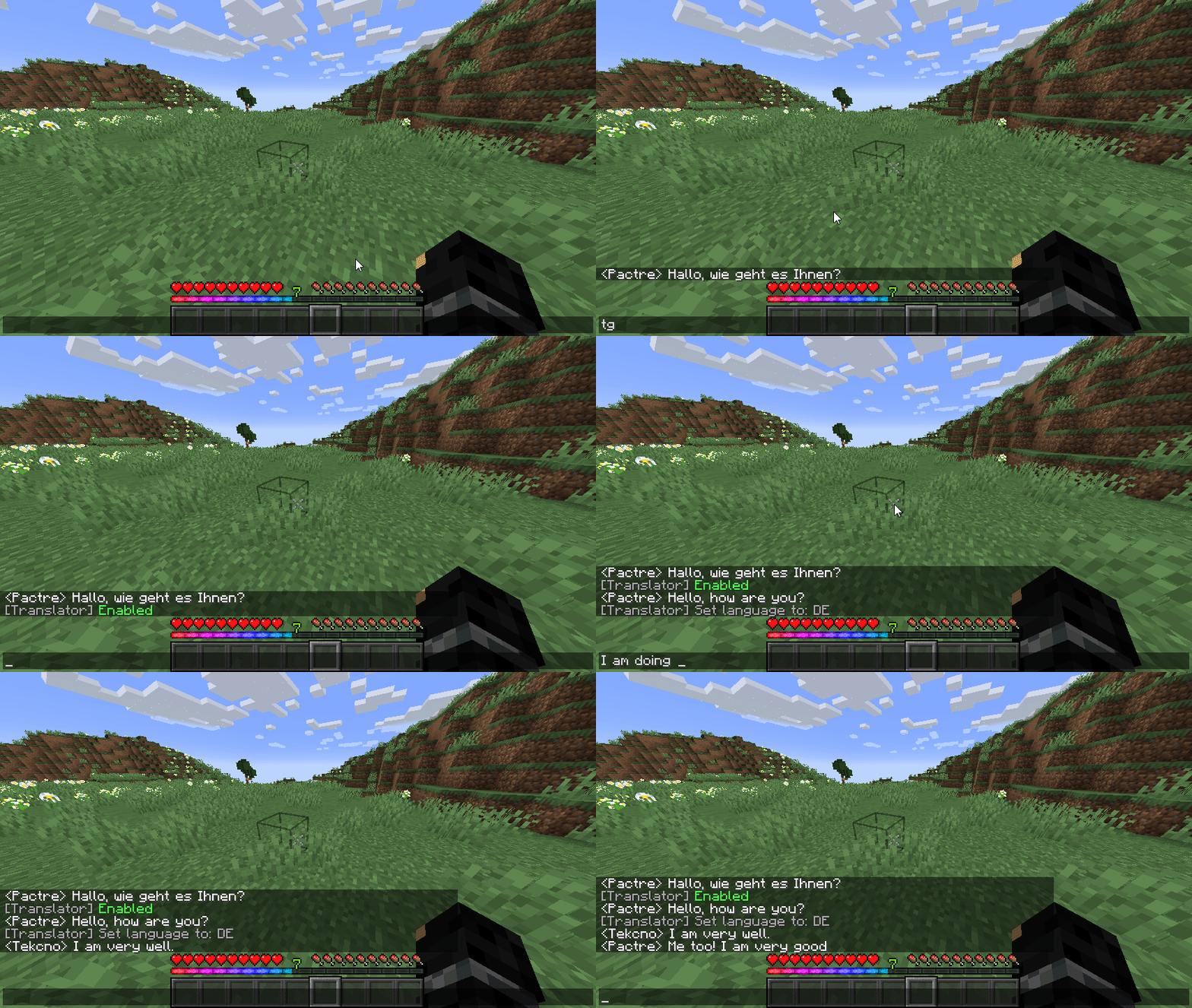
Have you ever joined a minecraft server and everyone is speaking a language you dont understand? Gone with the days of that.
This mod automatically translates incoming and outgoing chat messages in minecraft.
To get started, you must first have a DeepL API key. Here's how you get one:
- Step 1) Go to https://deepl.com/
- Step 2) Click "Start free trial" at the top right corner
- Step 3) Click "For developers"
- Step 4) Click "Sign up for free"
- Step 5) Enter your email and create a password.
- Step 6) Enter your information and a card for verification
- Step 7) Go to https://www.deepl.com/pro-account/summary and scroll down
- Step 8) Copy the authentication key
- Step 9) Launch minecraft, and type `/setkey <API KEY HERE>`
NOTE: The OpenAI API key is NOT required for use of DeepL translation.
The default key to toggle on/off translations is G this key can be changed in the key binds menu.
Access the config menu in Mods -> Translator -> Config or press the key H in game to access it.
FEATURES
- Automatically detects language and translates it if possible
- Translates your text into a selected language
- Hover over translated text to see original message and detected language
- Click translated text to switch selected language to the detected language
- Native language translation (Set all messages to be translated to anything you want)
- Supports OpenAI GPT-3.5 & GPT-4 translation which preserves chat formatting (Requires paid OpenAI API key)
- Edition: Minecraft Java
- File type: .jar
- Minecraft versions listed: 1.20.1, 1.19.2, 1.18.1
- How to install: Install the matching mod loader (Forge, Fabric or NeoForge) for your Minecraft version. → Download the .jar. → Put it in the .minecraft/mods folder and launch that loader profile.
- Where to get it: Opens on CurseForge — not every file is mirrored on our own servers.
Install steps are the general flow for this file type — How to install Minecraft Java mods & modpacks walks through it step by step.
- Ships as translate-1.3.22.jar — drop this file into the mods folder
- Download size: 39 KB
- Download link checked 25 Sept 2026 — working
These come from our own check of the pack file, not from the source page.