The One Probe Fabric
Java mod listed for Minecraft 1.18–1.19. Downloads from the MC Java Mods app on Android.
I don't know my version or loader
This is an unofficial Fabric port, for the Forge original head to https://www.curseforge.com/minecraft/mc-mods/the-one-probe
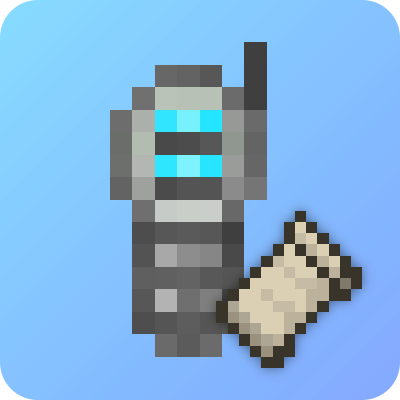
The One Probe (or TOP in short) is a more immersive version of WAILA, or as it is called today, WTHIT. You don't get to see the information tooltip all the time but only when you have the probe in your hand (note that this mod can be configured to show the information all the time just like WAILA/WTHIT).
Note! The One Probe is NOT a client-only mod! It must be present on the server too!
The purpose of this mod is to show on-screen information about the block you are looking at whenever you hold the probe in your hand (or off-hand). The mod itself will show basic information like the name of the block, the mod for the block and also the tool to use for harvesting the block. In addition this mod will also show the amount of energy that is stored in the block (if the block supports Tech Reborn Energy) and if you are sneaking it will also give a list of all items that are in the block if it is an inventory (like a chest).
This mod is very configurable so you can disable all the features mentioned above if they do not fit your playing style or modpack.
This mod also has a flexible API that other mods can use to add more information, you can find it here: https://github.com/AlphaMode/TheOneProbe/tree/1.18/src/main/java/mcjty/theoneprobe/api
See https://github.com/McJty/TheOneProbe/wiki for more information
You are free to use this mod in any modpack
For support you can visit my discord at: Alpha's Modding Server
- Edition: Minecraft Java
- File type: .jar
- Minecraft versions listed: 1.19.2, 1.19.1, 1.19
- How to install: Install the matching mod loader (Forge, Fabric or NeoForge) for your Minecraft version. → Download the .jar. → Put it in the .minecraft/mods folder and launch that loader profile.
- Where to get it: Opens on CurseForge — not every file is mirrored on our own servers.
Install steps are the general flow for this file type — How to install Minecraft Java mods & modpacks walks through it step by step.
- Ships as theoneprobe-fabric-1.18-5.1.1.jar — drop this file into the mods folder
- Download size: 882 KB
- Download link checked 24 Sept 2026 — working
These come from our own check of the pack file, not from the source page.