
Spells & Shields
Java mod listed for Minecraft 1.18–1.21. Downloads from the MC Java Mods app on Android.
Spells & Shields Discord Join my Discord server to get frequent updates about the mod. This is a direct channel to me for feedback & suggestions. Features…
I don't know my version or loader
Spells & Shields
Discord
Join my Discord server to get frequent updates about the mod. This is a direct channel to me for feedback & suggestions.

Features
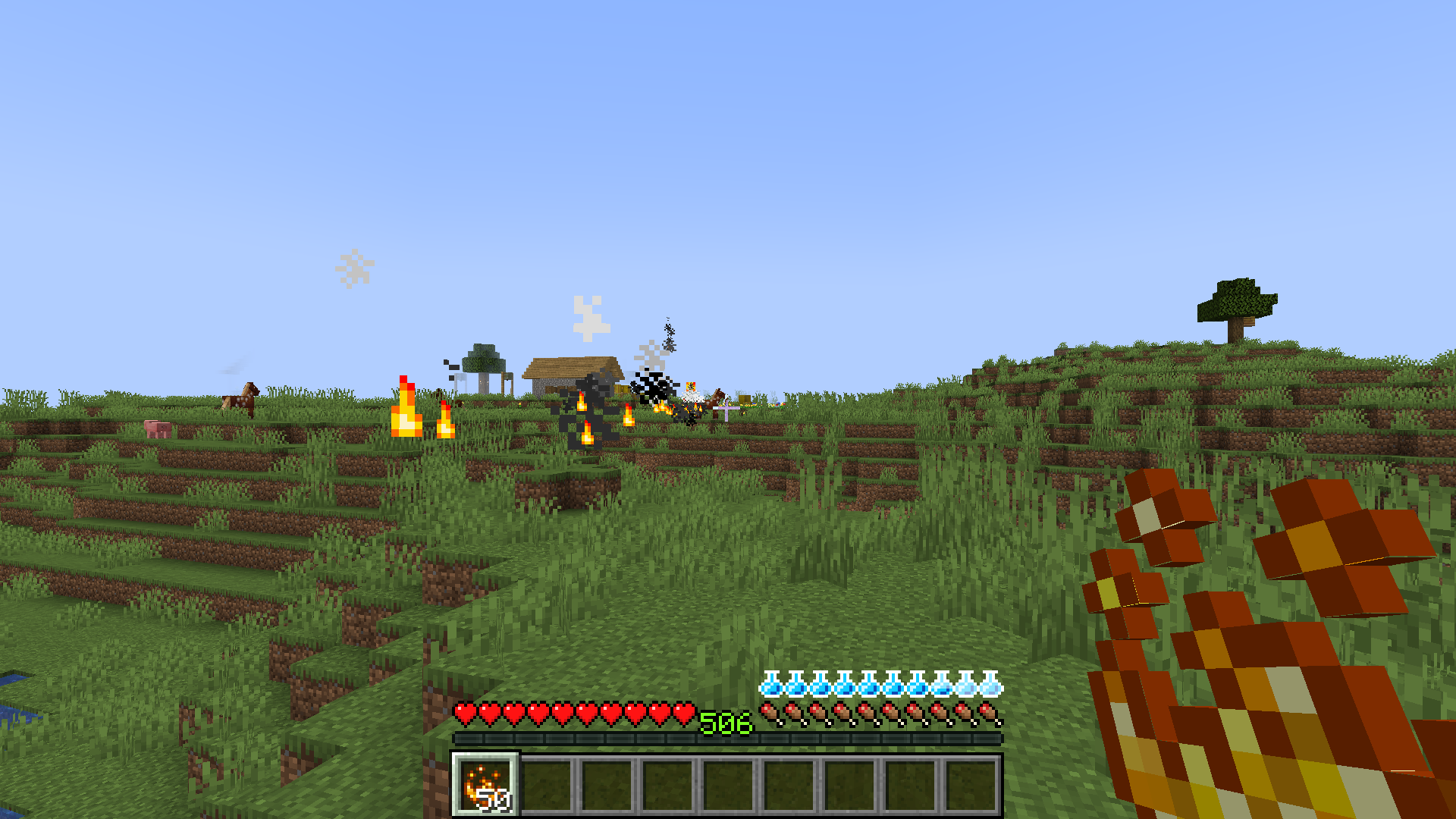
- A new mana system that works similarly to the health bar.
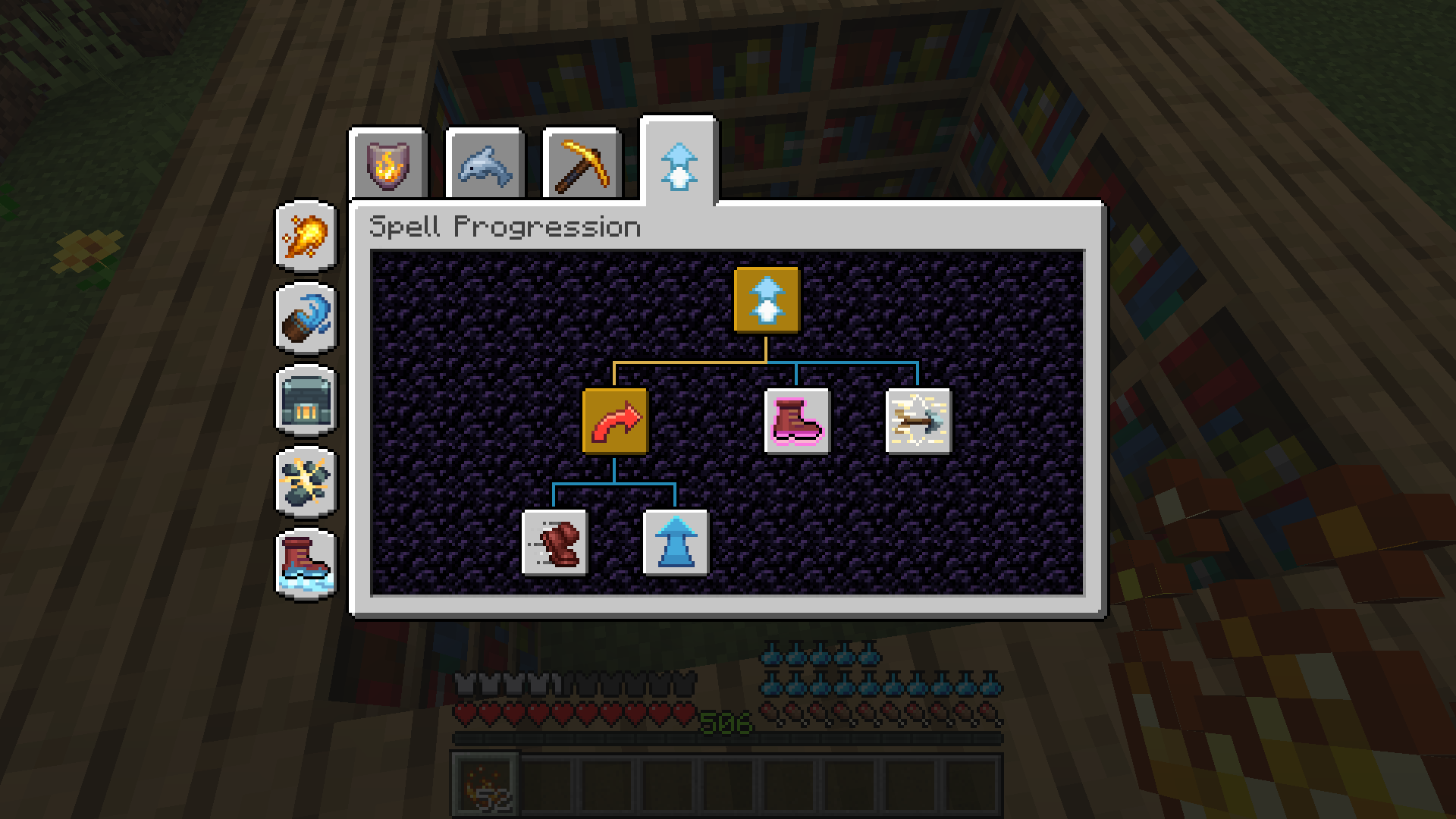
- Numerous spells which can be learned by exploring different spell trees.
- New potions, enchantments and effects to properly embed the new features into vanilla Minecraft.
- The physical aspect of PvP is still very strong, viable and deadly against magic.
- The mod is fully data driven. This means that you can define spells and spell trees in data packs.
- Every new feature and mechanic is well thought through to try and not make any vanilla aspect obsolete.
Addons
- Spells & Shields: The Power of Origins (Origins integration: Adding origin requirements to spell progression trees.)
- Spells & Shields: Magicians' Tinkering (Tinkers' Construct integration: New mana modifiers for tools, weapons and armor.)
Compatibility & Integrations
- Compatible with Quark and Quark Oddities.
- Compatible with Apotheosis
- Compatible with Easy Magic
- Integrated into Neko's Enchanted Books
- Integrated into JEI (Potion recipes, etc.)
- Integrated into JEI Enchantment Info
- Integrated into Just Enough Effect Descriptions (JEED)
Spells
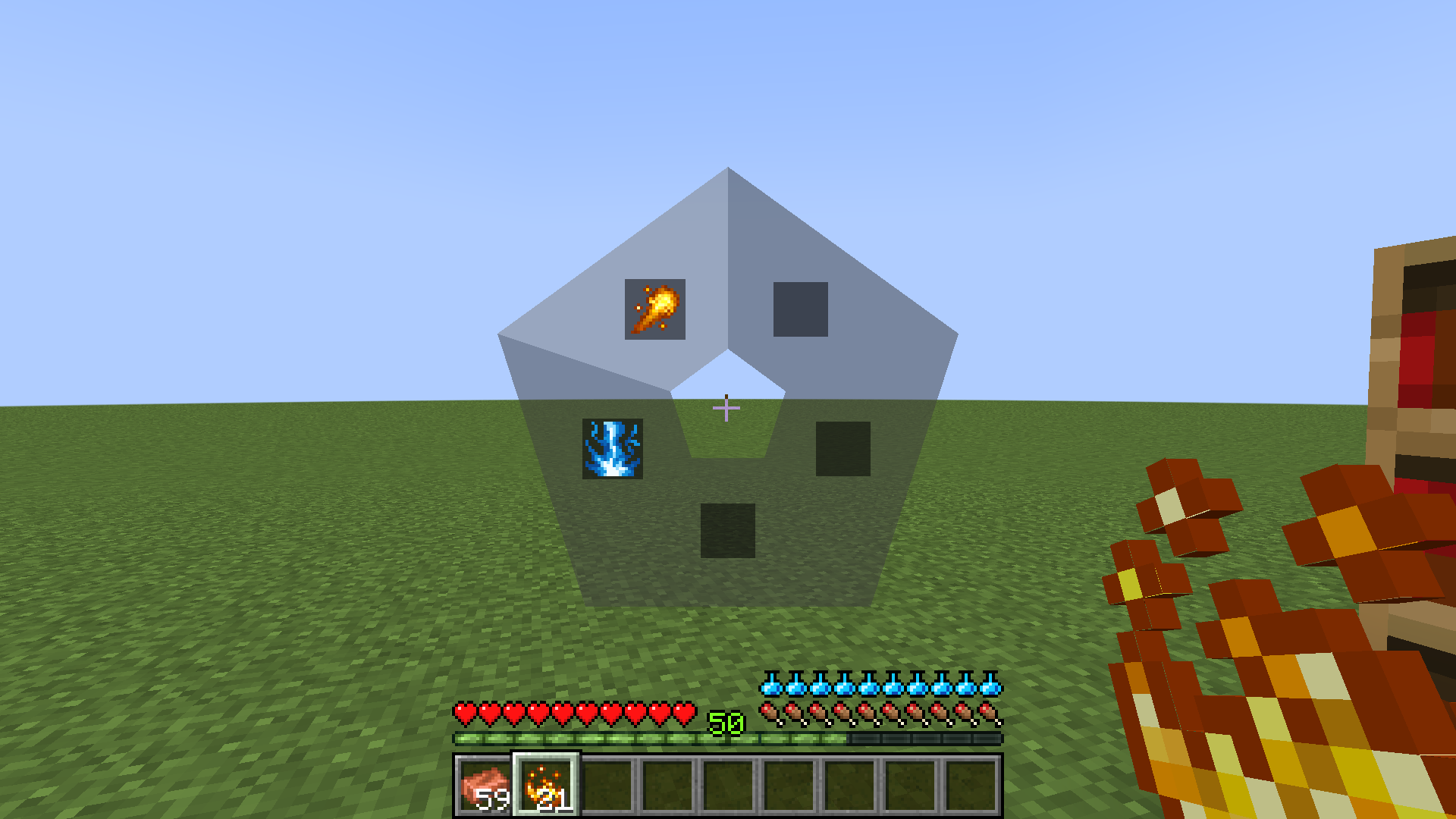
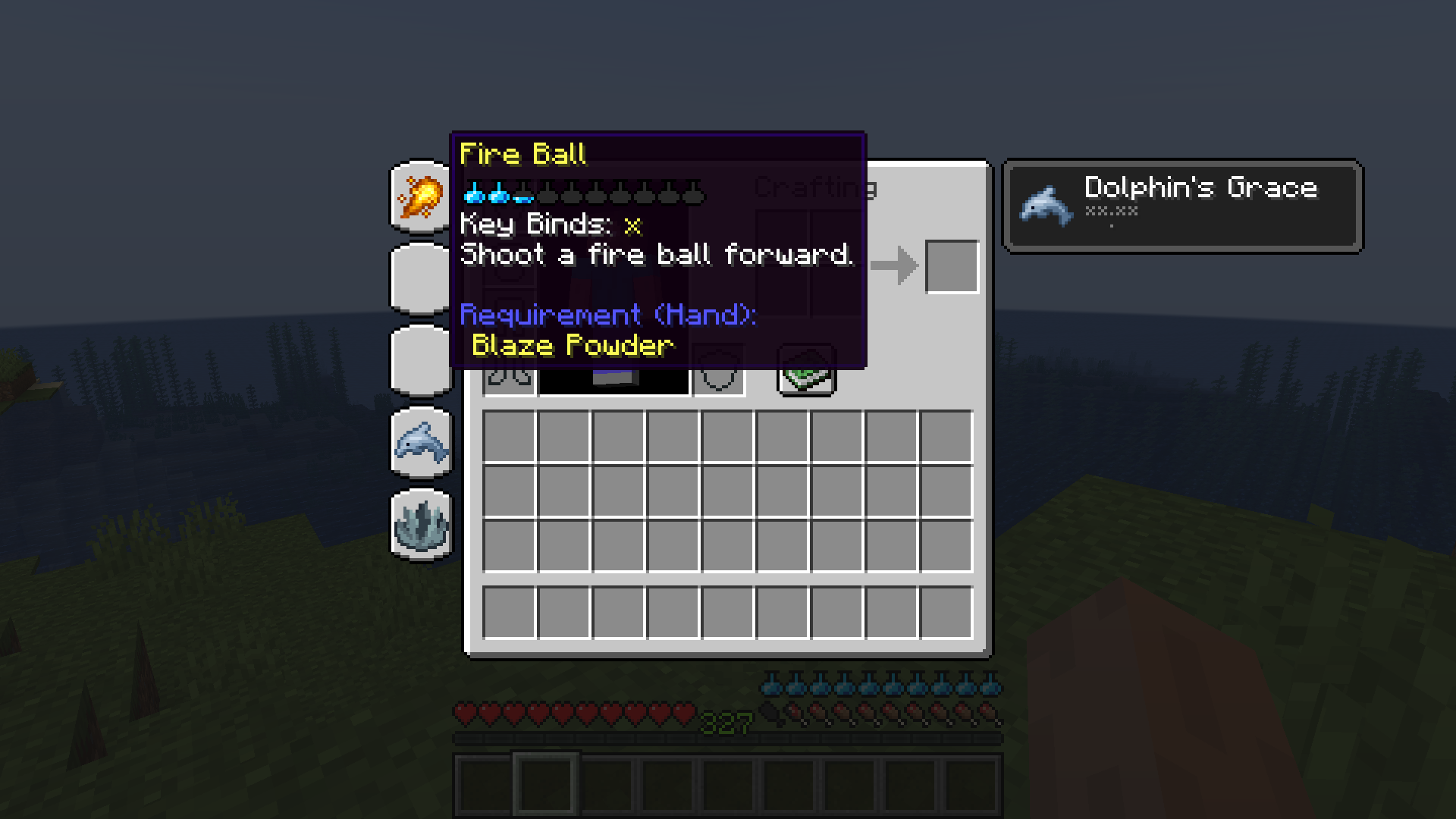
Spells can be equipped in spell trees after learning them. You have 5 spell slots available in total. Each spell slot can be equipped individually with a spell. To fire that spell you use the key binding associated with the radial menu (default is key V) or the key binding associated directly with the slot the spell is in (must be set in your options menu). You can always view your equipped spells in your survival inventory. Spells typically just consume mana as a cost to fire them, but it can differ for each spell.
Spell Trees
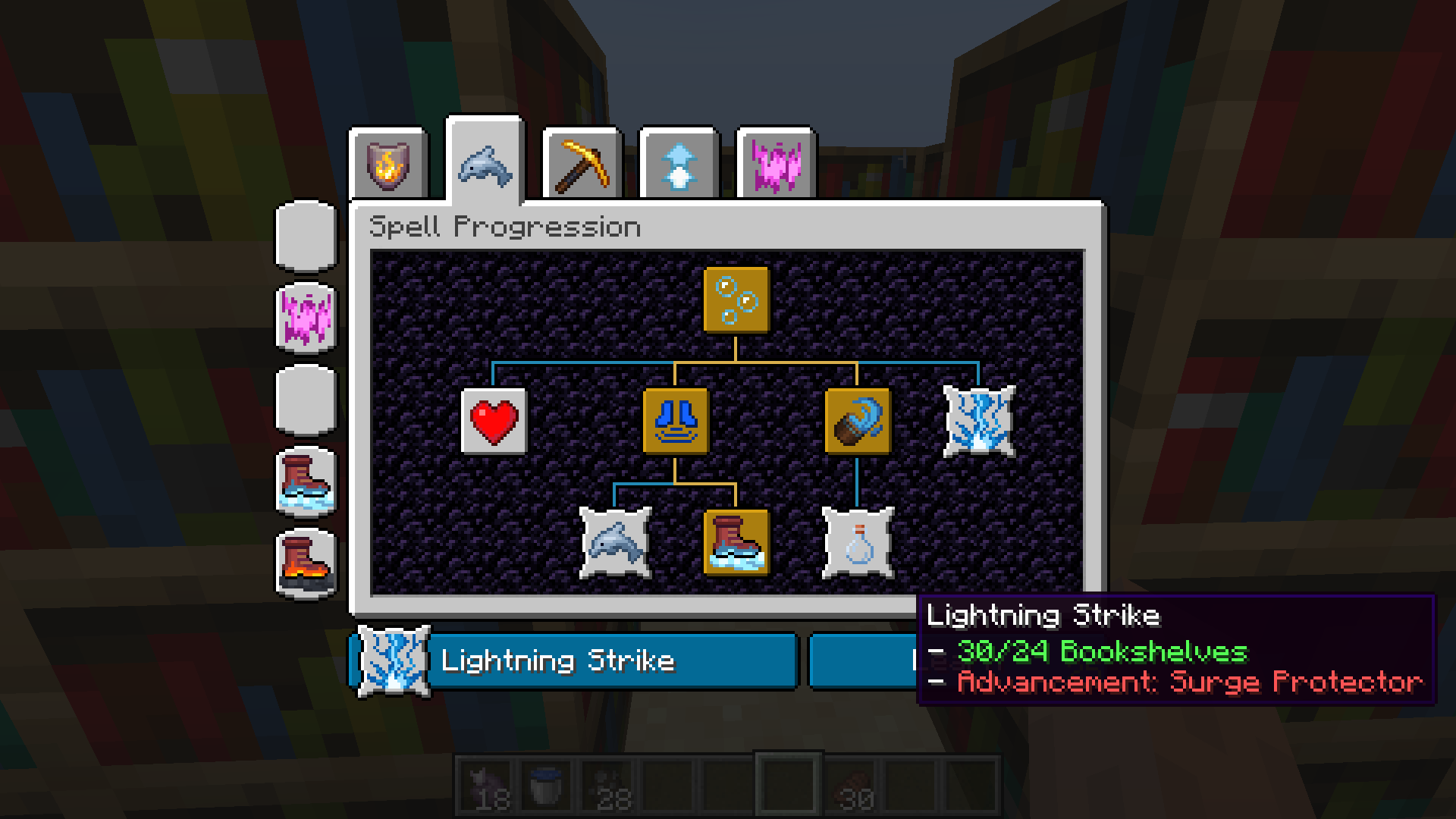
You gain access to your available spells and spell trees in the Enchanting Table (yes, the vanilla one). Similar to enchantments, you unlock spells by consuming experience levels. The cost for each spell can differ. The spells and spell trees you can interact with on an Enchanting Table are dependent on the amount of bookshelves placed around it (maximum amount is 32). This means that you can not equip or learn certain spells and spell trees if the surrounding enchanting power (bookshelves) is too low (they will not show up at all).
Spells are forgotten on death (by default, this is configurable) meaning that you have to re-learn them (eg. invest XP) but they are still visible in their respective spell trees.
Mana
Mana is the source of energy to perform spells. The mana regeneration is always static at 1 full mana unit per 5 seconds (you can hold up to 10 mana units by default). Of course, your current mana can be influenced by different potions and effects. The mana bar is shown in blue, unless the Leaking effect is applied to you, in which case the colour turns into a slight green. Additionally, there is extra mana which is shown in pourple. Extra mana works just like the absorption effect works in terms of health: Whenever you burn mana while having extra mana it is burned from the extra mana resource. Extra mana is given in certain occasions or by certain effects and does not regenerate once burned. There is also a mana boost effect that may affect your maximum mana.
Effects
- Mana Boost: Works similar to the existing Health Boost effect: Modifies your maximum mana.
- Extra Mana: Works similar to the existing Absorption effect (yellow hearts): Increases your maximum mana with extra units that can not be regenerated.
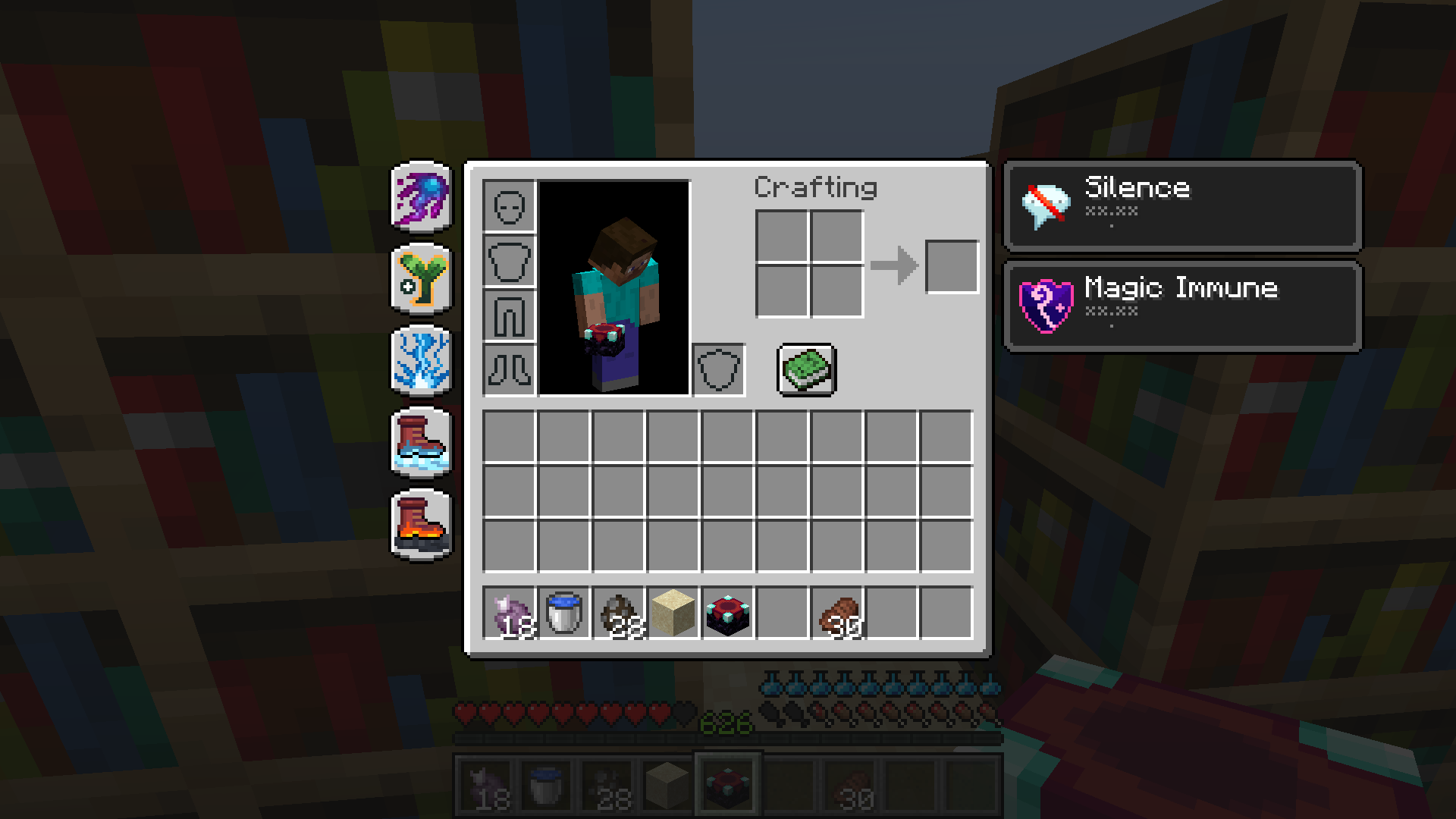
- Silence: You can not activate any spells actively while this effect is active.
- Magic Immune: You are immune to any magic damage that does not ignore invulnerability (eg. falling out of the world).
- Some more effects which are available for potion brewing (see Potions below).
Potions
There are new potions which interact with your new mana resource. They mirror those potions that interact with your health in time and amplification:
- Potion of Instant Mana = Awkward Potion + Lapis Lazuli: Instantly restores mana, similar to the Potion of Healing.
- Potion of Mana Bomb = Potion of Instant Mana + Fermented Spider Eye: Instantly burns mana, similar to the Potion of Harming.
- Potion of Replenishment = Awkward Potion + Tube Coral Fan: Restores mana over time, similar to the Potion of Regeneration.
- Potion of Leaking = Awkward Potion + Dead Tube Coral Fan: Burns mana over time, similar to the Potion of Poison.
Enchantments
- Magic Protection: Applied to armour. Works similar to existing Protection enchantments (eg. Protection, Projectile Projection, …): Protects twice as well against magic damage as the Protection enchantment does but is incompatible with other Protection enchantments.
- Mana Blade: Works similar to existing damage enchantments (eg. Sharpness, Bane of Arthropods, …): Consumes mana on hit to increase damage but is incompatible with other damage-increase enchantments.
- Mana Shield: TODO This does nothing as of now. I recommend NOT using this as compatibilities might change.
- Mana Regeneration: Increases your mana regeneration: Wearing a full set of armor with the maximum level of this enchantment applied effectively doubles your mana regeneration. Chestplate and Leggings give more than Helmet and Boots. Incompatible with "Maximum Mana".
- Maximum Mana: Increases your maximum mana: Wearing a full set of armor with the maximum level of this enchantment applied effectively doubles your maximum mana. Chestplate and Leggings give more than Helmet and Boots. Incompatible with "Mana Regeneration".
Attributes
- Maximum Mana: Min Value: 0, Max Value: 1024, Default Value: 20, ID:
spells_and_shields:generic.max_mana - Mana Regeneration: Min Value: 0, Max Value: 50, Default Value: 1, ID:
spells_and_shields:generic.mana_regeneration
Commands
These might change slightly with the full release of v2.
/spells progression learn (targets) (spell): Makes a target learn a specific spell./spells progression learn (targets) all: Makes a target learn all spells./spells progression forget (targets) (spell): Makes a target forget a specific spell (a forgotten spell can still be seen in spell trees but must be re-learned)./spells progression forget (targets) all: Makes a target forget all spells (a forgotten spell can still be seen in spell trees but must be re-learned)./spells progression reset (targets): Resets spell progression for all targets to start (full wipe)./spells slots set (targets) (slot) direct (spell): Sets a spell in a spell slot (0-4) for all targets./spells slots set (targets) (slot) (spell-tree) (spell-id): Sets a spell in a spell slot (0-4) for all targets./spells slots remove (targets) (slot): Clears a spell slot (0-4) for all targets./spells slots clear (targets): Clears all spell slots for all targets./spells cast (target) direct (spell): Cast a spell for the set target./spells cast (target) (spell-tree) (spell-id): Cast a spell from a spell tree for the set target.
Data Packs
Features:
- Spells can be fully defined via json files in data packs.
- Spells are automatically synchronized from server to client.
- Spell Trees can be fully defined via json files in data packs.
- Spell Trees do not require synchronization from server to client. Additionally, spell trees are hidden to the clients until they are properly discovered allowing servers to keep certain features secret.
For information on how to create or modify data packs please visit the wiki.
Configuration Files
- You can configure both basic client side (eg. where to put the Mana Bar) and server side settings.
- Configuration files do not need to be synchronized from the server to the client.
- All configuration files are inside the
.minecraft/config/spells_and_shieldsfolder.
client.toml and server.toml
Contains very basic settings. Everything is explained inside said configuration files. Most values can be changed while the game is open.
YouTube Video

Affiliate Link

- Edition: Minecraft Java
- File type: .jar
- Minecraft versions listed: 1.21.1, 1.20.1, 1.19.2
- How to install: Install the matching mod loader (Forge, Fabric or NeoForge) for your Minecraft version. → Download the .jar. → Put it in the .minecraft/mods folder and launch that loader profile.
- Where to get it: Opens on CurseForge — not every file is mirrored on our own servers.
Install steps are the general flow for this file type — How to install Minecraft Java mods & modpacks walks through it step by step.
- Ships as spells_and_shields-1.20.1-2.12.2.jar — drop this file into the mods folder
- Download size: 1003 KB
- Download link checked 24 Sept 2026 — working
These come from our own check of the pack file, not from the source page.