Just Enough Descriptions (JED)
Java mod listed for Minecraft 1.18. Downloads from the MC Java Mods app on Android.
⬇ Download on CurseForgeThe author built this one for Minecraft 1.18–1.18.2 on Forge. On other versions it may install and then do nothing.
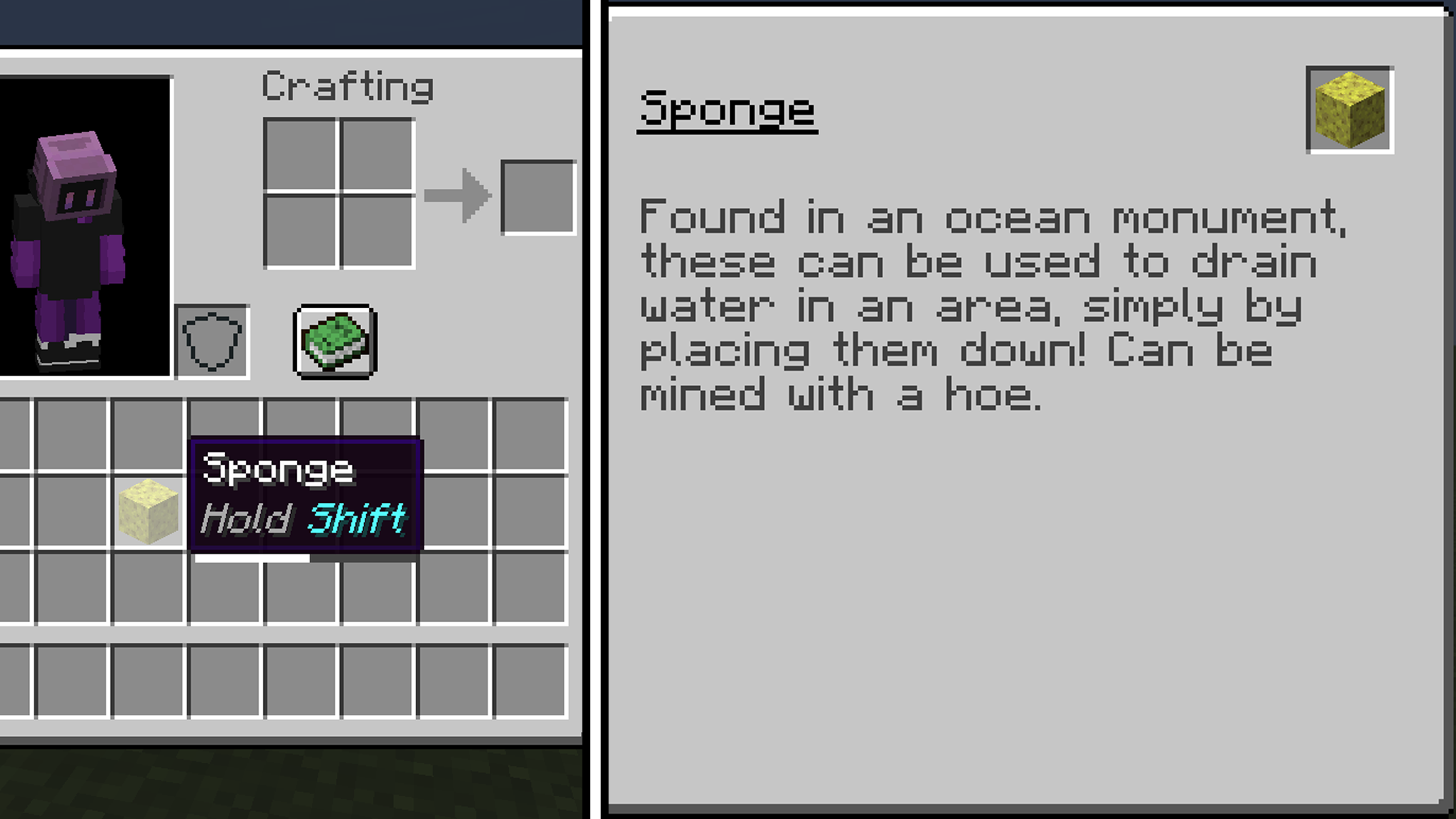


Just Enough Descriptions is Forge mod that adds descriptions to every item and block in Minecraft with a simple UI!
To open it, simply Hold Shift when hovering over an item!
Images

Configuration Options
You can change the keybind in keybind options. The default is Left Shift.
The configuration file can be found in the config folder, and is titled jed-client.toml. The options are:
- jei_integration - Wether the mod should add a JEI information tab (true by default, if JEI is present).
- tooltip_activation_time - The time in ticks to hold shift for the UI to open (20 ticks default).
- allow_if_empty - Wether the mod should show the description tooltip even if no entry exists (true by default).
- always_en_us - Always force english US, despite language selected (false by default).
- excluded_mod_ids - A list of mod IDs to not add descriptions from (empty by default). Add "jed" to exclude default descriptions.
Contributing to JED
We have currently completed translations for English (US) and English (UK) (And possibly an easter egg language?). If you want to work on any translation that has not been completed, join the discord.
Integrating JED support into your Mods / Resourcepacks
To integrate JED support into your mods or resourcepacks, simply create a jed folder in your assets folder. For example:
- assets/minecraft/jed/ - for Minecraft descriptions.
- assets/<modid>/jed/ - for custom mods.
Inside this folder, create .json files similar to the language format. These must be titled with the correct language ID, for example en_us.json or ru_ru.json. An example json is shown here.

- Edition: Minecraft Java
- File type: .jar
- Minecraft versions listed: 1.18.1, 1.18.2, 1.18
- How to install: Install the matching mod loader (Forge, Fabric or NeoForge) for your Minecraft version. → Download the .jar. → Put it in the .minecraft/mods folder and launch that loader profile.
- Where to get it: Opens on CurseForge — not every file is mirrored on our own servers.
Install steps are the general flow for this file type — How to install Minecraft Java mods & modpacks walks through it step by step.
- Ships as JustEnoughDescriptions-1.2.3.jar — drop this file into the mods folder
- Download size: 146 KB
- Download link checked 15 Oct 2026 — working
These come from our own check of the pack file, not from the source page.