FlowerCrops
Java mod listed for Minecraft 1.16–1.20. Downloads from the MC Java Mods app on Android.
I don't know my version or loader
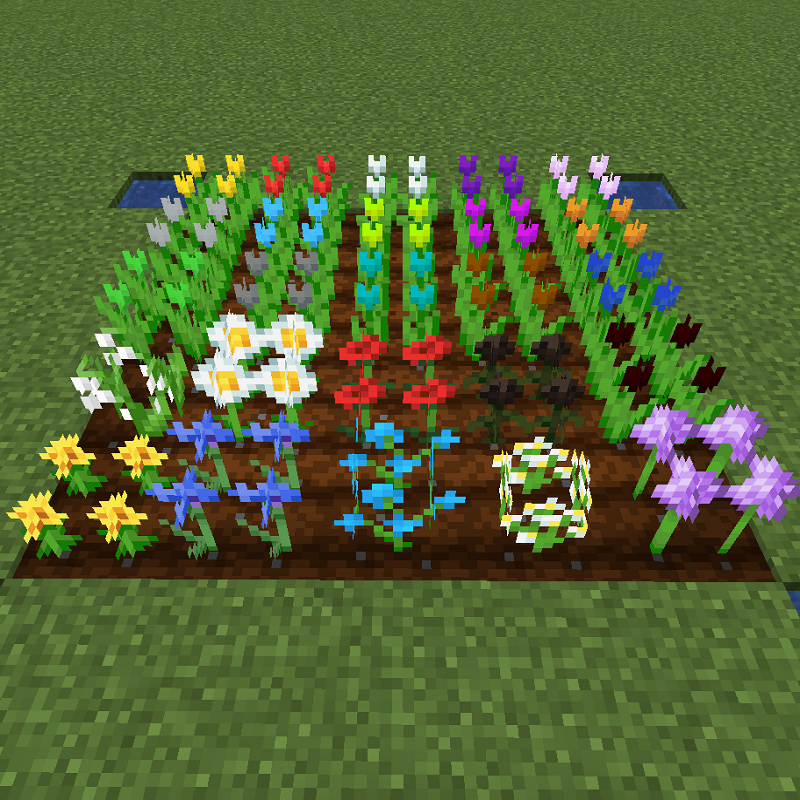
The mod will allow a total of 25 different flowers to be grown in the farmland, including 13 default flowers and 12 new ones.
The 12 new types are Tulips, and will be able to produce 16 different Dyes from Tulips alone.
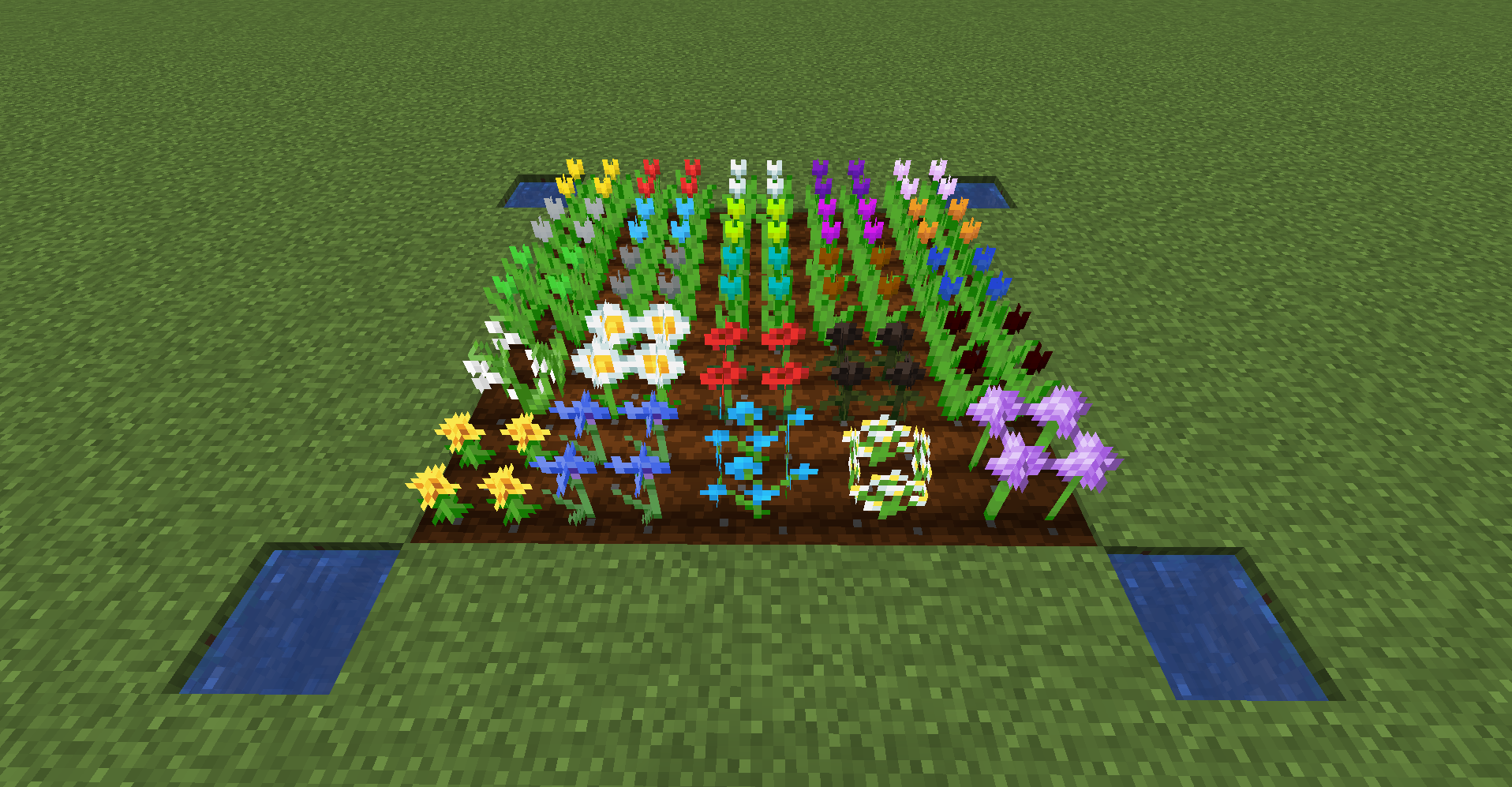
The 12 additional flowers will be generated in the Flower Forest biome.
Unique Dye mass production recipe
We implement our own Dye mass production recipe.
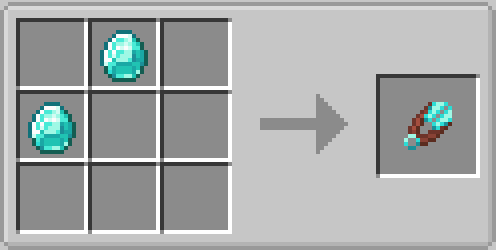
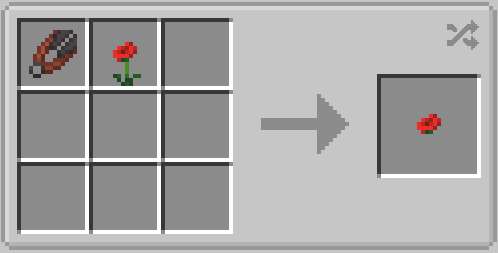
1. Separate flowers into Petals and Stems with Shears.
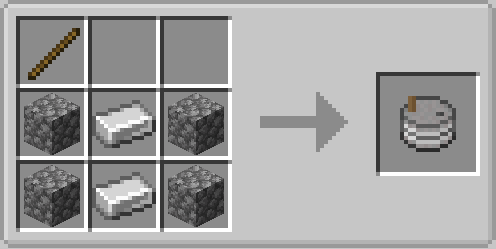
2. Unique Dye using petals and Stone Mill.
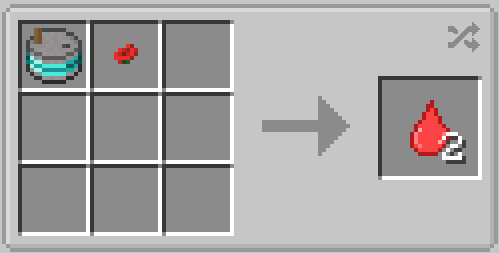
This doubles the number of Dyes produced.
3. Pigment with unique Dyes and Clay.
This will quadruple the number of Dyes produced.
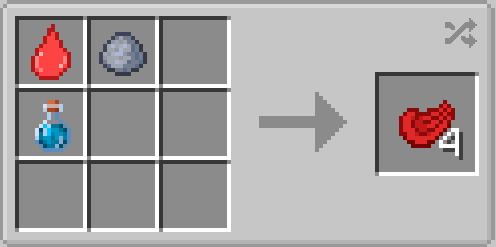
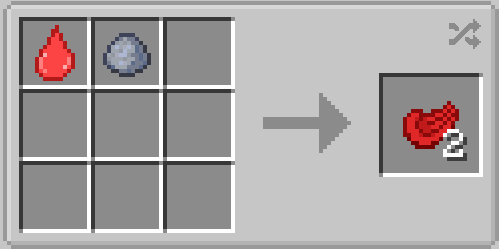
4. Pigmented with unique Dyes, Clay Ball and Purified Water.
This will increase the number of Dyes produced by a factor of four.
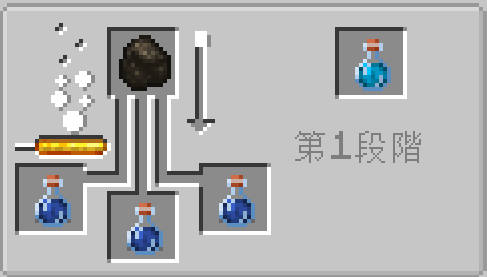
5. Coal and Water Bottle to Purified Water at Brewing Stand.
Additional Tools
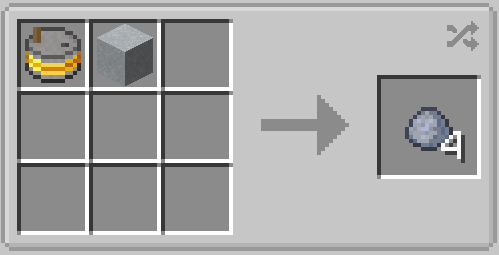
1. Stone Mill recipe
Stone Mills made of Iron, Gold, Diamonds, and Netherite can be created.
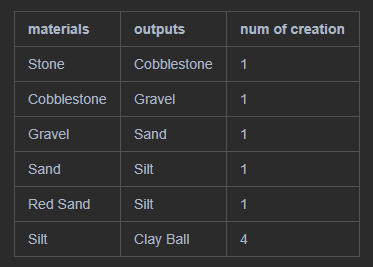
The Stone Mill can produce Clay Ball by matching the materials in the table.
2. Shears recipe
Shears made of Gold, Diamond, and Netherite can be created.
mod collaboration
ColorBrick16
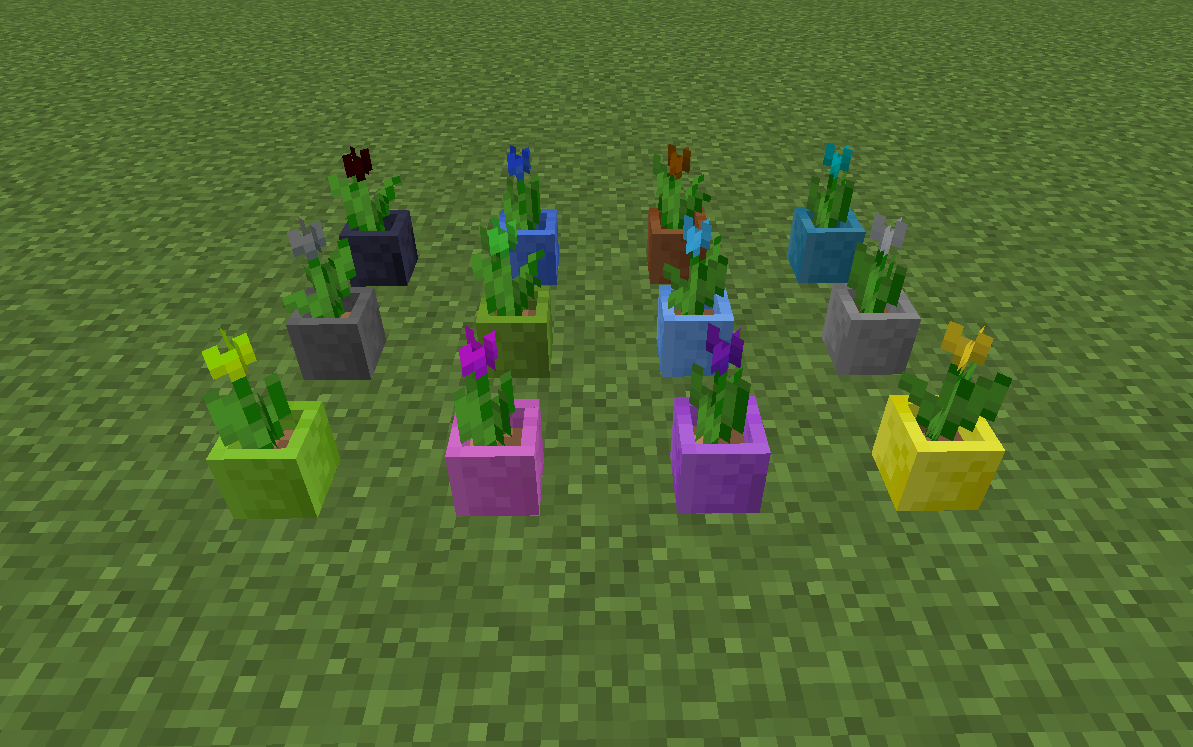
1. The 12 colors of Tulips added in this mod can be planted in ColorBricks16 Flowerpots.
2. As well as the default Dyes, the unique Dyes and Pigments added in this mod can be used to create colored Clay Balls.
Create
1. flowers can be separated into Petals and Stems using Create's Mechanical Saw.
2. using Create's Millstone or Crushing Wheel, flowers can be processed into the default Dye.
3. you can use Create's Millstone or Crushing Wheel to process Petals, Stems, and Roots into unique Dyes.
4. you can use Create's Millstone or Crushing Wheel to process Create's Limesand and this mod's Silt into Clay Balls.

- Edition: Minecraft Java
- File type: .jar
- Minecraft versions listed: 1.20.1, 1.19.2, 1.18.2
- How to install: Install the matching mod loader (Forge, Fabric or NeoForge) for your Minecraft version. → Download the .jar. → Put it in the .minecraft/mods folder and launch that loader profile.
- Where to get it: Opens on CurseForge — not every file is mirrored on our own servers.
Install steps are the general flow for this file type — How to install Minecraft Java mods & modpacks walks through it step by step.
- Ships as FlowerCropsMod-forge-mc1.20.1-4.0.0.jar — drop this file into the mods folder
- Download size: 880 KB
- Download link checked 15 Oct 2026 — working
These come from our own check of the pack file, not from the source page.