
Cycle Switcher
Java mod listed for Minecraft 1.18–1.20. Downloads from the MC Java Mods app on Android.
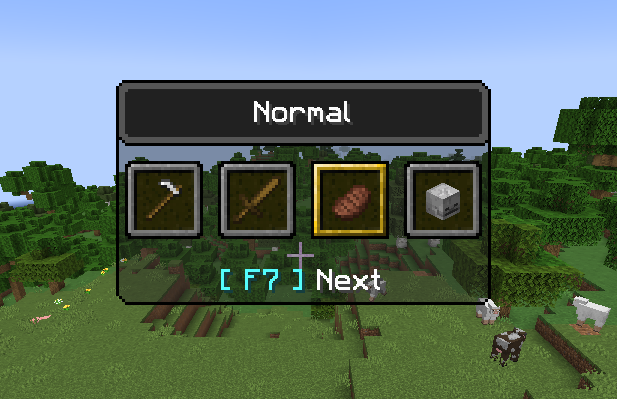
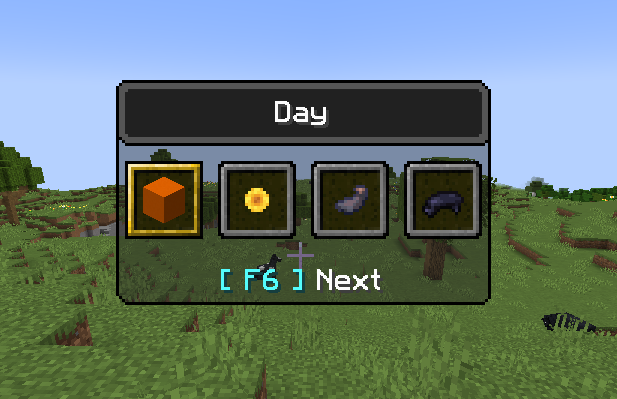
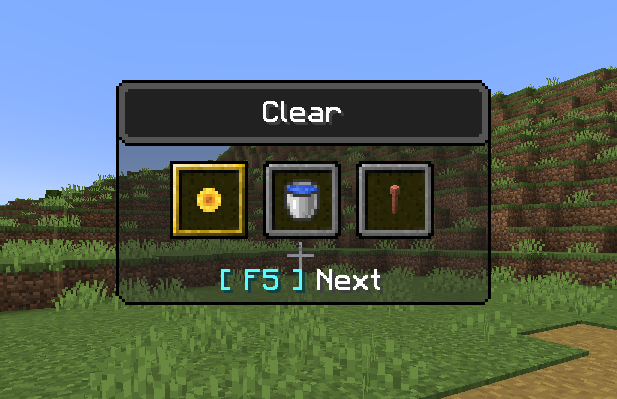
A Minecraft Fabric mod that adds an F3 + F4-like menu for things such as weather, time and difficulty (F5, F6 and F7, respectfully)
I don't know my version or loader
Requires the Fabric API for localisation.
Cycle Switcher - Example
We've all been in that situation: happily building a new project, and then it starts to rain. Now, at this point there are a few options, and quite a large number of people would just type out a command to clear up the weather and be done with it. Others, knowing the effort of typing out the command is not worth it, will simply use Cycle Switcher to clear the weather, by pressing F3 + F5 - getting back to building far quicker than using a command.
So what does it do?
Quite simply put, it adds an F3 + F4-like menu for things such as weather, time and difficulty (F5, F6 and F7, respectfully). This means that, instead of pressing F3 + F4, to get the gamemode switcher you may be familiar with, you can press a combination of F3 + F5, to get a switcher very similar, but for weather instead. Weather modes you can switch between: Clear, rain and thunder. A combination of F3 + F6 will allow you to change between 4 different times of day (day, noon, night and midnight. The times are equivalent to doing "/time set %s", where %s is the mode being selected). Finally, for F3 + F7, you will receive a menu for switching difficulty, just in case you need to change that on the fly.
Images


Footnotes
Credit to Jason for the idea of extending the vanilla menu.
Credit to NotSoAI for the logo.
- Edition: Minecraft Java
- File type: .jar
- Minecraft versions listed: 1.20.1, 1.20, 1.19.4
- How to install: Install the matching mod loader (Forge, Fabric or NeoForge) for your Minecraft version. → Download the .jar. → Put it in the .minecraft/mods folder and launch that loader profile.
- Where to get it: Opens on CurseForge — not every file is mirrored on our own servers.
Install steps are the general flow for this file type — How to install Minecraft Java mods & modpacks walks through it step by step.
- Ships as cycleswitcher-2.0.3.jar — drop this file into the mods folder
- Download size: 18 KB
- Download link checked 15 Oct 2026 — working
These come from our own check of the pack file, not from the source page.