
Materials of Progression: Adept
Minecraft Java modpack. Downloads from the MC Java Mods app on Android.
⬇ Download on CurseForge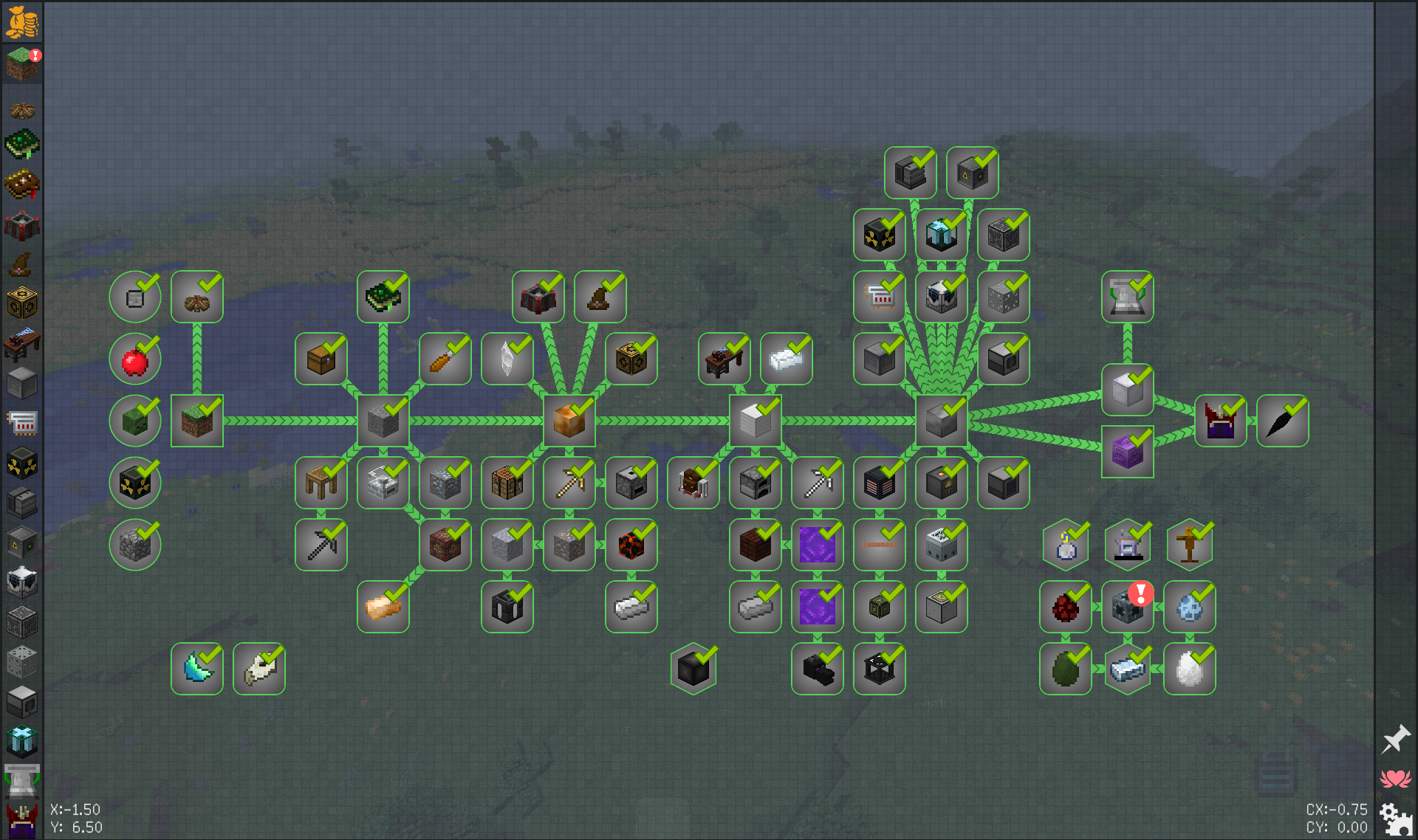
Progress through different materials, ranging from the primitive age to the space age. All while being loosely guided by around 200 quests.
Start out with with access to only primitive tools, materials, and crafting/smelting mechanics from the mod PyroTech. There you will progress through Stone, Bronze, and ultimately create Iron.
Upon reaching the Bronze stage, begin magic mods, such as Astrals Sorcery, Blood magic, and Bewitchment, to name a few.
Iron is where some tech mods begin, such as Immersive Engineering, as well as advancing the progression of magic mods. Use those mods to acquire the resource needed to create Steel.
Once at Steel, the majority of tech mods become available. Among them, the mod Tech Reborn should be a main focus, as its upgradable Blast Furnace will gate smelting of more advanced materials.
Near the end of the line, the Advanced Materials begin. These include things such as Titanium, Tungsten, and Iridium. These materials enable high Tech Advancement such as, space exploration, fusion power generation, and the start of Draconic Evolution.
Draconic Evolution's Draconium Armor and Draconic Reactor are the main endgame goals, requiring top tier materials from every included mod to craft.
On a scale of 1-10, where Vanilla is 1 and "Expert" Packs are 10, this is probably a 3 or 4 for difficulty. Hence the "Adept" tag.
One last hurrah for a 1.12 mod pack experience.
Recommended: 8192MB or more of ram and use a tweaked Java garbage collector. The best line, from various ones posted online, I found in my testing was:
-XX:+UseG1GC -Xms6G -Dsun.rmi.dgc.server.gcInterval=2147483646 -XX:+UnlockExperimentalVMOptions -XX:G1NewSizePercent=20 -XX:G1ReservePercent=20 -XX:MaxGCPauseMillis=50 -XX:G1HeapRegionSize=32M
- Edition: Minecraft Java
- File type: .jar
- How to install: Install the matching mod loader (Forge, Fabric or NeoForge) for your Minecraft version. → Download the .jar. → Put it in the .minecraft/mods folder and launch that loader profile.
- Where to get it: Opens on CurseForge — not every file is mirrored on our own servers.
Install steps are the general flow for this file type — How to install Minecraft Java mods & modpacks walks through it step by step.
- Downloads as MoP-A_1.0.11.zip
- Download size: 5.6 MB
- Download link checked 5 Nov 2026 — working
These come from our own check of the pack file, not from the source page.