ModsJava
Simply Graves
Java mod listed for Minecraft 1.19–1.21. Downloads from the MC Java Mods app on Android.
I don't know my version or loader
Open the Minecraft launcher and look at the profile you play on — it names both, like fabric-loader-1.21.4. The version also shows in the bottom-right corner of the game's main menu.
No loader in the profile name? Then it's plain Minecraft, and these mods won't run — you need Fabric or NeoForge installed first.
What is Simply Graves?
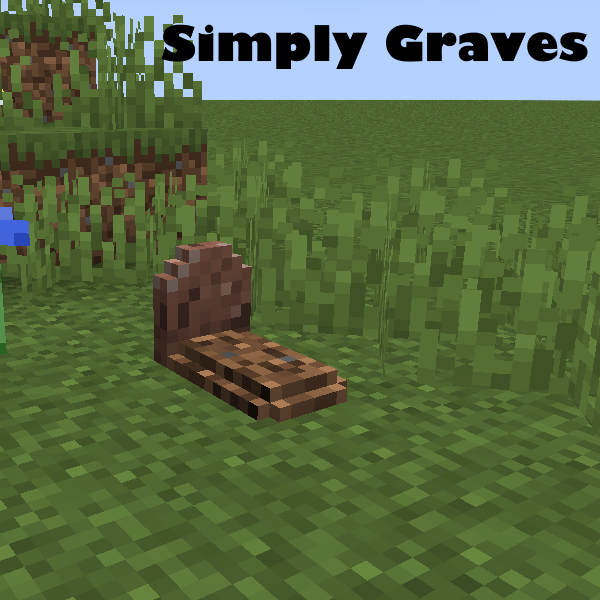
Simply Graves is a lightweight gravestone mod. Run into trouble and die? simply run back to your grave, and right click it to recover your items.
Features
- Configurable opt-out/in system.
- 12 Different material themes for the graves, chosen at random.
- Graves are protected for a configurable amount of time, afterward anyone can gather the items.
- If a grave fails to spawn(you died in a wall etc.) your items are still safe, and can be recovered easily.
- Commands for operators to forcibly recover graves.
Command list
- /simplygraves latest
- Lists information about your latest death and grave location.
- /simplygraves failed
- Recovers inventory from a grave that failed to spawn.
- /simplygraves option (enable/disable)
- Sets your grave preference.
- /simplygraves option [Player-Name] (enable/disable)
- OP command to set a players' preference.
- /simplygraves list
- OP command to list all graves
- /simplygraves recover [Grave-UUID] [Player-Name]
- OP command to forcibly recover a specified grave to a targeted player.
- all commands can be used with /sg as well.
Config options
- defaultOption
- The default grave option for players, Default: true
- operatorOnly
- If true, only OP's can set grave preference, Default: false
- publicDelay
- The delay in seconds a grave is protected, afterward the grave becomes public, and anyone can collect it, Default 3600 (1 hour)
Future plans.
- User preferences for grave material.
- Decorative versions of the graves.
Quick facts
- Edition: Minecraft Java
- File type: .jar
- Minecraft versions listed: 1.21, 1.21.1, 1.20.4
- How to install: Install the matching mod loader (Forge, Fabric or NeoForge) for your Minecraft version. → Download the .jar. → Put it in the .minecraft/mods folder and launch that loader profile.
- Where to get it: Opens on CurseForge — not every file is mirrored on our own servers.
Install steps are the general flow for this file type — How to install Minecraft Java mods & modpacks walks through it step by step.
File checked by MCModsHub
- Ships as simplygraves-1.19.2-1.0.3-build.9999.jar — drop this file into the mods folder
- Download size: 68 KB
- Download link checked 24 Sept 2026 — working
These come from our own check of the pack file, not from the source page.