ModsJava
Sculk Microphone
Java mod listed for Minecraft 1.18–1.19. Downloads from the MC Java Mods app on Android.
I don't know my version or loader
Open the Minecraft launcher and look at the profile you play on — it names both, like fabric-loader-1.21.4. The version also shows in the bottom-right corner of the game's main menu.
No loader in the profile name? Then it's plain Minecraft, and these mods won't run — you need Fabric or NeoForge installed first.

A Minecraft Forge mod by Towo.
Current Features
- Sculk Sensor activation when talking into your microphone.
- A Warden will be alerted when you speak.
- Comparators linked to Sculk Sensors will output a redstone signal (1 to 15) based on the input volume.
- Customisable options.
- Configurable with commands.

How it works
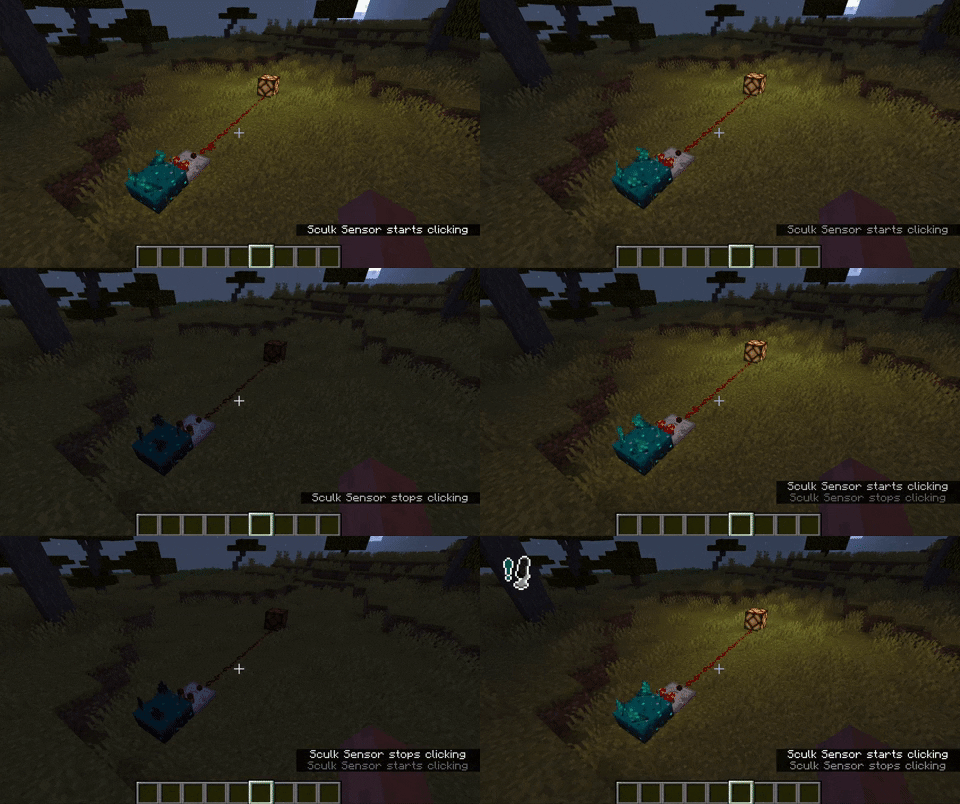
Simply run the mod, and talk into your microphone! Any nearby sculk sensor should activate. If not, try editing your settings.
Settings
- Microphone This options simply allows you to disable the microphone whenever you wish.
- Sculk Threshold This value will determine at what volume level a sculk sensor will activate / a Warden will hear you. Below the button you can see a moving bar; this is your volume level.
- Icon Whenever your volume is above the given threshold, an icon will appear on-screen. The position of the icon is configurable. This can also be disabled.
- Input Device The device used for recording your voice.
Commands
Somethings are only configurable with commands. These are often things that affect all players in a server.
/sculkmicrophone set ...
/sculkmicrophone set distance [value]will set the maximum distance at which a player will have to be to voice-activate a vibration listener./sculkmicrophone set doDynamicRedstone [true|false]will enable or disable whether a redstone comparator should output a signal depending on the volume of an incoming (microphone) vibration./sculkmicrophone set defaultRedstoneSignal [value]will set the value a comparator outputs if it will not dynamically do so.
Any bug you may find or suggestion you might have, can be reported as an issue here.
Quick facts
- Edition: Minecraft Java
- File type: .jar
- Minecraft versions listed: 1.19, 1.18.2
- How to install: Install the matching mod loader (Forge, Fabric or NeoForge) for your Minecraft version. → Download the .jar. → Put it in the .minecraft/mods folder and launch that loader profile.
- Where to get it: Opens on CurseForge — not every file is mirrored on our own servers.
Install steps are the general flow for this file type — How to install Minecraft Java mods & modpacks walks through it step by step.
File checked by MCModsHub
- Ships as sculkmic-1.0.0-alpha.2.jar — drop this file into the mods folder
- Download size: 47 KB
- Download link checked 15 Oct 2026 — working
These come from our own check of the pack file, not from the source page.