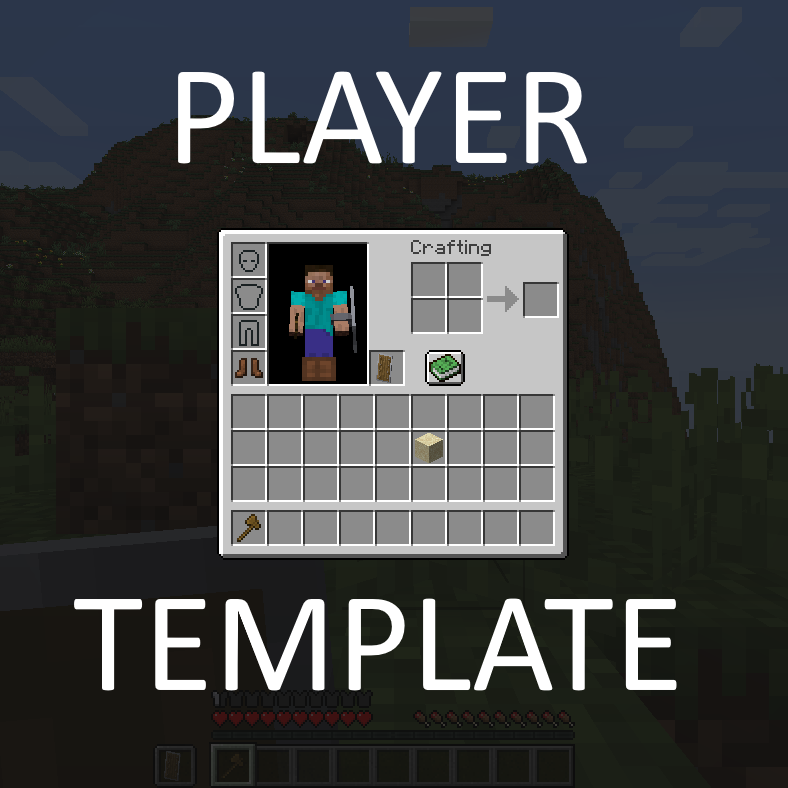
Player Template
Java mod listed for Minecraft 1.18–1.21. Downloads from the MC Java Mods app on Android.
I don't know my version or loader
What Is This?
Player Template is a server-only mod that lets you apply an inventory template (sometimes referred to as starter kit) to new players.
The template can be easily saved from ingame via a command.
Unlike other mods, Player Template remembers the slot locations of the items, so the template will be applied exactly, hotbar, equipment and all.
Commands
/playertemplate reload
The reload command loads the template from disk, in case you have modified it by hand.
/playertemplate give <players> [<template>]
The give command applies a template to the given player(s). Existing items are kept in their slots, and any item that should go to a filled slot will instead get added to the first available slot, or dropped to the ground. If the template parameter is not specified, it apples the "default" template.
/playertemplate replace <players> [<template>]
The replace command removes all existing items and gear, and then applies the template to the given player(s). If the template parameter is not specified, it apples the "default" template.
/playertemplate save <player> [<template>]
The save command saves the inventory from the given player into the template, overwriting the template if it existed. If the template parameter is not specified, it saves to the "default" template.
/playertemplate remove <template>
The remove command removes a template from the config.
TODO
Modded inventories, such as Curios, are not currently supported.
Can I use this in <X>?
Yes. Unless <X>'s license is incompatible with this mod's, which is unlikely.
Help and Support
For bug reports and feature requests, visit the issue tracker (link above)
You can also find me on discord, in my little discord server (please use the support forum channels! DO NOT DM me unless strictly necessary).
I've got a Patreon!
Help me continue making games and mods! Click here
- Edition: Minecraft Java
- File type: .jar
- Minecraft versions listed: 1.21.8, 1.21.6, 1.21.7
- How to install: Install the matching mod loader (Forge, Fabric or NeoForge) for your Minecraft version. → Download the .jar. → Put it in the .minecraft/mods folder and launch that loader profile.
- Where to get it: Opens on CurseForge — not every file is mirrored on our own servers.
Install steps are the general flow for this file type — How to install Minecraft Java mods & modpacks walks through it step by step.
- Ships as PlayerTemplate-1.18.2-1.0.1.jar — drop this file into the mods folder
- Download size: 14 KB
- Download link checked 15 Oct 2026 — working
These come from our own check of the pack file, not from the source page.