
Trade System
Java mod listed for Minecraft 1.16–1.21. Downloads from the MC Java Mods app on Android.
I don't know my version or loader
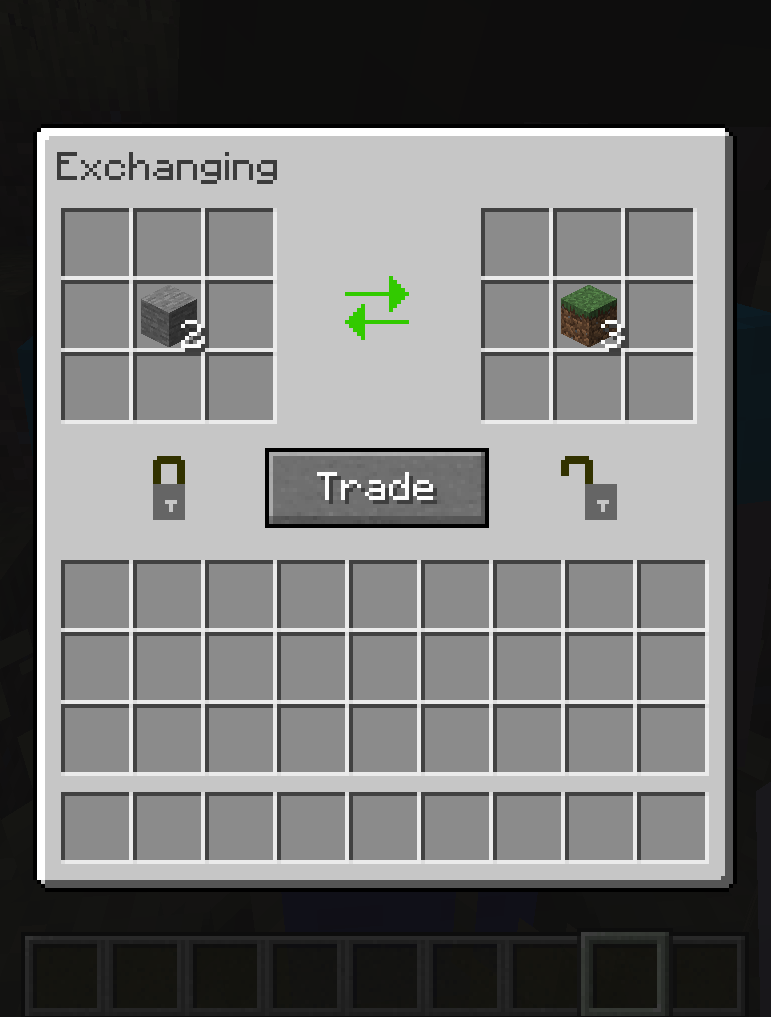
This mod creates a safe environment for you to make your trades, if the item cannot be traded you will see a red sign.
Commands:
To force everyone to use the mod, use this command. It prevents everyone from throwing items on the ground.
/trade_system_block_drops
Puts the block that is in your main hand in the list of blocks that cannot be traded
/trade_system_dont_trade
Removes the item in your main hand from the list of untradeable blocks
/trade_system_do_trade
Lists all blocks that cannot be traded
/trade_system_banned_list
How does the mod work?
1 - First you press G and this message will appear
2 - With the main hand empty, right click on another player (you will hear a sound) and a message will appear for it
3 - If the other player wants to trade with you he must follow the same procedure as steps 1 and 2 and a hud will open
4 - Both huds are synced, so if you place an item the other player can see what you want to trade
5 - By clicking on the TRADE button you signal that you accept the exchange and if the other player clicks on TRADE the exchange is made. If you don't like the offer, just press ESC and both huds will close
6 - The TRADE button is a safety mechanism, as every time someone takes or places an item it is disarmed, so it avoids blows if someone tries to accept the trade right after changing your offer quickly.
- Edition: Minecraft Java
- File type: .jar
- Minecraft versions listed: 1.21.1, 1.20.1, 1.18.2
- How to install: Install the matching mod loader (Forge, Fabric or NeoForge) for your Minecraft version. → Download the .jar. → Put it in the .minecraft/mods folder and launch that loader profile.
- Where to get it: Opens on CurseForge — not every file is mirrored on our own servers.
Install steps are the general flow for this file type — How to install Minecraft Java mods & modpacks walks through it step by step.
- Ships as trade_system_1.17.1_V3.0.jar — drop this file into the mods folder
- Download size: 185 KB
- Download link checked 24 Sept 2026 — working
These come from our own check of the pack file, not from the source page.