
AtlasViewer
Java mod listed for Minecraft 1.18–1.21. Downloads from the MC Java Mods app on Android.
I don't know my version or loader
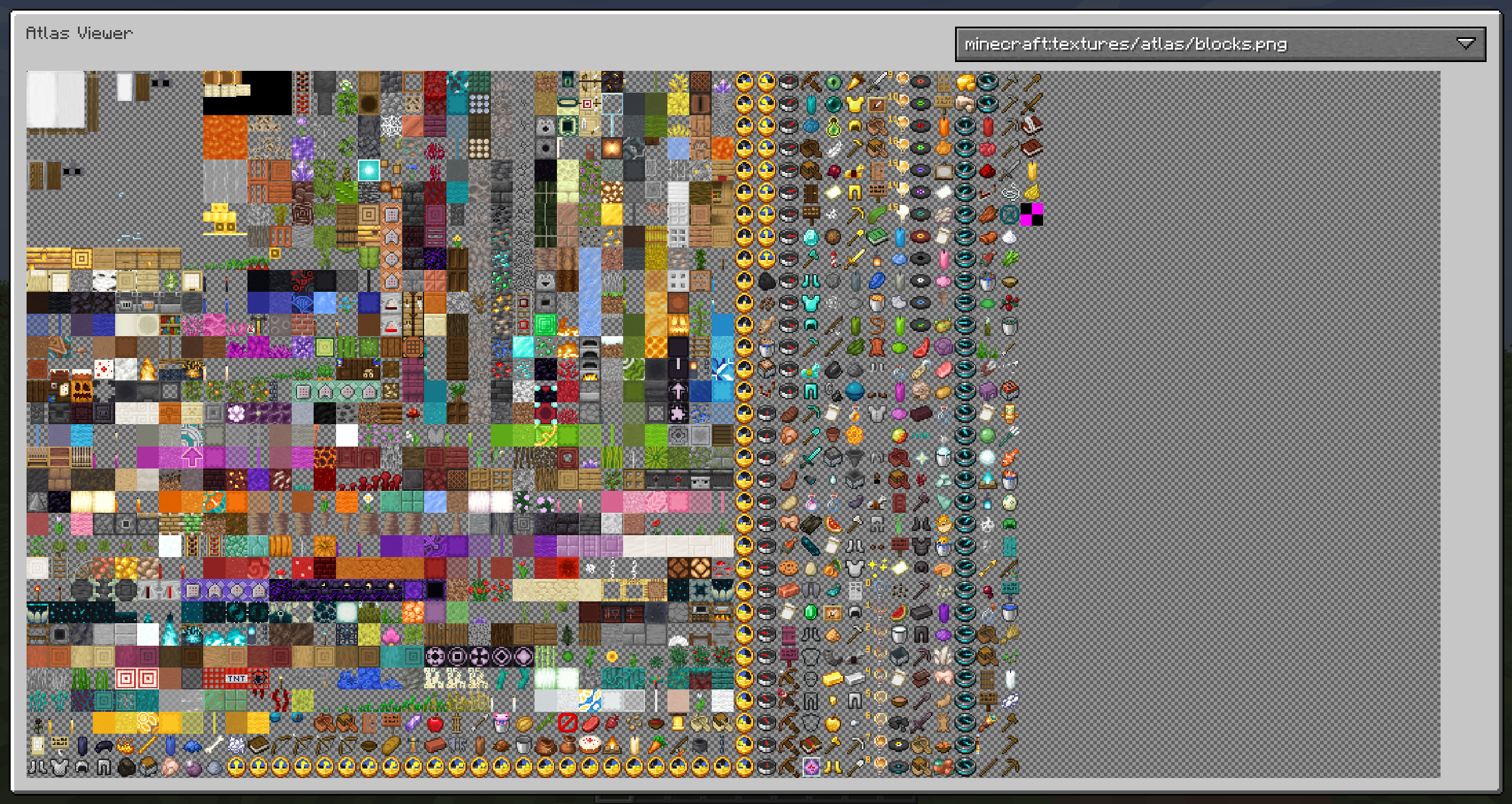
AtlasViewer allows you to inspect the texture atlases that are currently being used and view details about the sprites on each atlas.
Among other things, this allows you to find out how much space each sprite takes on the atlas and which mods may be wasting space on the atlas with inefficient sprite layouts.
By default, the atlas view is opened by pressing V.
The view of the atlas can be panned by dragging with the left mouse button and zoomed with the scroll wheel.
To view the details of a sprite, hover over it in the atlas view and right click it.
Both the full atlas as well as individual sprites can be exported to a PNG file.
- Edition: Minecraft Java
- File type: .jar
- Minecraft versions listed: 1.21.11, 1.21.9, 1.21.10
- How to install: Install the matching mod loader (Forge, Fabric or NeoForge) for your Minecraft version. → Download the .jar. → Put it in the .minecraft/mods folder and launch that loader profile.
- Where to get it: Opens on CurseForge — not every file is mirrored on our own servers.
Install steps are the general flow for this file type — How to install Minecraft Java mods & modpacks walks through it step by step.
- Ships as AtlasViewer-5.1.2.jar — drop this file into the mods folder
- Download size: 202 KB
- Download link checked 25 Sept 2026 — working
These come from our own check of the pack file, not from the source page.