
Infernal Geode
Java mod listed for Minecraft 1.18–1.19. Downloads from the MC Java Mods app on Android.
I don't know my version or loader





--------------------------------------------------------------------
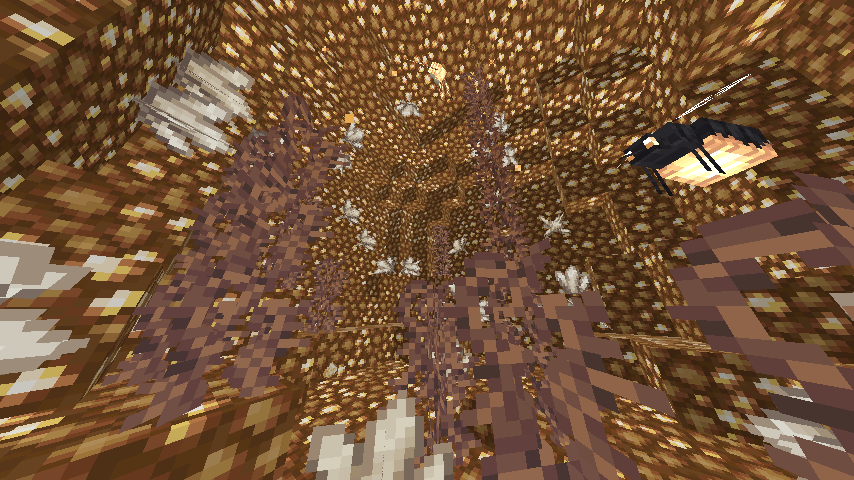
This mod will add new geodes to your world.
--------------------------------------------------------------------
Note: You need to install Geode+ and Infernal Expansion before playing this Mod!
Here is the link to download them:
Geode+
https://www.curseforge.com/minecraft/mc-mods/geodeforge/files
Infernal Expansion
https://www.curseforge.com/minecraft/mc-mods/infernal-expansion/files
--------------------------------------------------------------------
Dimstone Quartz Geode
∎ Can be find in Glowstone Canyon
--------------------------------------------------------------------
Future Plan
∎Optional add-on to disable the generation of geode
∎Config Geode size, shape
--------------------------------------------------------------------
📝 FAQ
Q. Can I use this mod in a modpack or video?
A. Yes! Feel free to feature Infernal Geode in your modpack or video.
Q. Can I repost your mod?
A. NO! You cannot repost this mod on any other sites.
Q. Can I download this mod from other website?
A. Don't! It can has virus inside the file!
Q. Will there be a port to Fabric?
A. No! I'll not make Fabric Version for it
--------------------------------------------------------------------
Wanna play my other geode mod?
∎ https://www.curseforge.com/minecraft/mc-mods/geode-forge
∎ https://www.curseforge.com/minecraft/mc-mods/geode-o-plenty
--------------------------------------------------------------------
Credits:
Infernal Expansion - Biome that I put geodes in!
- Edition: Minecraft Java
- File type: .jar
- Minecraft versions listed: 1.19.2, 1.19.1, 1.19
- How to install: Install the matching mod loader (Forge, Fabric or NeoForge) for your Minecraft version. → Download the .jar. → Put it in the .minecraft/mods folder and launch that loader profile.
- Where to get it: Opens on CurseForge — not every file is mirrored on our own servers.
Install steps are the general flow for this file type — How to install Minecraft Java mods & modpacks walks through it step by step.
- Ships as InfernalGeode-BETA.jar — drop this file into the mods folder
- Download size: 24 KB
- Download link checked 15 Oct 2026 — working
These come from our own check of the pack file, not from the source page.