ModsJava
Flowers and Mooblooms
Java mod listed for Minecraft 1.19–1.20. Downloads from the MC Java Mods app on Android.
I don't know my version or loader
Open the Minecraft launcher and look at the profile you play on — it names both, like fabric-loader-1.21.4. The version also shows in the bottom-right corner of the game's main menu.
No loader in the profile name? Then it's plain Minecraft, and these mods won't run — you need Fabric or NeoForge installed first.
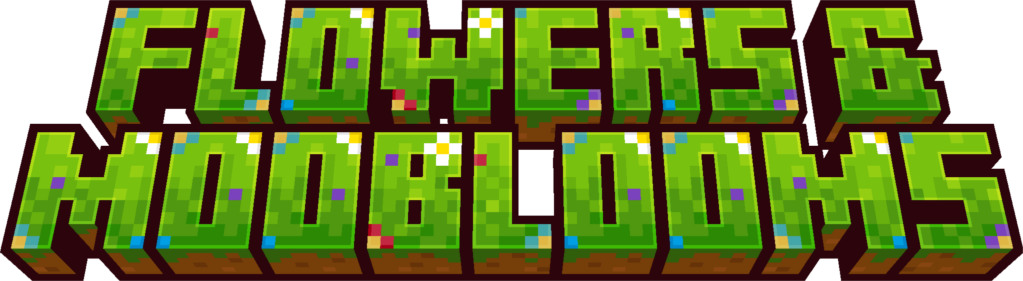
Flowers and Mooblooms adds colorful Mooblooms and growable flowers!
Mooblooms!
- Mooblooms grow flowers out of their backs.
- Come in 13 variants, one for each flower
- Spawn in Flower forest, Sunflower Plains, and Meadow biomes!
- Mooblooms eat grass to grow their flowers
- Use bonemeal to accelerate growth once a flower has sprouted
- Use shears to harvest flowers (Dispensers work too!)
- Feed a Moobloom a flower seed when no flower has sprouted to change its type
Growable Flowers!
- Grow your own flowers from seeds.
- Collect flower seeds from tall grass in any biome you can find each flower.
Florist Villager
- Trade flowers and seeds for emeralds
- Uses any Potted Flower as a workstation
- Only source of wither rose seeds
All Flower Seeds

All Mooblooms

All Flower Crops

Quick facts
- Edition: Minecraft Java
- File type: .jar
- Minecraft versions listed: 1.19.2, 1.20.3, 1.19.4
- How to install: Install the matching mod loader (Forge, Fabric or NeoForge) for your Minecraft version. → Download the .jar. → Put it in the .minecraft/mods folder and launch that loader profile.
- Where to get it: Opens on CurseForge — not every file is mirrored on our own servers.
Install steps are the general flow for this file type — How to install Minecraft Java mods & modpacks walks through it step by step.
File checked by MCModsHub
- Ships as flowers-1.2.0.jar — drop this file into the mods folder
- Download size: 174 KB
- Download link checked 25 Sept 2026 — working
These come from our own check of the pack file, not from the source page.