
Rainbow Lamp
Java mod listed for Minecraft 1.18–1.20. Downloads from the MC Java Mods app on Android.
I don't know my version or loader
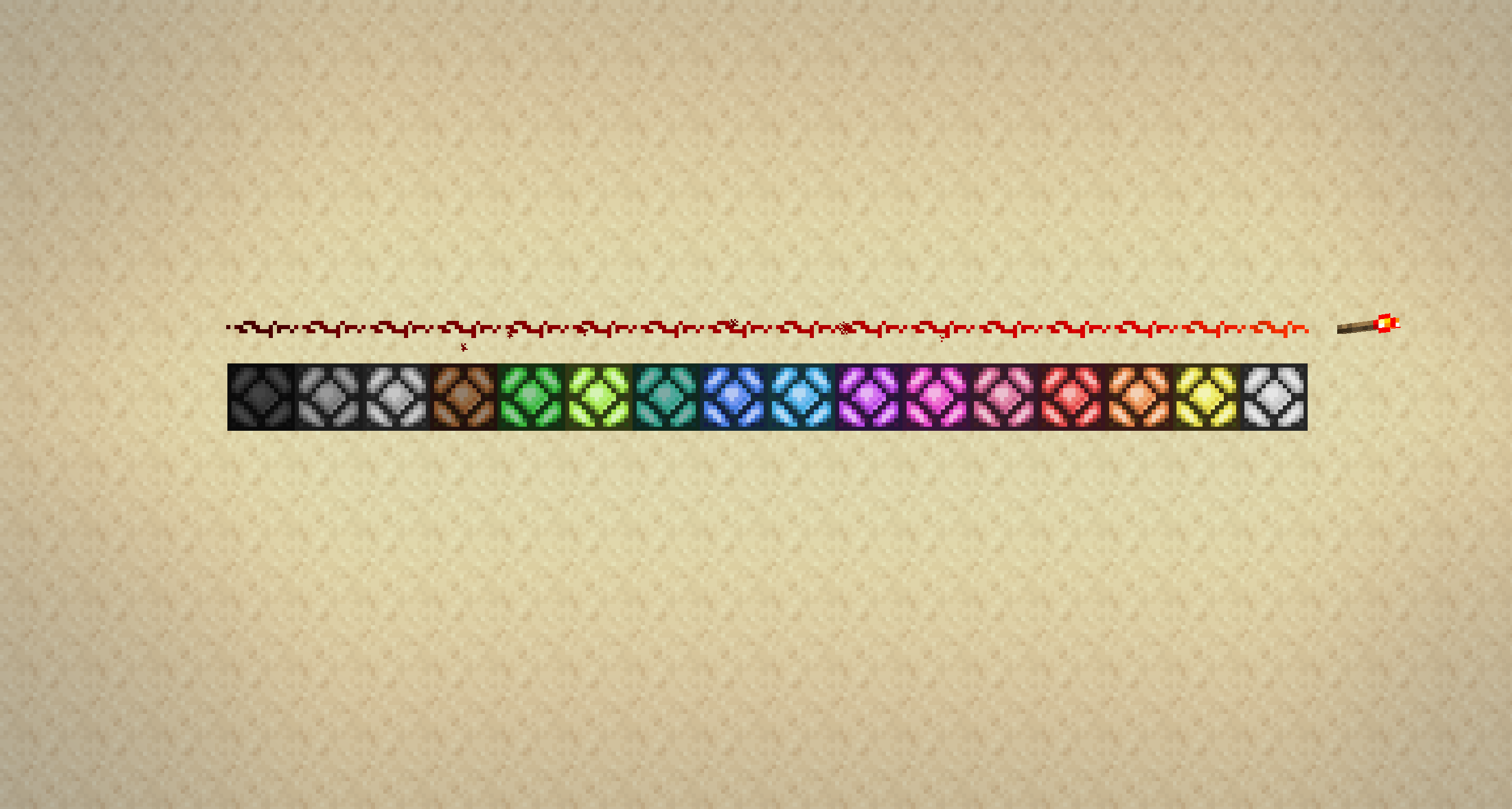
This Mod adds a single Block: the Rainbow Lamp. It changes color dependent on its Redstone input, what makes it easy to display 16 states in a single Block. You can also right-click the Rainbow Lamp (while not sneaking) to cycle through all colors, if it isn't powered. Like the Vanilla Redstone Lamp, it also emits light unless it is in its black state.
Especially the right-click feature can certainly be used for decoration, but the Rainbow Lamp might also be interesting for Redstoners - think of a start signal for a racetrack or a working color display …
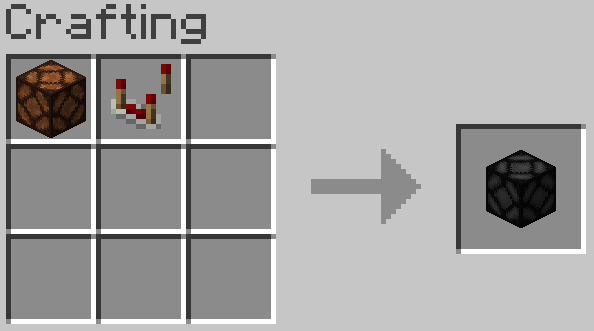
The recipe for the Rainbow Lamp:
If you want your own Minecraft server to play with friends, check out Kinetic Hosting. They provide powerful servers for a fair price while being easy to use, and they have a nice support. Click on the image below for more information, and if you are interested, use code LAIDBACKSLOTH at checkout for a 15% discount.

- Edition: Minecraft Java
- File type: .jar
- Minecraft versions listed: 1.20.2, 1.20.1, 1.20
- How to install: Install the matching mod loader (Forge, Fabric or NeoForge) for your Minecraft version. → Download the .jar. → Put it in the .minecraft/mods folder and launch that loader profile.
- Where to get it: Opens on CurseForge — not every file is mirrored on our own servers.
Install steps are the general flow for this file type — How to install Minecraft Java mods & modpacks walks through it step by step.
- Ships as rainbowlamp-forge-1.3-1.20.jar — drop this file into the mods folder
- Download size: 26 KB
- Download link checked 24 Sept 2026 — working
These come from our own check of the pack file, not from the source page.