Corner Portal Linking
Java mod listed for Minecraft 1.19–1.21. Downloads from the MC Java Mods app on Android.
I don't know my version or loader
Corner Portal Linking
Ever had some issues connecting portals that were too close to each other? This mod lets you customize how your Nether portals connect.
⚠️ This mod requires Fabric API.
⚠️ This mod can be run on a server with vanilla clients.

How to
For the most part, portals in this mod work like portals in vanilla. It does NOT increase the reach distance of portals or allow overworld to overworld travel.
1. Play normally until you have portals that mess with each other.
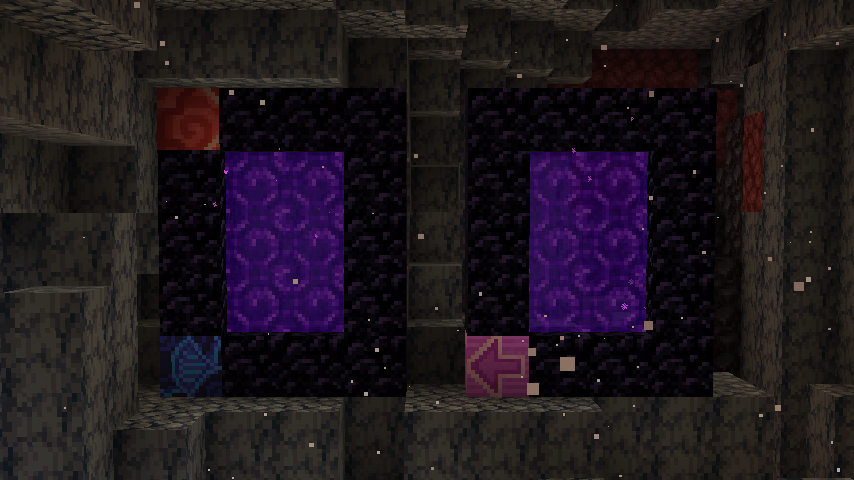
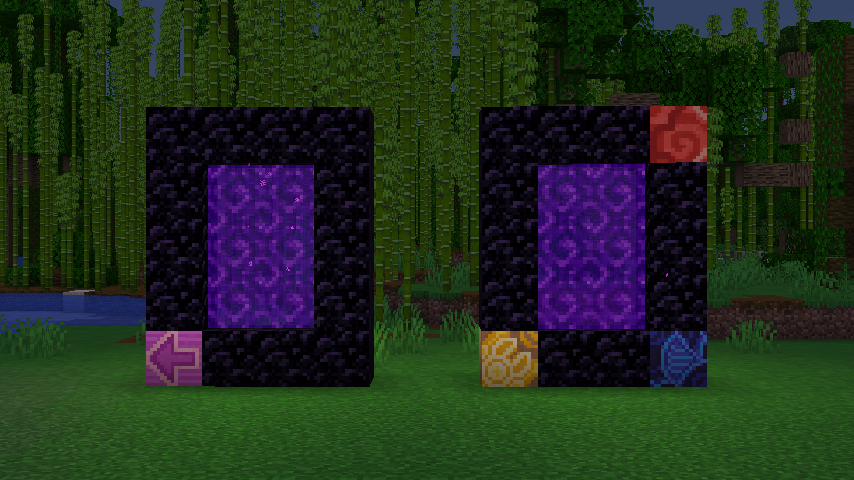
2. Place matching Glazed Terracotta blocks in any of the corners of the portals you want to force link.
3. The game will now prioritize matching Glazed Terracotta corners over distance when looking for an exit portal.
4. A partial match can be enough. Priority is given to the best match.
5. The orientation of the Glazed Terracotta does not matter.
Details
1. Corners can be flipped horizontally (see the blue-red example above).
2. When several exit portals match, the game will decide between them with normal vanilla priority.
3. When no Glazed Terracotta is set up, portals work like in vanilla.
- Edition: Minecraft Java
- File type: .jar
- Minecraft versions listed: 1.21, 1.20.1, 1.19.2
- How to install: Install the matching mod loader (Forge, Fabric or NeoForge) for your Minecraft version. → Download the .jar. → Put it in the .minecraft/mods folder and launch that loader profile.
- Where to get it: Opens on CurseForge — not every file is mirrored on our own servers.
Install steps are the general flow for this file type — How to install Minecraft Java mods & modpacks walks through it step by step.
- Ships as starbidous-portal-linking-fabric-1.0.0+1.21.jar — drop this file into the mods folder
- Download size: 40 KB
- Download link checked 15 Oct 2026 — working
These come from our own check of the pack file, not from the source page.