ModsJava
History Stages Mod (1.21.11, 1.20.1) – Lock Items and Dimensions Behind Custom
Java mod listed for Minecraft 1.20–1.21. Downloads from the MC Java Mods app on Android.
⬇ Download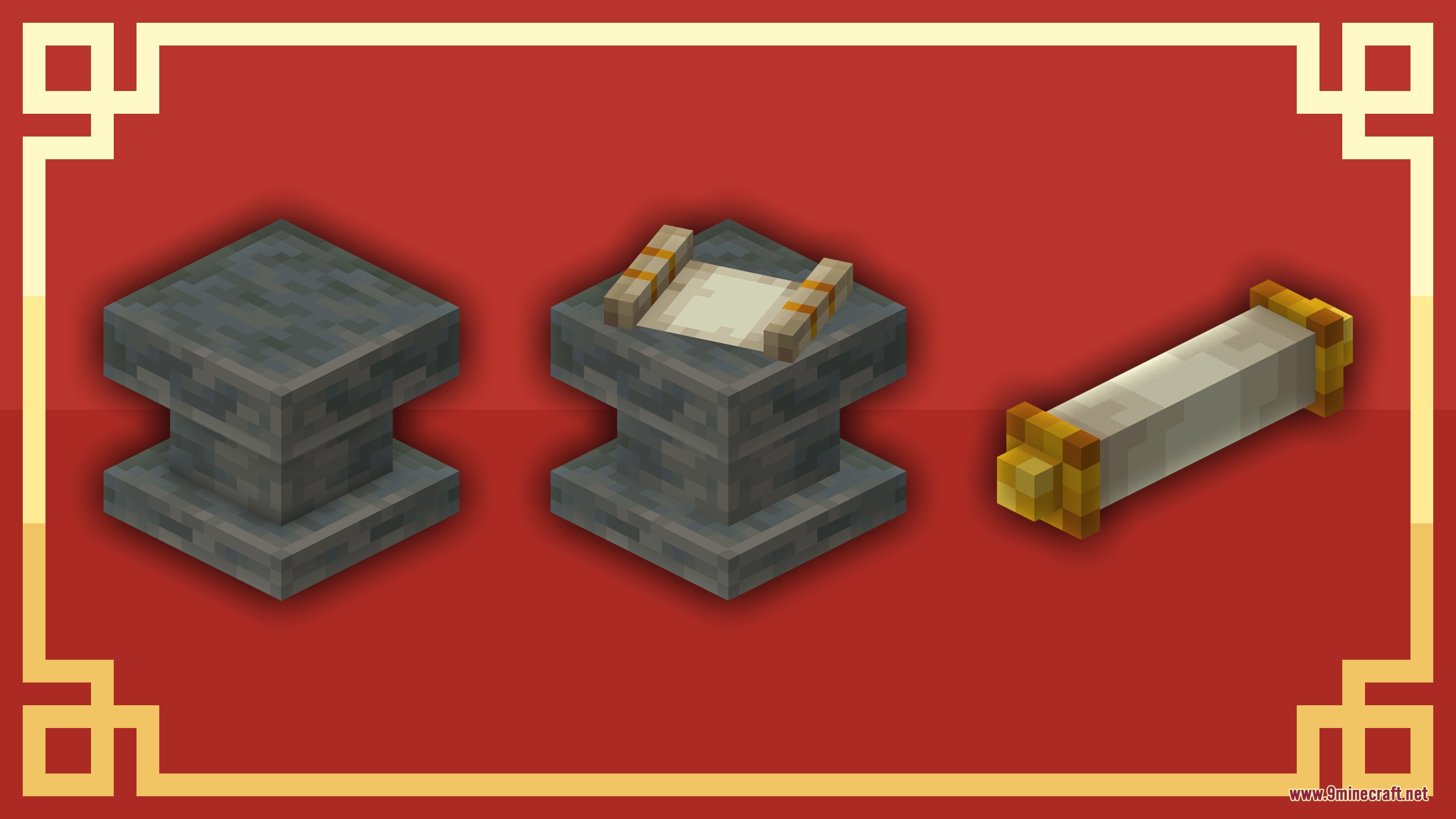
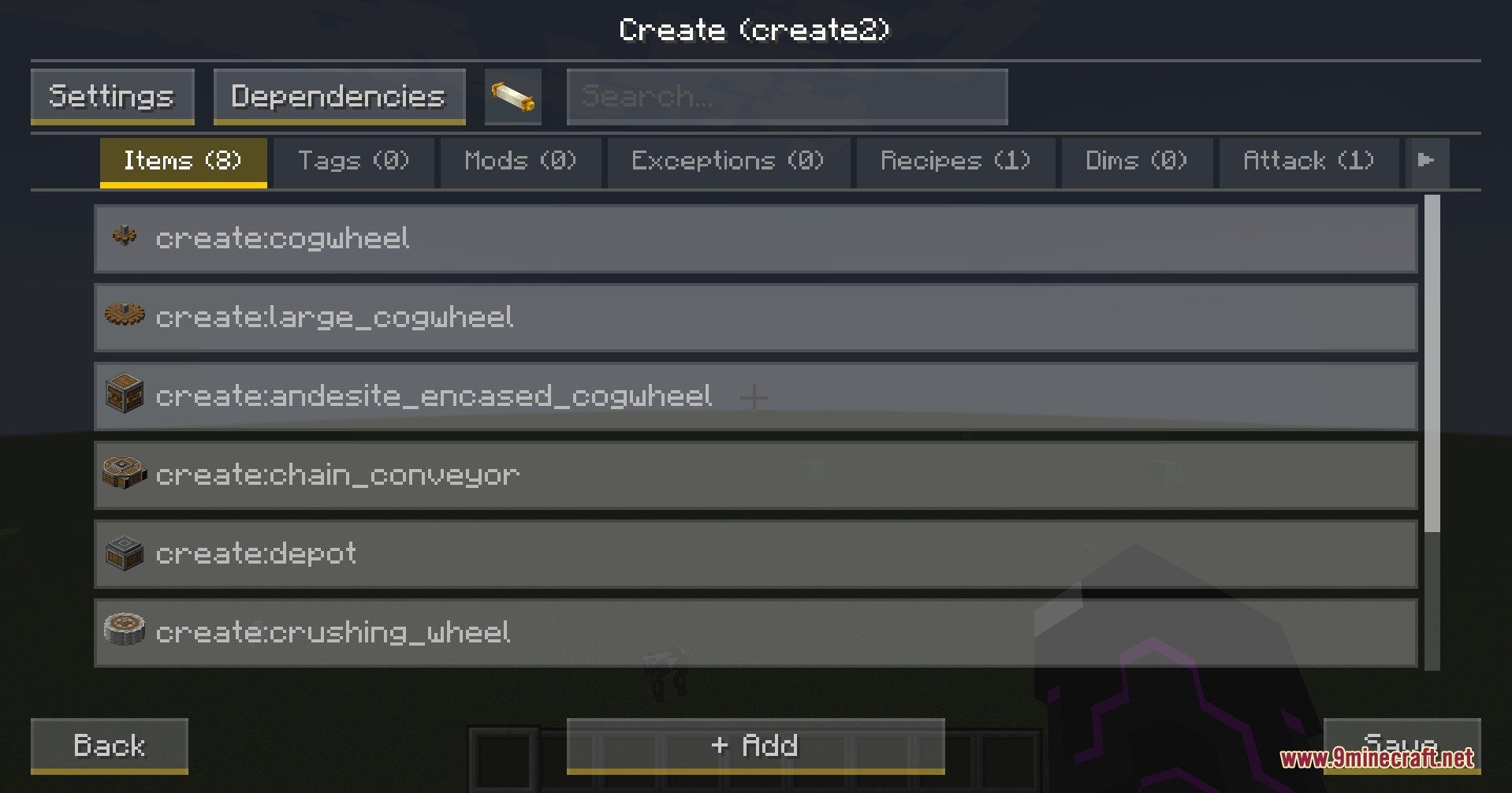
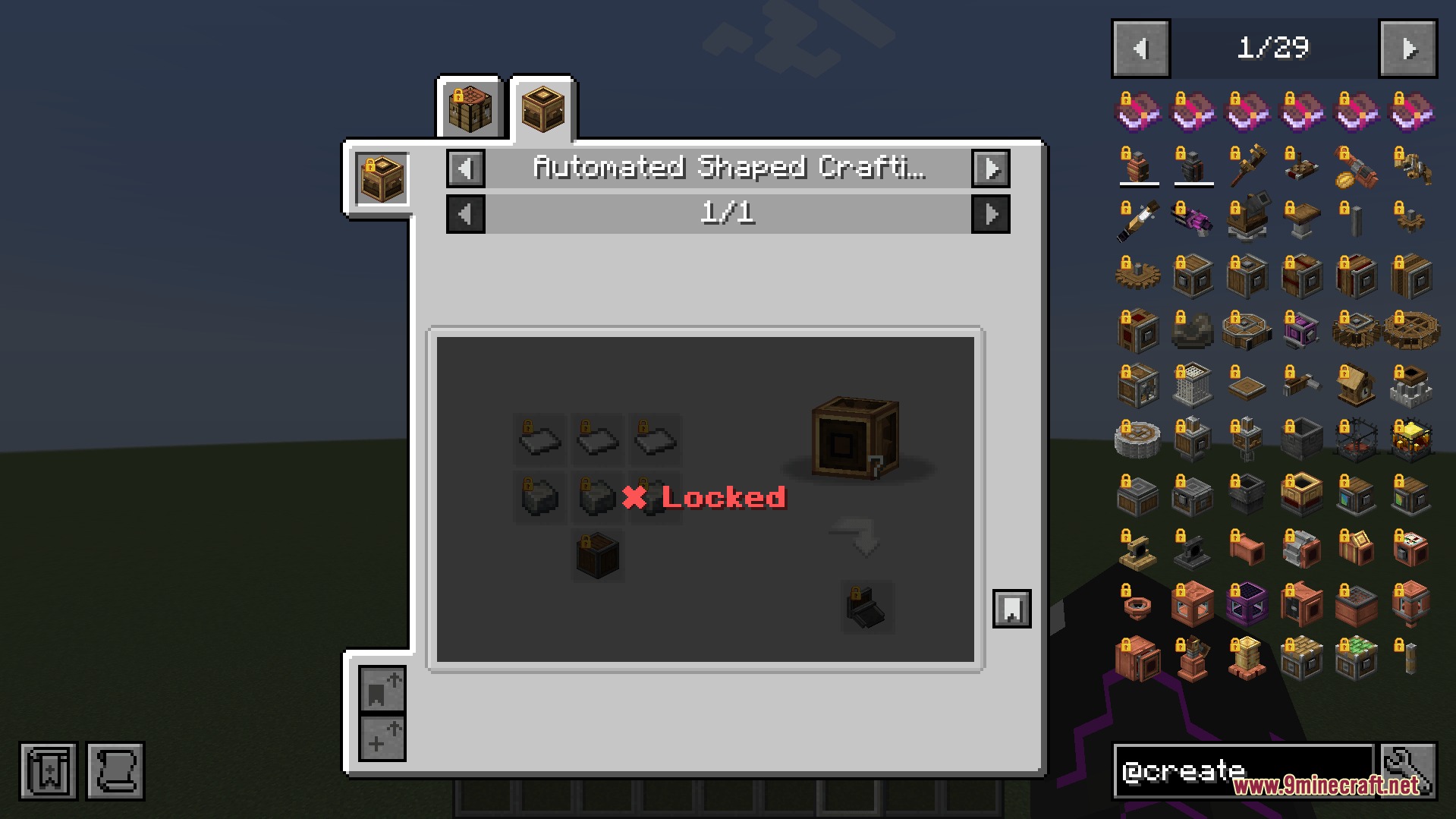
History Stages Mod lets you lock items, dimensions, and mobs behind custom time periods. It gives you the power to control how players progress through the game by making them research new eras or finish specific tasks before they can use certain tools or enter new worlds.
Features:
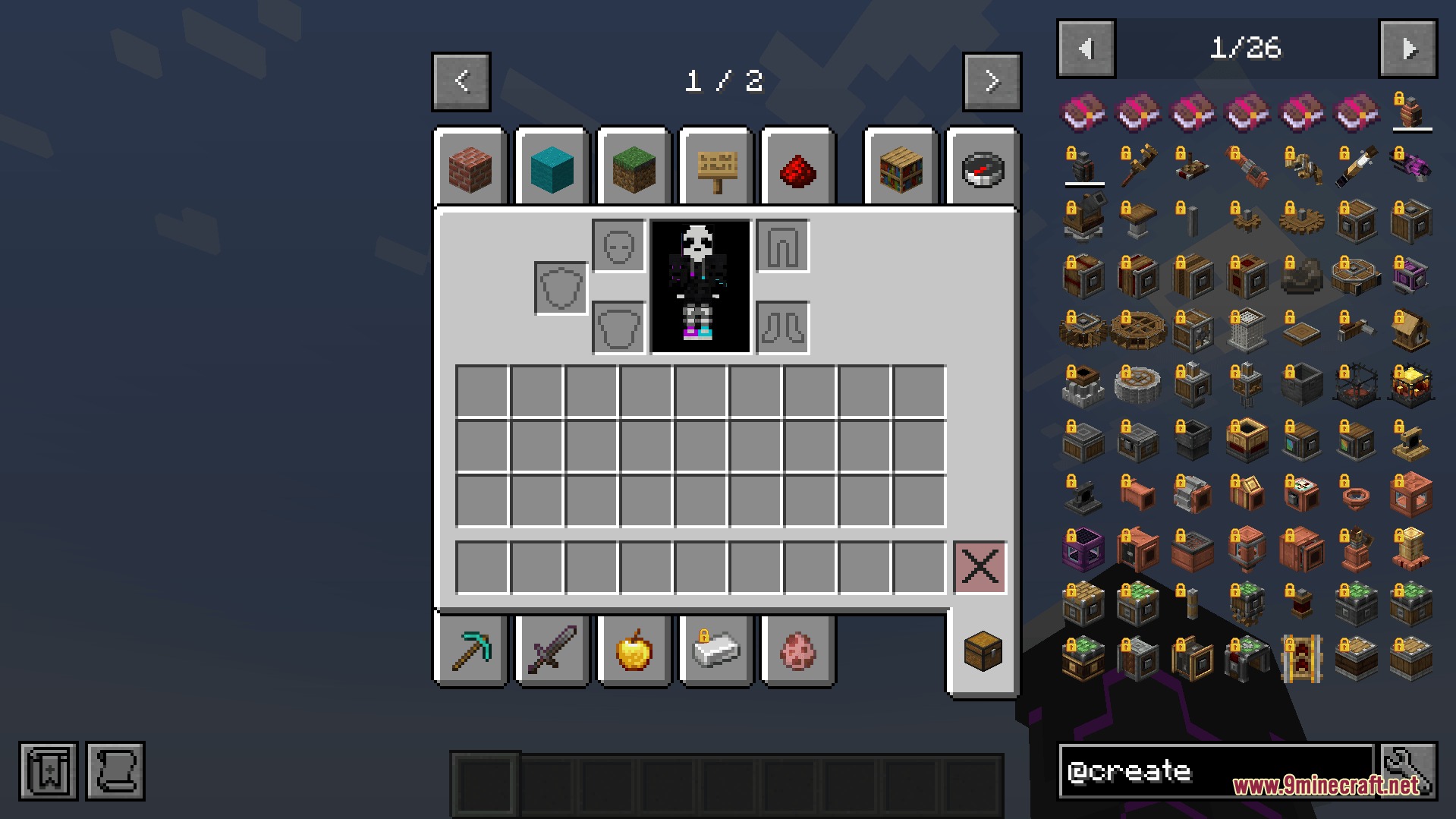
- Lock Everything: You can block access to specific items, entire mods, recipes, dimensions, and even structures until players unlock them.
- Custom Unlocks: Players can open new eras by doing research, finding items, visiting new biomes, or killing certain mobs.
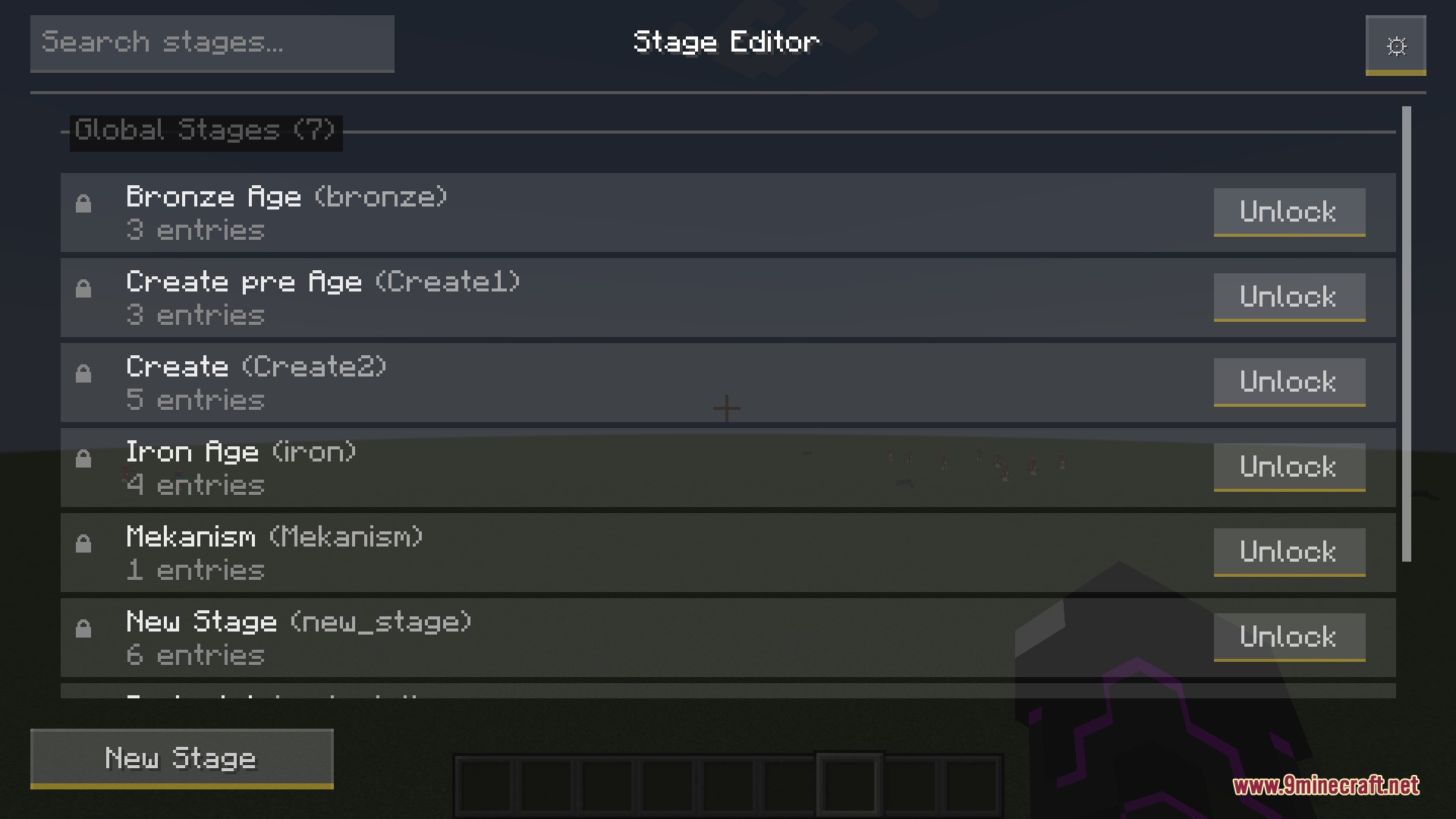
- In-Game Editor: You can build and change all your stages right inside the game menu without messing with complicated text files.
- Blocks specific mobs from spawning or attacking players until the right stage is reached.
- Hides or changes the loot inside chests and drops from monsters based on the current era.
- Stops players from breaking blocks, opening chests, or using enchanting tables if they do not have the right stage.
- Shows clear lock icons and messages on the screen so players always know why they cannot use an item yet.
- Sets up stages that apply to everyone on the server at once or just for individual players.
Unlock Methods:
- Research mode makes players bring scrolls to a special pedestal and wait for the research to finish.
- Auto mode unlocks things automatically when players pick up an item, enter a biome, or play for a certain amount of time.
- Temporary mode opens a stage for a short time and then locks it again when the timer runs out.
Commands:
/give @s historystages:research_scroll{StageResearch:"YOUR_STAGE_NAME"}: gives you a research scroll for a specific stage.
How to Use:
- Make sure you have operator permissions in your game to create stages.
- Open the pause menu and click the stage editor button.
- Create a new stage and choose what items, mobs, or dimensions you want to lock.
- Set up how players will unlock this stage, like using a Research Pedestal or completing an action.
- Give players a way to get Research Scrolls if you are using the default research system.
Screenshots:
History Stages Mod Download Links
Quick facts
- Edition: Minecraft Java
- File type: .jar
- Minecraft versions listed: 1.21.11, 1.20.1
- How to install: Install the matching mod loader (Forge, Fabric or NeoForge) for your Minecraft version. → Download the .jar. → Put it in the .minecraft/mods folder and launch that loader profile.
- Where to get it: In MC Java Mods, or directly above on this page.
Install steps are the general flow for this file type — How to install Minecraft Java mods & modpacks walks through it step by step.
File checked by MCModsHub
- Downloads as 440431.mcaddon
- Download size: 674 KB
- Download link checked 23 Sept 2026 — working
- Mirrored on our own servers — the download does not depend on the original host
These come from our own check of the pack file, not from the source page.