
Backpack Keybinds
Java mod listed for Minecraft 1.21. Downloads from the MC Java Mods app on Android.
⬇ Download on Modrinth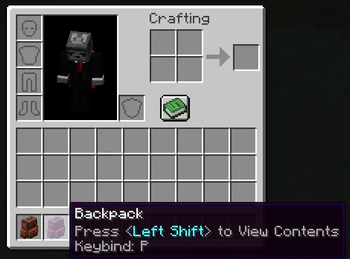
Backpack Keybinds
Bind individual Sophisticated Backpacks to keyboard or mouse buttons and access them instantly, even when they’re stored inside another backpack, placed on the ground, or in the wrong order in your inventory.
Bindings persist between sessions, and you can even open backpacks that are placed down within your range!
Features include nested-backpack support, Toggle and Hold to View modes, click-to-open, Opening placed down backpacks, an overview of all bindings, and configurable behavior.
Client-side only.
Requires Sophisticated Backpacks and Sophisticated Core.
How to bind a backpack:
- Open your inventory or backpack.
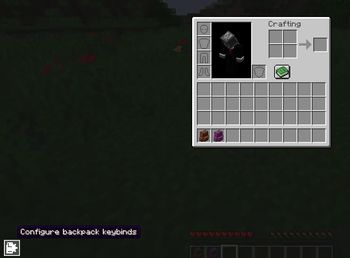
- Click the configuration button in the bottom-left.
- Left-click the backpack you want to bind.
- Press the desired keyboard key or mouse button you want to bind the backpack to.
- Optionally right-click the backpack to switch between Toggle and Hold to View.
You can now use the assigned input to open that specific backpack from anywhere in your inventory.
- Edition: Minecraft Java
- File type: .jar
- Minecraft version listed: 1.21.1
- How to install: Install the matching mod loader (Forge, Fabric or NeoForge) for your Minecraft version. → Download the .jar. → Put it in the .minecraft/mods folder and launch that loader profile.
- Where to get it: Opens on Modrinth — not every file is mirrored on our own servers.
Install steps are the general flow for this file type — How to install Minecraft Java mods & modpacks walks through it step by step.
- Ships as backpackkeybinds-1.1.2.jar — drop this file into the mods folder
- Download size: 59 KB
- Download link checked 15 Oct 2026 — working
These come from our own check of the pack file, not from the source page.