
ChungusPlayers
Java mod listed for Minecraft 1.21. Downloads from the MC Java Mods app on Android.
⬇ Download on Modrinth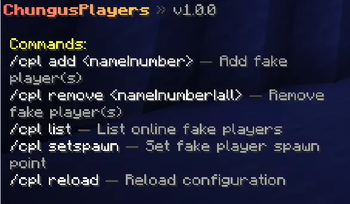

ChungusPlayers
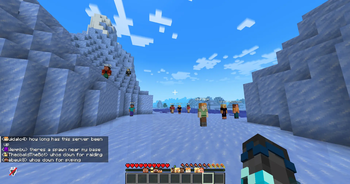
Simulates chungies (realistic fake players) for your Paper server. They join, leave, chat, and welcome people, like real chungies!
If you're running a smaller server and want it to feel less empty, this plugin helps with that. Players that join will see other "people" online, get greeted when they log in, and see chat activity happening around them.
What it does
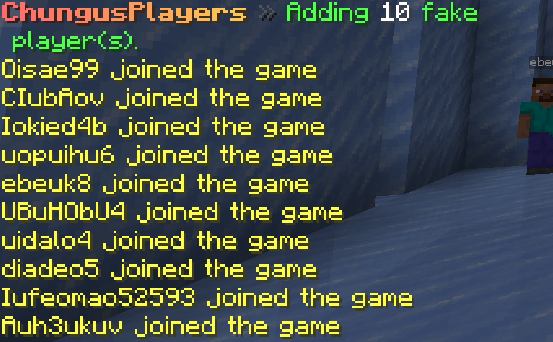
- Spawns fake players that join and quit on a schedule you set
- Sends chat messages at random intervals (1000+ unique Minecraft-themed combinations)
- Welcomes real players when they join
- Fake players have real physics: gravity, knockback, collisions
- Works with Velocity and BungeeCord proxies
- Supports MiniMessage formatting and MiniPlaceholders
- Vault integration if you want them to have groups/prefixes
- Useful for plugin debug/testing.
Commands
| Command | What it does |
|---|---|
/cpl |
Show help with all commands |
/cpl add <name|number> |
Add fake player(s) |
/cpl remove <name|number|all> |
Remove fake player(s) |
/cpl list |
List all online fake players |
/cpl setspawn |
Set where fake players spawn |
/cpl reload |
Reload the config |
All commands require the chungusplayers.admin permission.
Setup
Drop the jar in your plugins/ folder and restart. A config file generates at plugins/ChungusPlayers/config.yml with comments explaining everything.
Add -XX:+EnableDynamicAgentLoading to your server start flags to suppress a harmless JVM warning.
Requirements:
- Paper 1.21 or newer
Optional:
- MiniPlaceholders 3.1.0+ (for placeholder support)
- Vault (for permission group integration)
No data is collected or sent anywhere. Everything runs locally on your server.
Credits
Made by korb. Forked from freethemice's ReallyFakePlayers plugin.
Licensed under All Rights Reserved.
- Edition: Minecraft Java
- File type: .jar
- Minecraft versions listed: 1.21, 1.21.1, 1.21.2
- How to install: Install the matching mod loader (Forge, Fabric or NeoForge) for your Minecraft version. → Download the .jar. → Put it in the .minecraft/mods folder and launch that loader profile.
- Where to get it: Opens on Modrinth — not every file is mirrored on our own servers.
Install steps are the general flow for this file type — How to install Minecraft Java mods & modpacks walks through it step by step.
- Ships as ChungusPlayers-1.0.0.jar — drop this file into the mods folder
- Download size: 20.2 MB
- Download link checked 15 Oct 2026 — working
These come from our own check of the pack file, not from the source page.