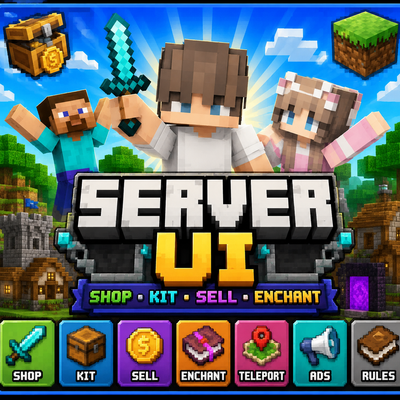
Server UI Pro
Bedrock add-on listed for Minecraft 26.x. File opened and checked on 13 Oct 2026; installs from the MC Bedrock Mods app on Android.
A powerful server management interface featuring a money system, item shop, kits, enchantments, selling, and customizable advertisements.
⬇ Download on CurseForgeThe author built this one for Minecraft 26.40. On other versions it may install and then do nothing.
Server UI is a Minecraft Bedrock server addon that provides a complete server management interface with a clean and easy-to-use menu.
Features
- 💰 Money System
- 🛒 Shop System
- Weapons
- Armor
- Tools
- Food
- Minerals
- Blocks
- 🎁 Kit System
- 💎 Enchantment Shop
- 💵 Sell System
- 📢 Advertisement Menu
- 🖼️ Custom advertisement images
- 🧩 Modular JavaScript system
- 🎨 Custom Pack Icon
- 🖥️ Server UI menu
- 🔒 Locked UI item for opening the server menu
- 📦 Items are actually given to the player's inventory
- 💰 Shop purchases correctly deduct money
- 🎒 Inventory-space checking
Usage
Open the Server UI using the designated UI item or the server command.
From the main menu, players can access the Shop, Kits, Sell, Enchantments, Money, and Advertisements.
When purchasing an item, the addon checks the player's balance and inventory space before completing the transaction.
Requirements
Minecraft Bedrock Edition
Recommended for multiplayer/server worlds.
Version
Server UI 1.0.0
Installation
- Download the
.mcaddonfile. - Import it into Minecraft Bedrock Edition.
- Activate the Behavior Pack and Resource Pack.
- Enter your world.
- Open the Server UI and enjoy.
Server UI Pro is a Minecraft server management interface designed to provide an easy-to-use menu for multiplayer servers.
Features include a money system, item shop, kits, enchantment shop, selling system, and customizable advertisements.
This project does not require real-world money or paid purchases. All features and in-game transactions use Minecraft gameplay systems only.
- Edition: Minecraft Bedrock
- File type: .mcpack or .mcaddon
- Minecraft version listed: 26.40
- How to install: Download the .mcpack or .mcaddon file. → Open it — Minecraft imports it. → In your world: Behavior Packs → Available → Activate, then the same under Resource Packs.
- Where to get it: Opens on CurseForge — not every file is mirrored on our own servers.
Install steps are the general flow for this file type — How to install Minecraft Bedrock addons & mods walks through it step by step.
- Pack type: .mcaddon — behaviour and resource pack in one file
- Download size: 6.8 MB
- Download link checked 15 Oct 2026 — working
These come from our own check of the pack file, not from the source page.