View Lock
Java mod listed for Minecraft 1.17–1.21. Downloads from the MC Java Mods app on Android.
I don't know my version or loader
This mod locks your view to a specific direction and can be adjusted to only lock up and down or left and right. The view can also be locked to the closest x and y axes using a key.
Usage:
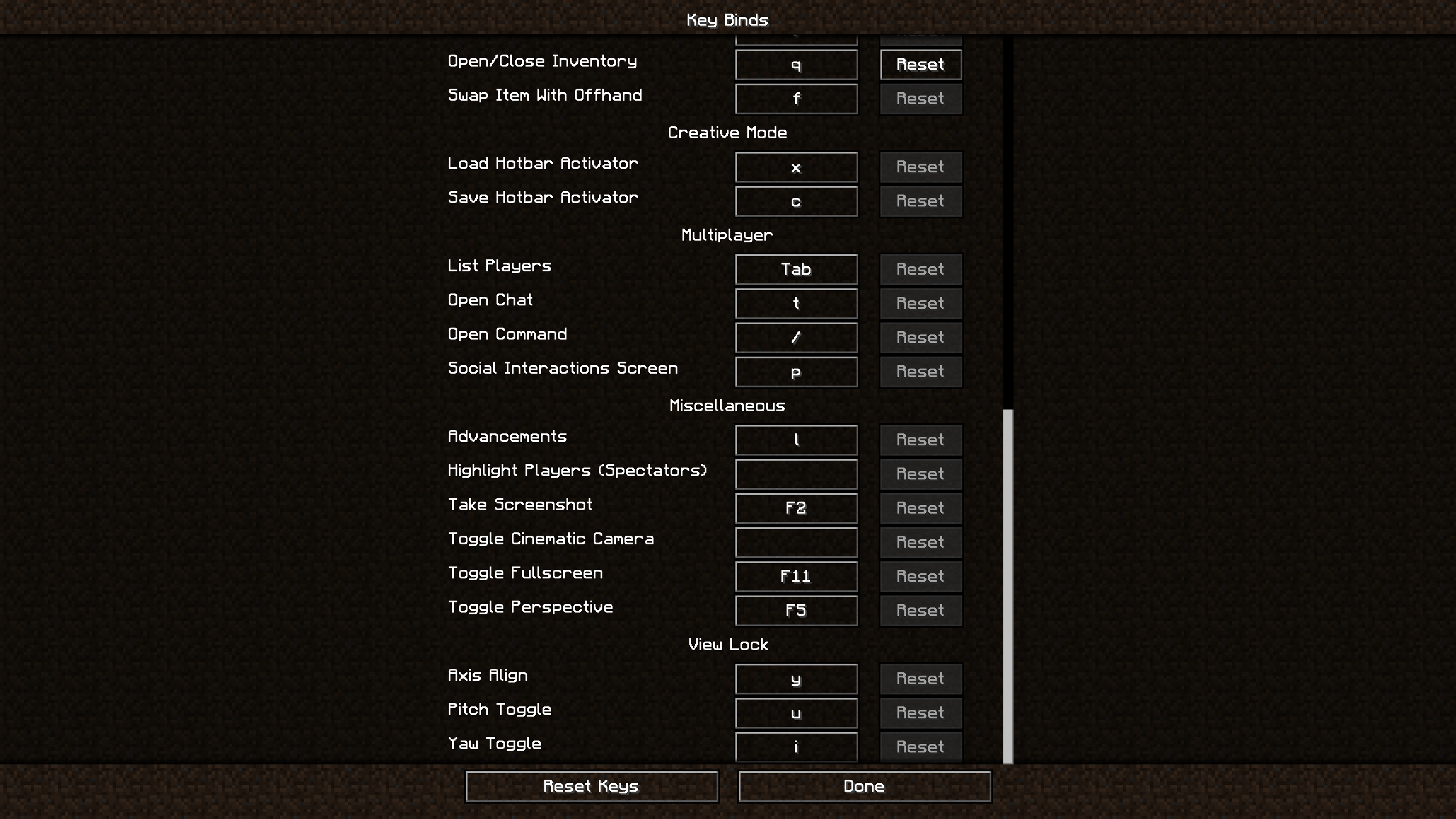
Align your view to whichever x and y axis you would like and press Y. This will lock your view to those axes. To unlock/lock your up and down movement, press U. To unlock/lock your left and right movement, press I. Alternatively, just press U or I to unlock/lock your left and right or up and down movement.
Examples:
- When using an afk farm, sometimes keeping the view steady and consistent can be difficult, especially when having to place blocks. This mod fixes that problem by allowing the user to configure their view to specific positions.
- Repetitively placing down blocks can be quite tedious. Sometimes when placing long lines of blocks, the player will start to drift from side to side, requiring you to realign yourself. This mod allows you to align yourself to a specific axis so you don't have to deal with realignment.
Controls:
Y: Toggle locks the view to the closest x and y axes
U: Toggles locking on up and down view movement (x axis)
I: Toggles locking on left and right view movement (y axis)
Commands:
/vl <pitch: RelativeAngle> [yaw: RelativeAngle] - Precisely (and relatively) position your view to a specific pitch and yaw.
/vl block <location: vec3> [track] - Lock (and optionally track) your view to a specific block (with relative positioning).
/vl block view [track] - Lock (and optionally track) your view to the block in your crosshair.
/vl unlock - Unlock your view without losing your state.
/vl relock - Relock your view without losing your state.
Requirements:
Installation:
For client side: Download the jar and place it in "../.minecraft/mods"
(Note: this mod is client-side only and should work on all servers)
- Edition: Minecraft Java
- File type: .jar
- Minecraft versions listed: 1.21, 1.21.4, 1.21.3
- How to install: Install the matching mod loader (Forge, Fabric or NeoForge) for your Minecraft version. → Download the .jar. → Put it in the .minecraft/mods folder and launch that loader profile.
- Where to get it: Opens on CurseForge — not every file is mirrored on our own servers.
Install steps are the general flow for this file type — How to install Minecraft Java mods & modpacks walks through it step by step.
- Ships as viewlock-fabric-1.17.x-1.19.x-1.0.0.jar — drop this file into the mods folder
- Download size: 10 KB
- Download link checked 25 Sept 2026 — working
These come from our own check of the pack file, not from the source page.