Archaeology Expansion
Java mod listed for Minecraft 1.18. Download on the author's site.
⬇ Download on CurseForgeRoyDoesSomething presents
 This update adds several new mechanics, items and blocks to do with the announced Archaeology Update.
This is my own version of the update, it is not an exact copy
New items:
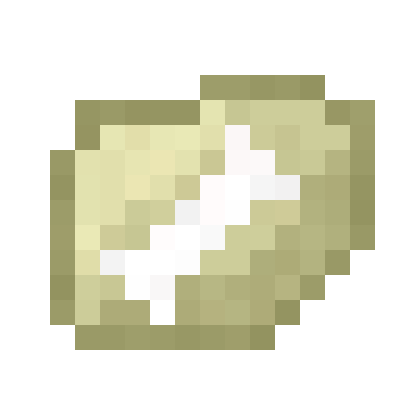
- Fossil
- Broken fossil fragment
- Dusty fossil
- Mask of Tutankhamun - Grants the player speed and strength buffs if held in the off-hand and has a 7% chance of appearing
- T-Rex Skull
- Regular dinosaur bone
- Triceratops skull
- Brush - Used to mine the fossil sand without the need of the compressor or cleanser
- CPU - Used to craft several blocks in the mod All the dinosaur bones are able to be traded with a wandering trader..
New blocks:
- Fossil sand - Can be mined with a pickaxe, shovel or brush - Pickaxe / Shovel will require compressing + cleansing
- Fossil compressor - Used to convert a fossil fragment into a dusty fossil
- Fossil cleanser - Used to compress a dusty fossil into a regular fossil
- Fossil identifier - Used to identify the fossil and give you the actual artefact
How to retrieve a fossil:
1) Find fossil sand in any of the following biomes: Ocean (and it's variants), Beach or Desert. The block looks like normal sand with a large bone in the centre.
2) Using a pickaxe or a brush, mine the block to retrieve a fossil or fossil fragment.
3) (Skip this step if you used the brush) Place the fragment in the left-hand slot of the fossil compressor and click "Compress" to receive a dusty fossil
4) (Skip this step if you used the brush) Place the dusty fossil in the left-hand slot of the fossil cleanser and click "Wash" to receive a normal fossil
5) Place the fossil into a fossil identifier and click "Process" to receive the item.
Usage
- [x] Modpacks
- [x] YouTube (please link in the description)
- Edition: Minecraft Java
- File type: .jar
- Minecraft version listed: 1.18.2
- How to install: Install the matching mod loader (Forge, Fabric or NeoForge) for your Minecraft version. → Download the .jar. → Put it in the .minecraft/mods folder and launch that loader profile.
- Where to get it: Opens on CurseForge — not every file is mirrored on our own servers.
Install steps are the general flow for this file type — How to install Minecraft Java mods & modpacks walks through it step by step.
Archaeology Expansion is a free Minecraft Java mod. Compatible with Minecraft 1.18.2. Downloaded 857 times (via CurseForge). Download it and open it directly in the game.