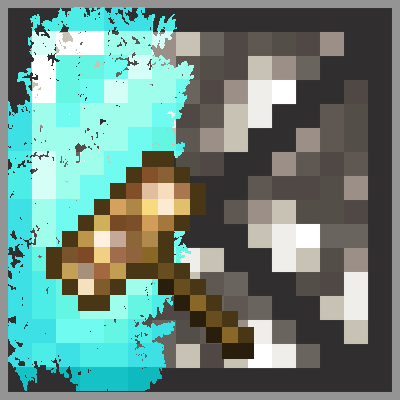
Painted Glowstone
Java mod listed for Minecraft 1.19. Download on the author's site.
⬇ Download on CurseForgePainted Glowstone




This modification adds Painted Glowstone blocks to the game - and so, as the name says, some glowstone blocks that can be painted with other textures. Create a Painting roller item and some Painted glowstone blocks to start with it.
Requirements
This mod requires LibX, Version 4.2.5!
Crafting recipes
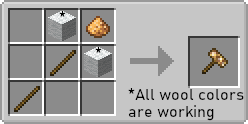
Painting roller
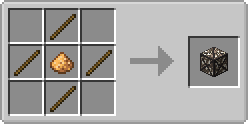
Painted glowstone
How to paint the block?
Take your "Painting roller" into your main hand and right-click any block you want while you are sneaking. The block is copied to the painting roll. Next, right-click a "Painted glowstone" block with your roller. It now mimics the copied block.
Modpack
You can use this mod in every modpack that is available for free. You are allowed to distribute the mod file in an own ModPack launcher. If the modpack is not distributed via CurseForge, you need to add a link to this page, my website or the GitHub repository of this modification.
- Edition: Minecraft Java
- File type: .jar
- Minecraft version listed: 1.19.2
- How to install: Install the matching mod loader (Forge, Fabric or NeoForge) for your Minecraft version. → Download the .jar. → Put it in the .minecraft/mods folder and launch that loader profile.
- Where to get it: Opens on CurseForge — not every file is mirrored on our own servers.
Install steps are the general flow for this file type — How to install Minecraft Java mods & modpacks walks through it step by step.
Painted Glowstone is a free Minecraft Java mod. Compatible with Minecraft 1.19.2. Downloaded 646 times (via CurseForge). Download it and open it directly in the game.