GravityAPI
Java mod listed for Minecraft 1.19–1.20. Downloads from the MC Java Mods app on Android.
I don't know my version or loader
About
This is a quilt mod and api that lets you change player gravity direction.
Features
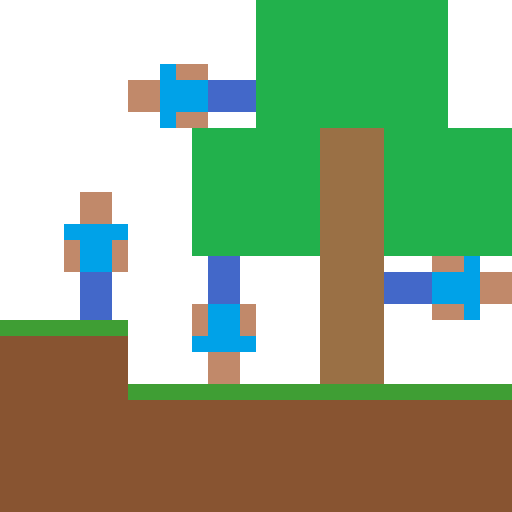
This mod adds 6 items that let you change your gravity to any of the 6 axis directions. These items are currently uncraftable and can be found in the tools tab of creative menu. This mod can also be used as an api to let other mods change player gravity.
Required Dependencies
QSL
Optional Dependencies
Mod Menu
Config
This mod has a config located in .minecraft/config/gravitychanger.json. You can edit it manually or in game using modmenu. The config has 2 categories: Client and Server. Client category contains options that only take effect on the client and need to be set on the client. Server category contains options that only take effect on the server and need to be set in the server config. If you are playing in singleplayer your server uses the same config as your client and you can change it from modmenu. If you are playing on a server the server config is not updated when you change it on your client, it can only be edited using the server config file.
Commands
/gravity get <player> - gets entities gravity, returns direction index(0-5) /gravity add <direction> <entities> <priority> <duration> - adds a new gravity source to the queue with a priority and duration /gravity setdefault <direction> <entities> - sets the default gravity for all designated entities /gravity rotate <direction> <entities> - rotates gravity for selected players relative to their look direction /gravity randomise <entities> - randomises gravity for selected players
Credits
Originally made by Gaider10 Ported to 1.18.2 by Qouteall Rewriten and maintained by Fusion Flux
Support Me!
You can directly support me on Ko-Fi!

- Edition: Minecraft Java
- File type: .jar
- Minecraft versions listed: 1.20.1, 1.19.2, 1.19.1
- How to install: Install the matching mod loader (Forge, Fabric or NeoForge) for your Minecraft version. → Download the .jar. → Put it in the .minecraft/mods folder and launch that loader profile.
- Where to get it: Opens on CurseForge — not every file is mirrored on our own servers.
Install steps are the general flow for this file type — How to install Minecraft Java mods & modpacks walks through it step by step.
- Ships as gravity-api-0.7.18-1.19.jar — drop this file into the mods folder
- Download size: 261 KB
- Download link checked 25 Sept 2026 — working
These come from our own check of the pack file, not from the source page.