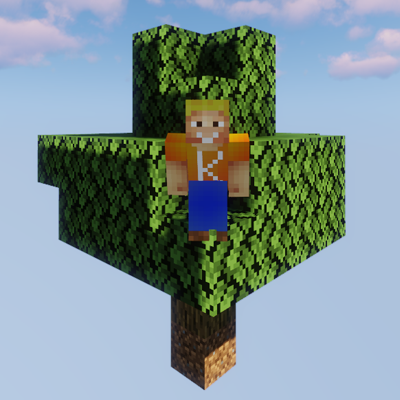
Kevs Sky Colonies
Java modpack listed for Minecraft 1.19. Downloads from the MC Java Mods app on Android.
⬇ Download on CurseForgeThe author built this one for Minecraft 1.19.2 on Forge. On other versions it may install and then do nothing.
(Deutsch)
Skyblock mit vielen Villagern, die alle eigene Berufe haben.
Dieses Modpack bietet die die Möglichkeit alle Blöcke in Skyblock zu bekommen.
Außerdem kannst du deine eigene Stadt gründen, sie versorgen und wachsen lassen.
Die perfekte Mischung aus Skyblock und Minecolonies in einem Modpack.
Es gibt kein Modpack in der aktuellen Version (1.19.2) daher habe ich selbst eins erstellt.
viel Spaß beim Spielen
Willst du einen Server einrichten?
1. Schaue im Curse Launcher im Modpack welche Forge Version ich nutze zb in 1.2 ist es "forge 43.1.57"
2. Installiere einen Forge Vanilla Server zb bei GPortal
3. kopiere das ganze Modpack auf den Server
4. entferne folgende Mods aus dem Server Mods Ordner:
- Oculus
- Rubidium
- extremesoundmuffler
- zergatul.freecam
- shutup Experimental Settings!
5. verschiebe deine genutzte Welt auf dem Server vom "saves"-Ordner in den Hauptordner
6. benenne den Ordner deiner Welt in "world" um
Außerdem findest du den passenden GameServer hier bei Gportal. mit Extra 10% Rabatt
https://www.g-portal.com/?ref=lpmitkev
(English)
Skyblock with lots of Villagers, which have custom professions
This Modpack is the classic Skyblock with the possibility to get every block.
You can also establish your own Town and manage it.
This Modpack should have the perfect balance between Skyblock and Minecolonies
There was no such modpack in the latest minecraft Version (1.19.2) so i made my own.
have fun playing!
If you want to Host a Server, do this:
1. Check the Forge Version in the Modpack in the Curse launcher (f.e.v1.2 is "forge 43.1.57")
2. Install your Vanilla Forge Server with the Version you looked up for example on GPortal
3. copy the whole Modpack to your Server
4. remove the following Mods from your Server Mod Folder:
- Oculus
- Rubidium
- extremesoundmuffler
- zergatul.freecam
- shutup Experimental Settings!
5. move your existing savegame folder from "saves" to the Main folder of your Server
6. change the name of your safegame folder to "world"
You can find the best fitting Servers here on Gportal with 10% Discound
- Edition: Minecraft Java
- File type: .jar
- Minecraft version listed: 1.19.2
- How to install: Install the matching mod loader (Forge, Fabric or NeoForge) for your Minecraft version. → Download the .jar. → Put it in the .minecraft/mods folder and launch that loader profile.
- Where to get it: Opens on CurseForge — not every file is mirrored on our own servers.
Install steps are the general flow for this file type — How to install Minecraft Java mods & modpacks walks through it step by step.
- Downloads as Skyblock Minecolonies-v0.9.zip
- Download size: 1.7 MB
- Download link checked 25 Sept 2026 — working
These come from our own check of the pack file, not from the source page.