ModsJava
Falloutcraft
Java mod listed for Minecraft 1.19–1.20. Downloads from the MC Java Mods app on Android.
I don't know my version or loader
Open the Minecraft launcher and look at the profile you play on — it names both, like fabric-loader-1.21.4. The version also shows in the bottom-right corner of the game's main menu.
No loader in the profile name? Then it's plain Minecraft, and these mods won't run — you need Fabric or NeoForge installed first.
This mod require :


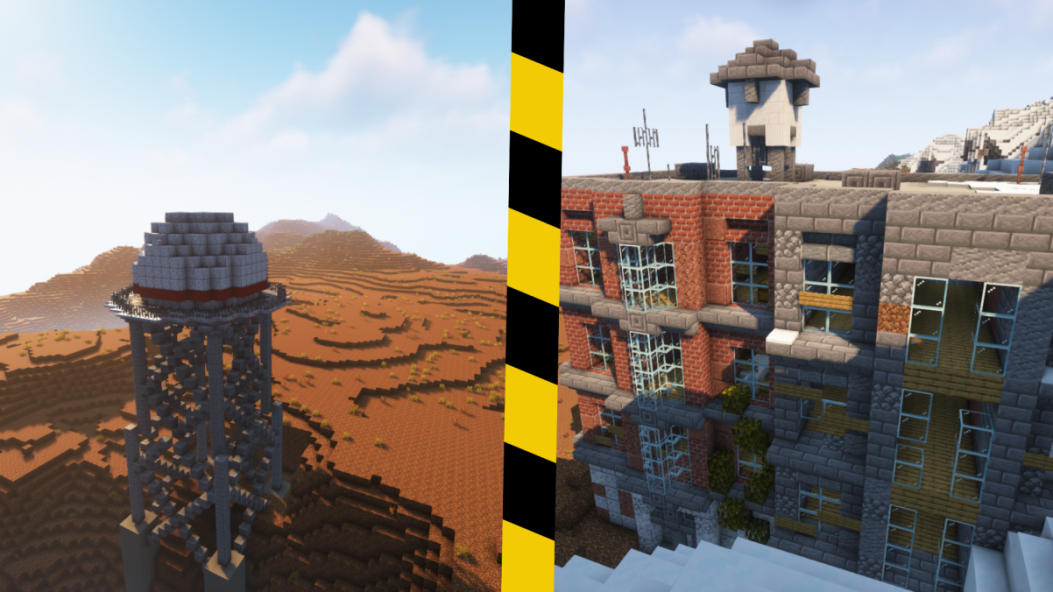
Fallout Craft is a mod that adds in Fallout themed items, blocks,structures and more...
Explore a devastated wasteland, find bunker, and survive!
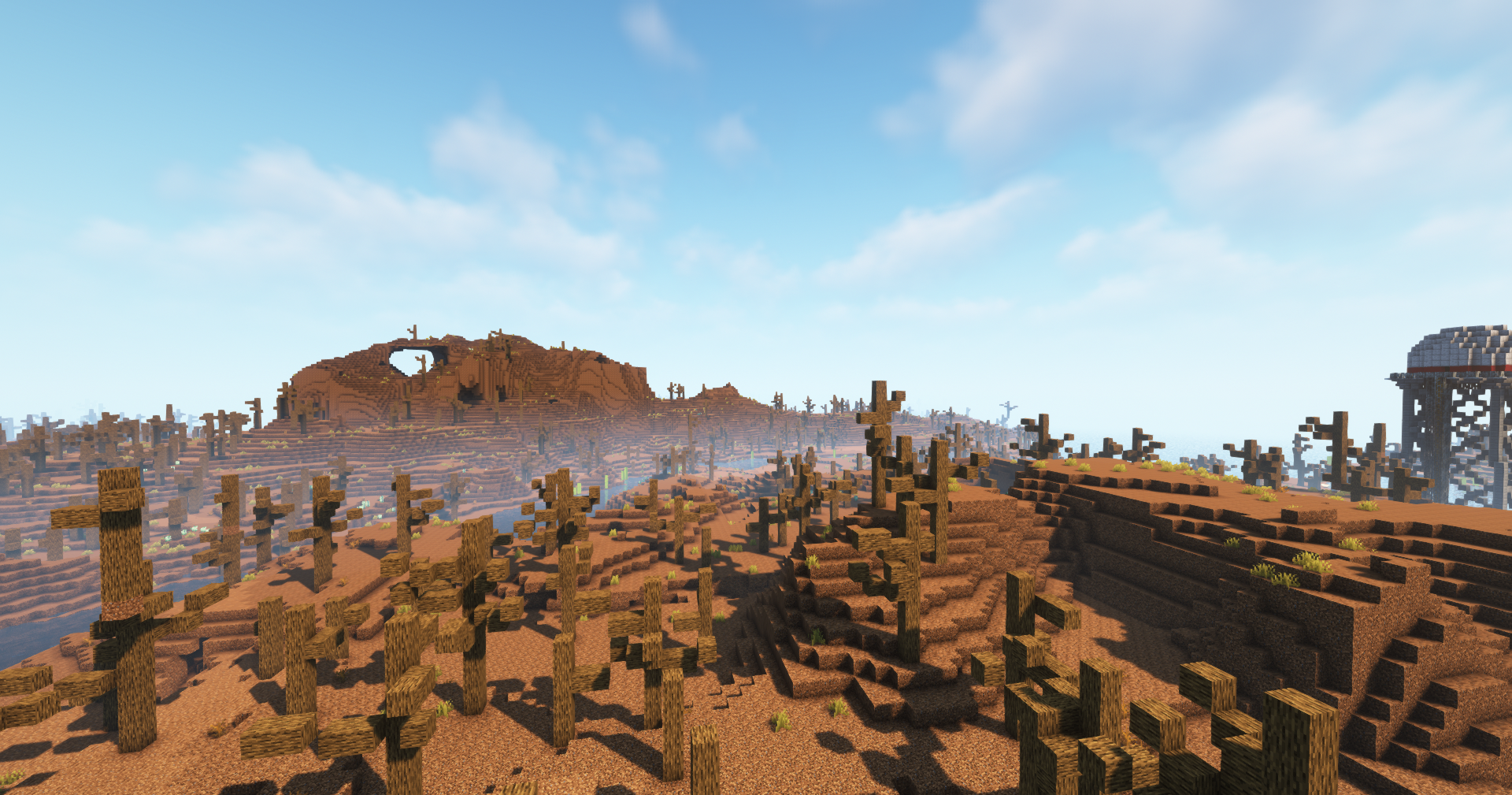
Discover a world where nothing is like before ! Play in a devastated world with the wastelands world type !
Find ruins of a time before the Great War !
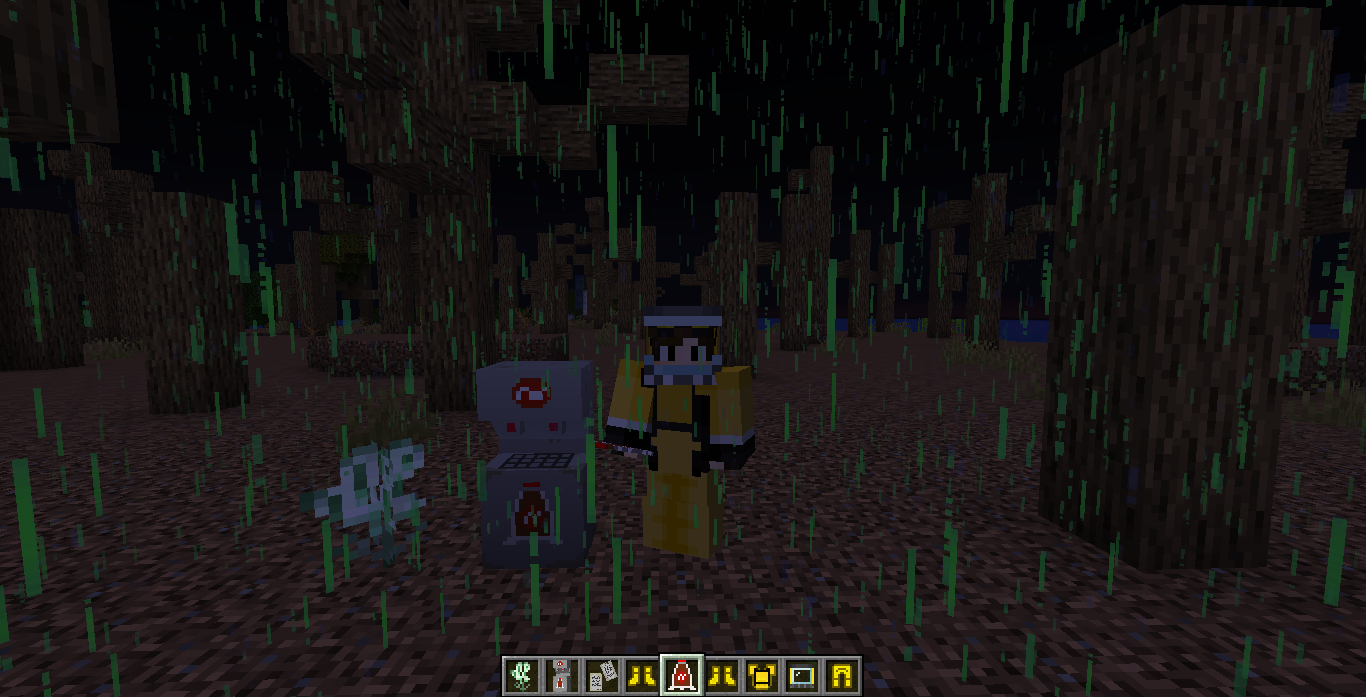
- Fallout themed items (Nuka Cola, Stimpak, Radaway)
- Pimp Boy
- Radiations Water
- Fallout Paintings
- Radiated Rain
- Radiations System
- Machines (Nuka Cola Machine)
- Biomes (Need some reworks)
- Flowers (Radioactiva)
- Hazmat Suit
- New Villager
- Custom Generations
Planned Features - Bunkers
- Villages vaults
- Biomes (More Biomes)
- More items
- Decoration Blocks
- More Paintings
- Machines (Radiation Remover)
- Mobs (RADROACHES, Bloodbugs)
- Mods compatibility (Celestial, Patchouli, etc...)
Thanks to Mixer555 for the structures !
FAQ
1) My inventory does not open when i want to open it !
- You need to use the pip boy to open your inventory. This mechanic can be disable in the config
You have an idea ? You want to help ? join my Discord server : https://discord.gg/nuDEYcFX4j
Quick facts
- Edition: Minecraft Java
- File type: .jar
- Minecraft versions listed: 1.19.2, 1.20.1, 1.19.4
- How to install: Install the matching mod loader (Forge, Fabric or NeoForge) for your Minecraft version. → Download the .jar. → Put it in the .minecraft/mods folder and launch that loader profile.
- Where to get it: Opens on CurseForge — not every file is mirrored on our own servers.
Install steps are the general flow for this file type — How to install Minecraft Java mods & modpacks walks through it step by step.
File checked by MCModsHub
- Ships as falloutcraft-prealpha-1.0.jar — drop this file into the mods folder
- Download size: 8.9 MB
- Download link checked 25 Sept 2026 — working
These come from our own check of the pack file, not from the source page.