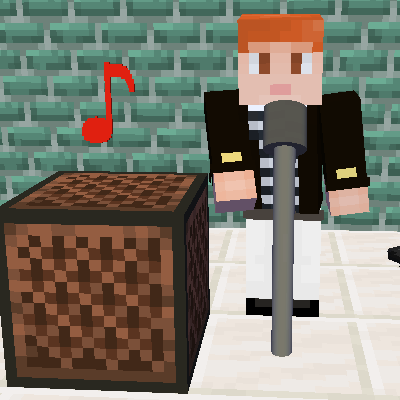
Instrument++
Java mod listed for Minecraft 1.18–1.20. Downloads from the MC Java Mods app on Android.
I don't know my version or loader
As we all know, note block plays variant musical instruments, which only depends on the block below itself. But it sometimes makes us disappointed that vanilla provides only 16 kinds of musical instruments, so that we find it hard to perform a song with many instruments well.
Why don't you try this out? Instrument++ mod adds more musical instruments for note blocks, and especially, some of them are the traditional chinese musical instruments!
The following shows the added instruments, pitch notation and blocks to be placed under the note block:
- Bassoon. F#1~F#3. Basalt and its variants.
- Clarinet. F#2~F#4. Black stone and its variants.
- Cymbal. -. Chain and iron bar.
- Electric guitar clean. F#2~F#4. Snow block, snow and powder snow.
- Electric guitar overdriven. F#2~F#4. Netherrack.
- Erhu. F#3~F#5. Coral blocks and dead coral blocks.
- French Horn. F#2~F#4. Copper block and its variants (without cut copper block and its variants).
- Guqin. F#3~F#5. Moss blocks and moss carpet.
- Konghou. F#2~F#4. End stone and its variants.
- Suona. F#3~F#5. Dirt.
- Timpani. F#0~F#2. Nether Bricks, red nether bricks and their variants.
- Trumpet. F#2~F#4. Cut copper block and its variants.
- Tuba. F#0~F#2. Gravel.
- Viola. F#2~F#4. 16 kinds of glazed terracotta.
- Violin. F#3~F#5. Terracotta and its colored variants.
- Yangqin. F#2~F#4. Amethyst block and budding amethyst.
If you also install JEI, pressing U is a way to show you each block stands for which musical instrument of note blocks.
Have fun and enjoy your music world!
- Edition: Minecraft Java
- File type: .jar
- Minecraft versions listed: 1.20.1, 1.20, 1.19.4
- How to install: Install the matching mod loader (Forge, Fabric or NeoForge) for your Minecraft version. → Download the .jar. → Put it in the .minecraft/mods folder and launch that loader profile.
- Where to get it: Opens on CurseForge — not every file is mirrored on our own servers.
Install steps are the general flow for this file type — How to install Minecraft Java mods & modpacks walks through it step by step.
- Ships as ipp-2.0.0.jar — drop this file into the mods folder
- Download size: 433 KB
- Download link checked 25 Sept 2026 — working
These come from our own check of the pack file, not from the source page.