Old Inventorism
Java mod listed for Minecraft 1.19–1.20. Downloads from the MC Java Mods app on Android.
I don't know my version or loader
Intro
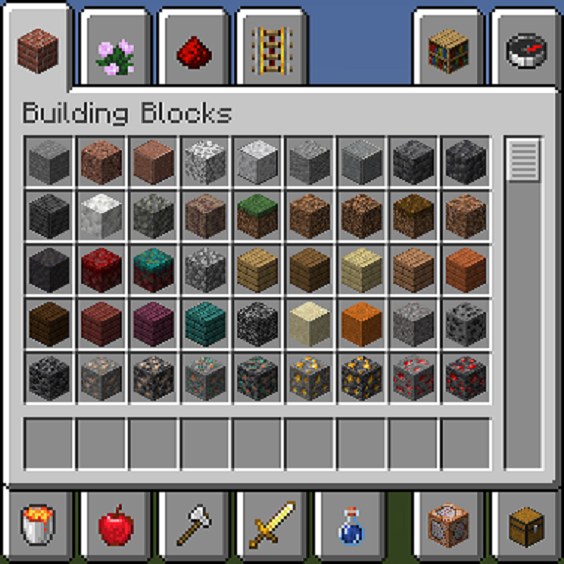
The Minecraft 1.19.3 update made significant changes to the creative inventories, causing some confusion and discomfort among some players.
So the mod is developed to brings the inventory back to its previous style, allowing players to continue enjoying the game with the familiar inventory layout.
Feature
Let the inventories go back to old styles.
Also supports 1.20 datapack and bundle datapack.
Supports 1.20 newly added items
Usage
Just put the mod into mods dir and launch the game.
Note: This is a fabric mod which needs Fabric API installed
- Edition: Minecraft Java
- File type: .jar
- Minecraft versions listed: 1.20.1, 1.20, 1.19.4
- How to install: Install the matching mod loader (Forge, Fabric or NeoForge) for your Minecraft version. → Download the .jar. → Put it in the .minecraft/mods folder and launch that loader profile.
- Where to get it: Opens on CurseForge — not every file is mirrored on our own servers.
Install steps are the general flow for this file type — How to install Minecraft Java mods & modpacks walks through it step by step.
- Ships as [Old Inventorism]old-inventorism-1.2.1-mc1.20.jar — drop this file into the mods folder
- Download size: 31 KB
- Download link checked 25 Sept 2026 — working
These come from our own check of the pack file, not from the source page.