
标识符翻译(Identifier Translation)
Java mod listed for Minecraft 1.19–1.20. Downloads from the MC Java Mods app on Android.
将命令反馈与命令建议中的生物群系、地物和结构显示为对应翻译而非标识符。Show the biomes, features and structures in the command feedback and command suggestions as corresponding translations…
I don't know my version or loader
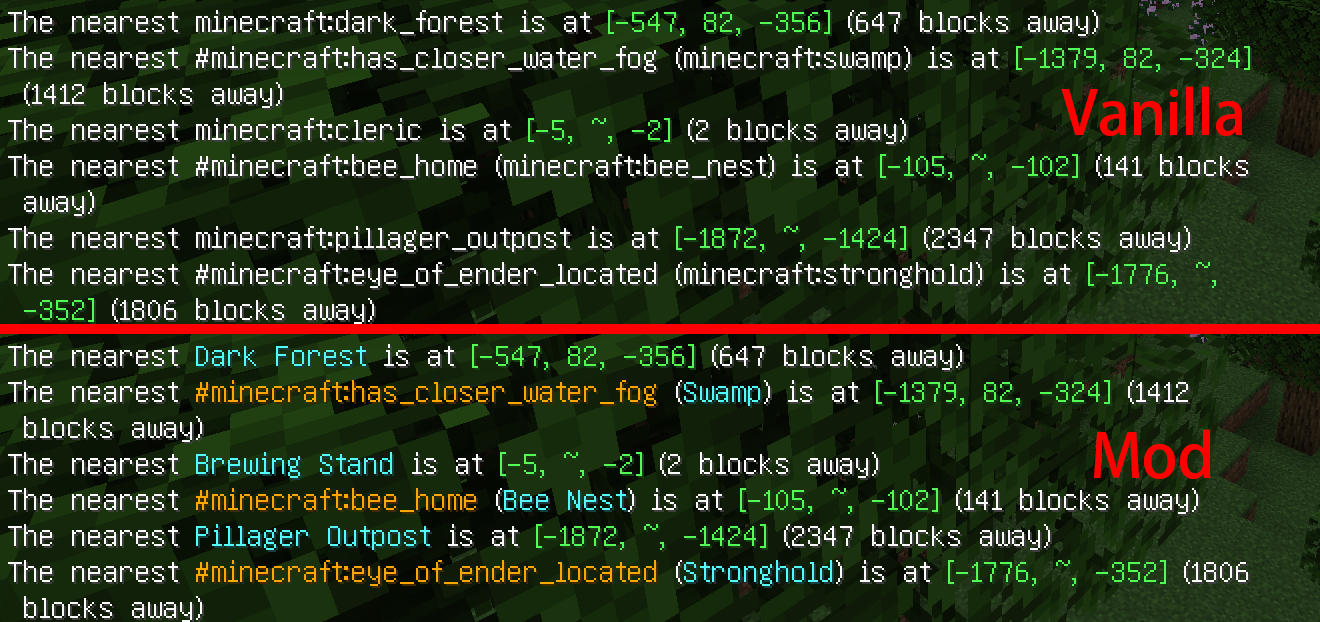
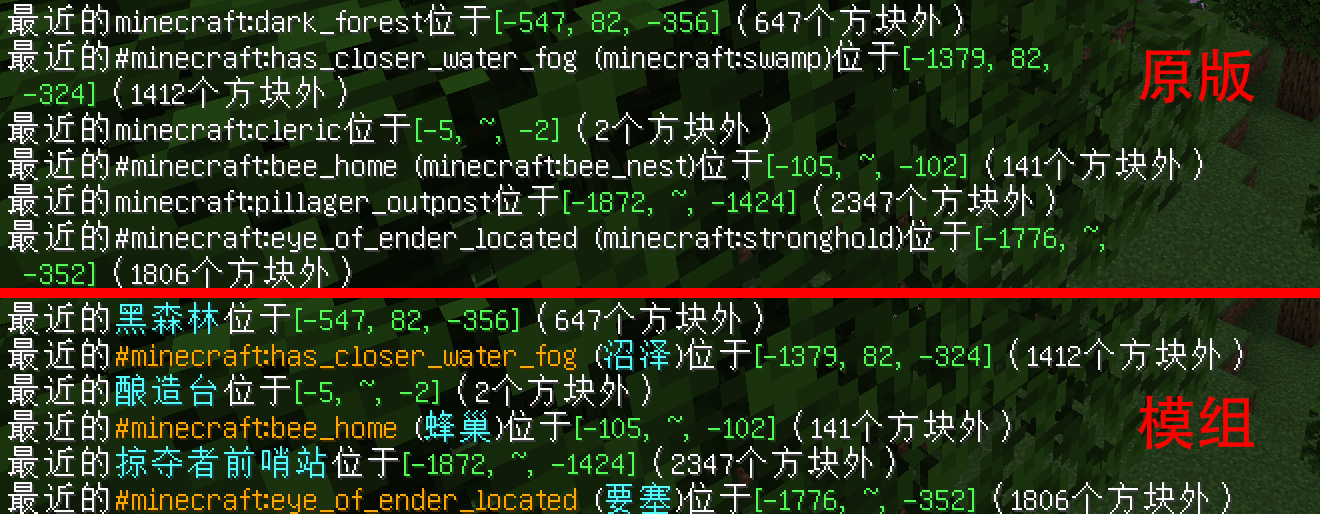
Identifier Translation
Show the biomes, features and structures in the command feedback and command suggestions as corresponding translations instead of identifiers.



Links
Dependencies
Cloth Config (GitHub CurseForge Modrinth)
Fabric API (GitHub CurseForge Modrinth)
Fabric Loader (Official website GitHub)
Instruction
The translations of biomes are taken from in-game language files, and the translations of features (Chinese only) and structures are taken from Minecraft Wiki.
Commands involved: /effect, /enchant, /fillbiome, /locate and /place.
Configuration file is saved at "\config\identifier_translation.json".
The mod icon does not represent any position of myself.
标识符翻译
将命令反馈与命令建议中的生物群系、地物和结构显示为对应翻译而非标识符。
链接
依赖项
Cloth Config(GitHub CurseForge Modrinth)
Fabric API(GitHub CurseForge Modrinth)
说明
生物群系翻译取自游戏内语言文件,地物(仅中文)和结构翻译取自Minecraft Wiki。
涉及命令:/effect、/enchant、/fillbiome、/locate和/place。
配置文件保存在“<游戏目录>\config\identifier_translation.json”。
模组图标不代表本人任何立场。
- Edition: Minecraft Java
- File type: .jar
- Minecraft versions listed: 1.20.1, 1.20, 1.19.3
- How to install: Install the matching mod loader (Forge, Fabric or NeoForge) for your Minecraft version. → Download the .jar. → Put it in the .minecraft/mods folder and launch that loader profile.
- Where to get it: Opens on CurseForge — not every file is mirrored on our own servers.
Install steps are the general flow for this file type — How to install Minecraft Java mods & modpacks walks through it step by step.
- Ships as Identifier-Translation-3_1.20-1.20.1.jar — drop this file into the mods folder
- Download size: 70 KB
- Download link checked 25 Sept 2026 — working
These come from our own check of the pack file, not from the source page.