ModsJava
Fred's QoL
Java mod listed for Minecraft 1.19–1.20. Downloads from the MC Java Mods app on Android.
I don't know my version or loader
Open the Minecraft launcher and look at the profile you play on — it names both, like fabric-loader-1.21.4. The version also shows in the bottom-right corner of the game's main menu.
No loader in the profile name? Then it's plain Minecraft, and these mods won't run — you need Fabric or NeoForge installed first.
Fred
The main goal with this mod is to add some quality of life features that would normally need another mod to be installed, things my friends and I find funny and to practice some java along the way.
- The name was the first thing a friend said after I asked for a project name.
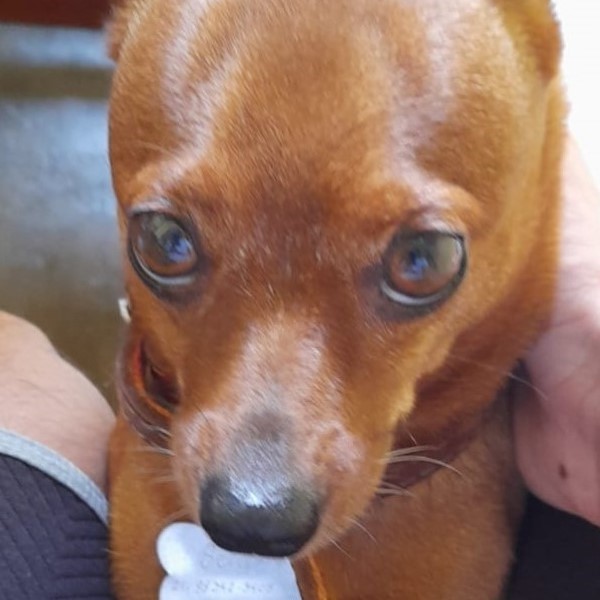
- The mod icon is my friend's doggo :), no idea of what to actually use.
- This mod was originally developed for a private modpack.
- I don't plan on making a Forge version.
- New features might be available only on newer versions.
> Most features are configurable.
Features
- Custom window title.
- Movement with screens open (inventory, crafting table and a lot more).
- Auto walk.
- Zoom with configurable FOV by using the mouse wheel, spyglass also has a configurable zoom.
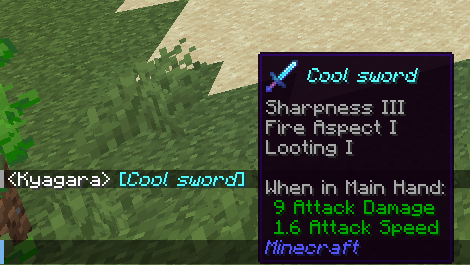
- Link items in chat based on Show Me What You Got.
- Sound on new chat message and when typing.
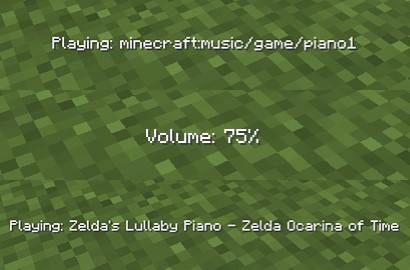
- More control over the Minecraft Music (delay between songs, skip, change volume, show what is playing).
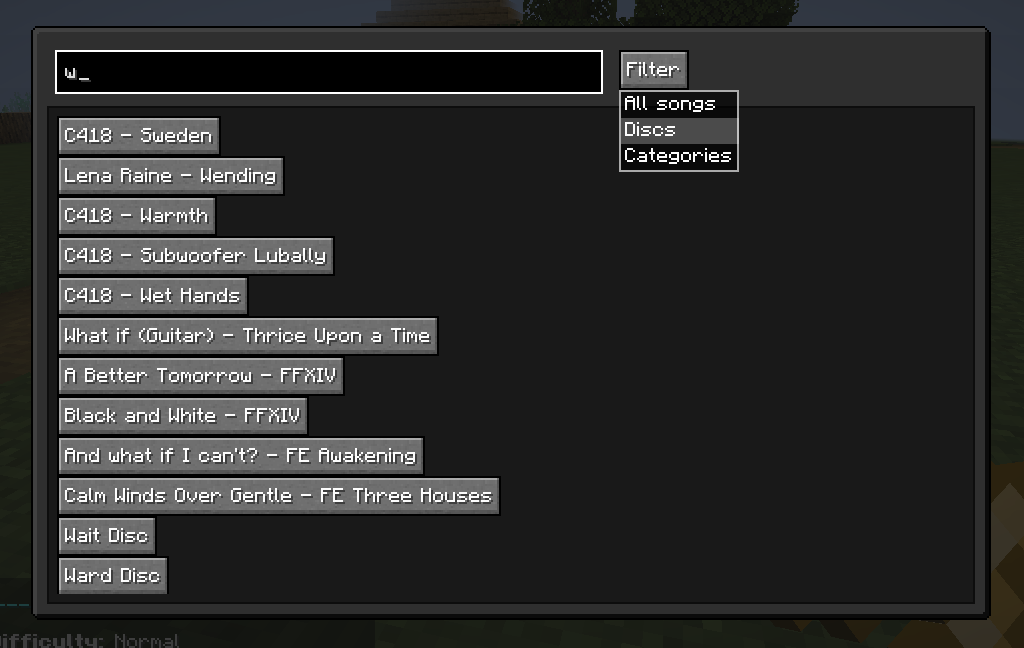
- A music player screen based on Music Control.
- Keep the current session chat history.
- Use XP to create Experience bottle.
- Total blocks broken and placed statistic.
- Joke blocks/items: Trumpet based on trumpet-skeleton-fabric, The Rock Block.
New recipes
- Name Tag
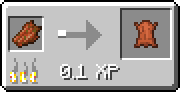
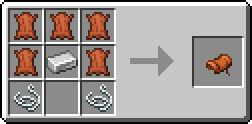
- Rotten Flesh to Leather
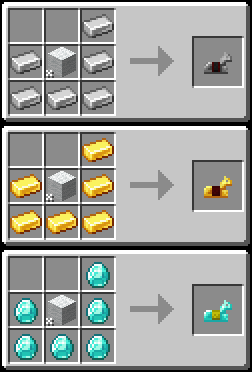
- Horse Armor (diamond, gold, iron)
- Saddle
Keybinds
- Up Arrow - Increases music volume.
- Down Arrow - Decreases music volume.
- Left Arrow - Music player screen.
- Right Arrow - Skip music.
- Right Control - Displays the current music playing.
- Left Alt - Press while hovering an item to link it in chat.
- C - Zoom (conflicts with a creative mode keybind, you can change this).
- G - Auto walk.
Commands
> Server side commands that broadcast() to the server:
- roll - Random number from 1 to the number provided as argument.
- 8ball - It can answer your every question, as long as your question can be answered with yes or no.
- quotes - Gives a random quote from a config file, defaults to some random stuff about ULTRAKILL for the lack of a better idea for default quotes.
> Client side commands:
- coords - Sends your current coordinates.
- shrug - Shrugs.
- flip - Flips a table.
- unflip - Unflips said table.
Joke features
> All items/blocks have recipes, have their own statistics and can be disabled.
- (Item) Trumpet - Doot until it is done. Repaired with gold nuggets.
- (Item) The Rock Block - Him.
Quick facts
- Edition: Minecraft Java
- File type: .jar
- Minecraft versions listed: 1.20.2, 1.20.1, 1.20
- How to install: Install the matching mod loader (Forge, Fabric or NeoForge) for your Minecraft version. → Download the .jar. → Put it in the .minecraft/mods folder and launch that loader profile.
- Where to get it: Opens on CurseForge — not every file is mirrored on our own servers.
Install steps are the general flow for this file type — How to install Minecraft Java mods & modpacks walks through it step by step.
File checked by MCModsHub
- Ships as fred-0.9.2-1.20.2.jar — drop this file into the mods folder
- Download size: 160 KB
- Download link checked 16 Oct 2026 — working
These come from our own check of the pack file, not from the source page.