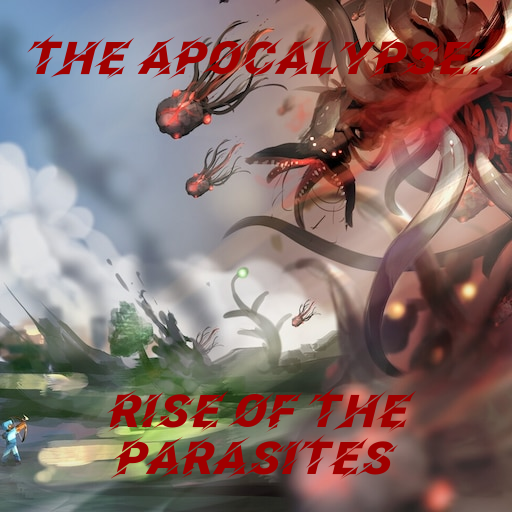
The Apocalypse: Rise of the Parasites
The world is now nothing but a vast and desolate place; with few survivors remaining- including you. Do you have what it takes to survive against the…
⬇ Download on CurseForgeThe world is now nothing but a vast and desolate wasteland, with few survivors remaining- including you. Do you have what it takes to survive the great horrors of the Parasite Apocalypse?
This modpack is centered mainly around Dhanantry's Scape and Run: Parasites. These parasites are tough and hit like a truck. You will need to be prepared as the world moves through different phases. As each phase progresses through time, the parasites will become stronger and stronger. However, as you survive through these phases, it is an opportunity for you to become OP. There are many features in this modpack that will aid in combat with the parasites, such as a wide array of added enchantments, powerful guns, and stronger weapons that can be crafted from the remains of these parasites.
Main features of this modpack:
- No Tree Punching!
- Added thirst bar
- Saturation visibility
- Armor/Weapon/Tool durability HUD display
- Minimap that shows entities nearby
- Mob health visibility
- Swing through grass (Weapons/tools don't use durability when cutting through grass, vines, residue, remains, etc.)
- Inventory sorting
- Items stay in crafting tables when you exit out of them
Major mods in this pack:
- Scape and Run: Parasites
- Vic's Modern Warfare
- Spartan Weaponry/Shields
- Just Enough Items (JEI)
- The Bloodmoon
- Dynamic Surroundings
- No Tree Punching (NTP)
- Zombie Awareness
- Rin's So Many Enchantments
- Chocolate Quest Repoured
Also, PLEASE be sure OptiFine 1.12.2 is downloaded, or VMW will not work and will crash your game!
Here is the download link: https://optifine.net/adloadx?f=OptiFine_1.12.2_HD_U_G5.jar&x=eb46
Here is how to install OptiFine:
1. Download the file via the website link
2. Once the file is downloaded, open the modpack folder, go to "mods" and insert the file.
3. Run the pack.
Have fun, and good luck!
- TheLegendary_04
- Edition: Minecraft Java
- File type: .jar
- How to install: Install the matching mod loader (Forge, Fabric or NeoForge) for your Minecraft version. → Download the .jar. → Put it in the .minecraft/mods folder and launch that loader profile.
- Where to get it: Opens on CurseForge — not every file is mirrored on our own servers.
Install steps are the general flow for this file type — How to install Minecraft Java mods & modpacks walks through it step by step.
- Downloads as The Apocalypse Rise of the Parasites-1.1.zip
- Download size: 1.9 MB
- Download link checked 26 Sept 2026 — working
These come from our own check of the pack file, not from the source page.