ModsJava
CobbleCast
Java mod listed for Minecraft 1.19–1.21. Downloads from the MC Java Mods app on Android.
I don't know my version or loader
Open the Minecraft launcher and look at the profile you play on — it names both, like fabric-loader-1.21.4. The version also shows in the bottom-right corner of the game's main menu.
No loader in the profile name? Then it's plain Minecraft, and these mods won't run — you need Fabric or NeoForge installed first.
⚠️ Config might reset to default if the format changes in future versions.⚠️
Reset to version 1.0.0 – as it was a rewrite in Fabric/Kotlin of my old mod (no plans on doing code in neo-forge).
A very easy client or server-side mod that broadcasts Cobblemon Captures/Kills/Spawns events for Legendary’s, Ultra Beasts, Shiny’s, and Normal’s. All can be toggled on or off.
Config Settings
{
"webHookConfig": {
"discordCapHook": true,
"discordKillHook": false,
"discordSpawnHook": false,
"discordReleaseHook": false,
"webhookName": "CobbleCast",
},
"spawnConfig": {
"toggleSpawnMessage": false,
"isSpawnNormalEnable": false,
"isSpawnLegendaryEnable": false,
"isSpawnUltraBeastEnable": false,
"isSpawnShinyEnable": false,
"spawnMessage": "<bold><white><isshiny><islegendary><isultrabeast><yellow><pokemon></yellow> Has Spawned by <bold><blue><player></blue></bold>"
},
"captureConfig": {
"toggleCapMessage": true,
"isNormalEnable": false,
"isLegendaryEnable": true,
"isUltraBeastEnable": true,
"isShinyEnable": true,
"captureMessage": "<bold><white><isshiny><islegendary><isultrabeast><yellow><pokemon></yellow> Has Been Capture by <bold><blue><player></blue></bold>"
},
"faintedConfig": {
"toggleFaintedMessage": false,
"isFaintedNormalEnable": false,
"isFaintedLegendaryEnable": false,
"isFaintedUltraBeastEnable": false,
"isFaintedShinyEnable": false,
"faintedMessage": "<bold><white><isshiny><islegendary><isultrabeast><yellow><pokemon></yellow> Has Been Fainted by <bold><blue><player></blue></bold>"
},
"releaseConfig": {
"toggleReleaseMessage": false,
"isReleaseNormalEnable": false,
"hasHighIvsCount": 2,
"isReleaseLegendaryEnable": false,
"isReleaseUltraBeastEnable": false,
"isReleaseShinyEnable": false,
"spawnReleasePokemon": false,
"showNearbyPlayer": false,
"releaseMessageTemplate": "<bold><white><isshiny><islegendary><isultrabeast><yellow><pokemon></yellow> Has Been Released by <bold><blue><player></blue></bold>"
},
"langConfig": {
"isshiny": "<gold>SHINY</gold> ",
"islegendary": "<red>LEGENDARY</red> ",
"isultrabeast": "<purple>ULTRA BEAST</purple> "
}
}
List of all the place holders Note: That Biome and Position only work in the spawn message.
<pokemon>        - The display name of the spawned Pokémon.
<isshiny>        - Shiny tag text if the Pokémon is shiny (from config).
<islegendary>    - Legendary tag text if the Pokémon is legendary (from config).
<ismythical>     - Mythical tag text if the Pokémon is mythical (from config).
<isultrabeast>   - Ultra Beast tag text if the Pokémon is an Ultra Beast (from config).
<paradox>        - Paradox tag text if the Pokémon is marked as a paradox (from config).
<ivs>            - IV summary string (custom formatted).
<nature>         - The nature of the Pokémon.
<level>          - The Pokémon’s level.
<ability>        - The Pokémon’s ability or abilities.
<player>         - The player who triggered or is related to the spawn (by name).
<nearbyplayer>   - The name of the closest nearby player.
<biome>         - The biome where the Pokémon spawned.
<position>       - The position of the Pokémon in the world (X, Y, Z).
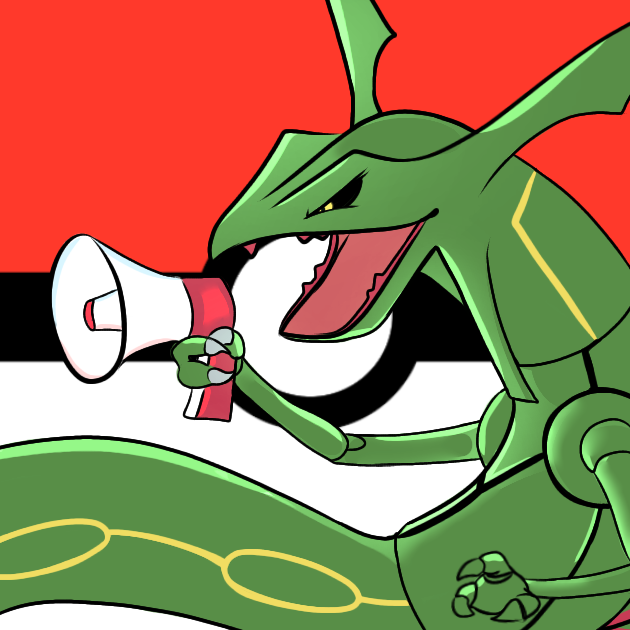
Logo Art Made by: Actias (on the Cobblemon discord server)
Quick facts
- Edition: Minecraft Java
- File type: .jar
- Minecraft versions listed: 1.21.1, 1.20.1, 1.19.2
- How to install: Install the matching mod loader (Forge, Fabric or NeoForge) for your Minecraft version. → Download the .jar. → Put it in the .minecraft/mods folder and launch that loader profile.
- Where to get it: Opens on CurseForge — not every file is mirrored on our own servers.
Install steps are the general flow for this file type — How to install Minecraft Java mods & modpacks walks through it step by step.
File checked by MCModsHub
- Ships as Cobblemon-Broadcast-2.1.19045.jar — drop this file into the mods folder
- Download size: 142 KB
- Download link checked 25 Sept 2026 — working
These come from our own check of the pack file, not from the source page.