
ModsJava
GNOME Iconer
Changes WMClass and generates .desktop file to give it an icon
I don't know my version or loader
Open the Minecraft launcher and look at the profile you play on — it names both, like fabric-loader-1.21.4. The version also shows in the bottom-right corner of the game's main menu.
No loader in the profile name? Then it's plain Minecraft, and these mods won't run — you need Fabric or NeoForge installed first.
GNOME Iconer
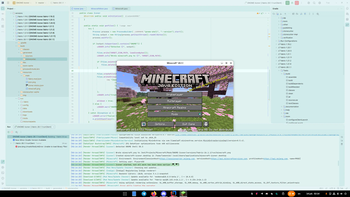
The mod fixes the issue with minecraft's icon missing in the taskbar on GNOME
It does that by generating .desktop file to set the minecraft icon for Minecraft* and setting game's WMClass to Minecraft*
| TT20 | Fabric/Quilt | Forge | NeoForge |
|---|---|---|---|
| 26.X | ✅ | ❌ | ✅ |
| 1.21.11 | ✅ | ❌ | ✅ |
| 1.21.9/10 | ✅ | ❌ | ✅ |
| 1.21.2-8 | ✅ | ❌ | ⭐️ |
| 1.21(.1) | ✅ | ❌ | ⭐️ |
| 1.20.5/6 | ✅ | ❌ | ⭐️ |
| 1.20.2-4 | ✅ | ❌ | ⭐️ |
| 1.20(.1) | ✅ | ⭐️ | ❌ |
| 1.19.0-2 | ✅ | ✅ | ❌ |
| 1.18.X | ❌ | ✅ | ❌ |
✅ - Supported ⭐️ - Workaround ❌ - Not Planned
⭐️Workaround versions work by creating a separate .desktop entry for each minecraft version. As I can't modify WM Class because of stupid early loading screen on newer forge and older neoforge versions. Alternatively you can disable early loading screen in config/fml.toml (earlyWindowProvider = "")
Verified by MCModsHub
- Ships as iconer-0.1.1+mc1.21.2-neoforge.jar — drop this file into the mods folder
- Download size: 782 KB
- Download link checked 15 Aug 2026 — working
These come from our own check of the pack file, not from the source page.