No Hub Effect (upgrade)
Bedrock add-on listed for Minecraft 26.x. File opened and checked on 14 Oct 2026; installs from the MC Bedrock Mods app on Android.
Are you tired of the hotbar that opens the wrong icon? This mod will help you. Everything is in English except the book title.
⬇ Download on CurseForgeNo Status Effects HUD Upgrade
A fully reworked and improved version of the addon that removes the annoying status effect icons from the screen, while still giving you a convenient way to view all active effects — almost like in Java Edition.
What does this addon do?
In normal Minecraft Bedrock Edition, all status effects (Speed, Strength, Regeneration, Fire Resistance, Night Vision, etc.) constantly hang in the top-left corner of the screen as small icons. This heavily clutters the HUD, especially when you have many effects. The original addon simply completely hid this panel. Now we went much further.
Main features:
Completely hides the status effects panel from the HUD. The effects themselves are not removed and continue to work as usual.
A special green book named “View Effects” (written in yellow) is automatically given to your inventory.
When you use the book (right-click / hold on mobile), a nice menu opens showing all your current active effects:
Effect name
Effect level
Remaining duration
If you have no effects, the menu honestly tells you that there are no active effects.
The book looks like a normal vanilla book, only fully green. No black artifacts, circles, or strange textures.
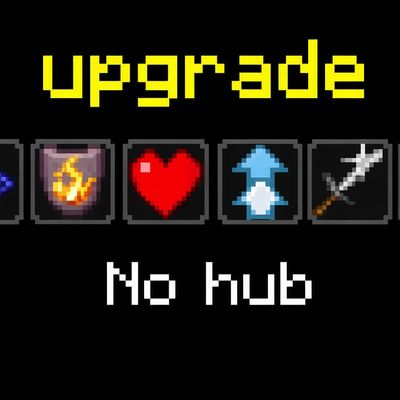
Pack icon — a stylish image with the text “No hub” and all the effect icons.
Who is this addon for?
For those who love a clean and minimalistic interface.
For content creators and video makers who are bothered by effect icons on recordings.
For survival and hardcore players who want to see effects only when they want to.
For players who are used to Java Edition, where
you can calmly check effects in the inventory.
Download the .mcaddon file
Open it (Minecraft will offer to import it)
Create a new world or join an existing one
In the world settings enable both packs:
No Status Effects HUD Upgrade (Behavior Pack)
No Status Effects HUD Upgrade (Resource Pack)
- Edition: Minecraft Bedrock
- File type: .mcpack or .mcaddon
- Minecraft versions listed: 26.20, 26.30
- How to install: Download the .mcpack or .mcaddon file. → Open it — Minecraft imports it. → In your world: Behavior Packs → Available → Activate, then the same under Resource Packs.
- Where to get it: Opens on CurseForge — not every file is mirrored on our own servers.
Install steps are the general flow for this file type — How to install Minecraft Bedrock addons & mods walks through it step by step.
- Pack type: .mcaddon — behaviour and resource pack in one file
- Download size: 39 KB
- Download link checked 27 Sept 2026 — working
These come from our own check of the pack file, not from the source page.