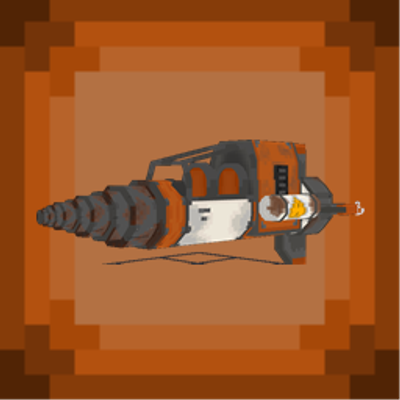
Defence: RXII Spacecraft
Pilot a craftable RXII spacecraft with fuel management, cargo storage, immersive flight effects and a dedicated third-person camera for Minecraft Bedrock.
⬇ Download on CurseForge
Defence: RXII Spacecraft
Take flight with the RXII
LBR Defence: RXII Spacecraft adds a craftable, flyable two-seat spacecraft to Minecraft Bedrock.
Deploy the RXII, take the controls, manage its fuel reserve, carry supplies in its cargo hold, and fly with a dedicated cinematic third-person camera, custom sound layers, visual effects, and fuel warnings.
Features
Craftable RXII flyable spacecraft
Two-seat vehicle
Native-style flight controls
Dedicated third-person flight camera
Cargo hold for transport missions
Fuel system with fuel cans and reserve warnings
Vehicle health and fuel HUD
Flight effects, engine sounds, thrust sounds, and flyover audio
Wrench retrieval system with cargo return
Compatible with LBR Defence Armament and Trooper 4x4
Full in-game localization: English, French, and Spanish
How to use
-
Craft the RXII Spacecraft at a crafting table.
-
Deploy it in a clear 5x5 area.
-
Interact with the RXII to board and pilot it.
-
Use movement controls and the mouse to fly.
-
Press Space to rise and sneak to descend.
-
Use a Fuel Can on the spacecraft to refuel it.
-
Sneak and interact to access the cargo hold.
-
Use a Wrench to retrieve the spacecraft and return its cargo.
Requirements
Minecraft Bedrock Edition 1.26.0 or newer
No external dependency required
Import the .mcaddon file, then enable the included packs in your world
Languages
English, French, and Spanish are supported for item names, interactions, menus, HUD messages, chat feedback, and fuel alerts.
Version 1.1.0
First public release
Crafting recipe added
Dedicated flight camera included
Fuel, cargo, visual, and audio flight systems included
Localized EN/FR/ES menus, HUD, chat, and interactions
- Edition: Minecraft Bedrock
- File type: .mcpack or .mcaddon
- Minecraft versions listed: 26.30, 26.40
- How to install: Download the .mcpack or .mcaddon file. → Open it — Minecraft imports it. → In your world: Behavior Packs → Available → Activate, then the same under Resource Packs.
- Where to get it: Opens on CurseForge — not every file is mirrored on our own servers.
Install steps are the general flow for this file type — How to install Minecraft Bedrock addons & mods walks through it step by step.
- Pack type: .mcaddon — behaviour and resource pack in one file
- Manifest requires Minecraft 1.26.0 or newer
- Complete pack — everything it depends on is inside the file
- Download size: 2.6 MB
- Download link checked 27 Sept 2026 — working
These come from our own check of the pack file, not from the source page.