ModsJava
Day Length
Java mod listed for Minecraft 1.16–1.21. Downloads from the MC Java Mods app on Android.
I don't know my version or loader
Open the Minecraft launcher and look at the profile you play on — it names both, like fabric-loader-1.21.4. The version also shows in the bottom-right corner of the game's main menu.
No loader in the profile name? Then it's plain Minecraft, and these mods won't run — you need Fabric or NeoForge installed first.
Day Length
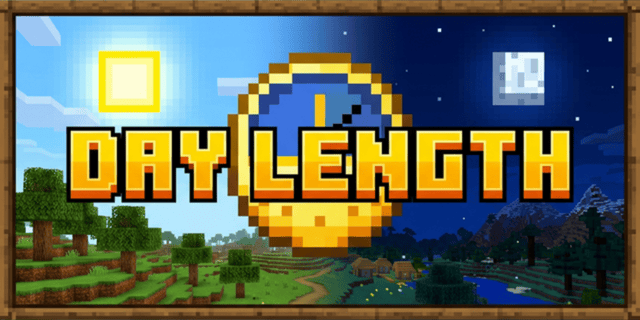
Day Length gives you absolute control over Minecraft's time progression. Whether you want a strictly realistic 24-hour cycle or custom-speed days for your unique playstyle, this mod handles it with precision and smoothness.
🚀 Features
- Custom Day Duration: Set the day-night cycle to any length you want (e.g., 40 minutes for double length, or 48 hours for extreme realism).
- Real-Time Synchronization: Sync Minecraft time with your system clock or a specific UTC offset.
- Smooth Transitions: No more sun/moon jitter. Time progresses smoothly tick by tick.
- Vanilla Sleep Support: Players can still sleep to skip the night normally (available when not synced with real-time).
- Easy Configuration: Direct access to configuration from the in-game mod list.
🛠️ Configuration
Day Length uses a standard configuration system. You can find the config file at:
.minecraft/config/daylength-common.toml (or similar depending on your loader/version).
In-Game Access
- Go to the Mods menu in Minecraft.
- Select Day Length.
- Click the Config button.
- The configuration file will open directly in your system's default text editor.
Settings
customDayLength: Set the length of the day in minutes (Vanilla is 20).realTimeSync: Toggle synchronization with real-world time.manualUtcOffset: Adjust time if using real-time sync with a specific timezone.smoothTimeTransition: Enables gradual adjustments when syncing time.
💾 Installation
- Download: Get the correct JAR for your version and loader from GitHub, CurseForge, or Modrinth.
- Mod Loader: Ensure you have a compatible mod loader installed.
- Deploy: Place the file into your
.minecraft/modsfolder. - Launch: Start the game and enjoy your custom time!
🤝 Support & Links
- Discord: Join our community for support and updates at discord.gg/gNajXYku5z.
- Issues: Found a bug? Open an issue on GitHub.
- Repository: yigit-guven/Day-Length
- Wiki: Detailed documentation
Licensed under the GNU GPLv3.
Quick facts
- Edition: Minecraft Java
- File type: .jar
- Minecraft versions listed: 1.21.1, 1.20.1, 1.20.2
- How to install: Install the matching mod loader (Forge, Fabric or NeoForge) for your Minecraft version. → Download the .jar. → Put it in the .minecraft/mods folder and launch that loader profile.
- Where to get it: Opens on CurseForge — not every file is mirrored on our own servers.
Install steps are the general flow for this file type — How to install Minecraft Java mods & modpacks walks through it step by step.
File checked by MCModsHub
- Ships as daylength-2.0.0-neoforge-1.21.6.jar — drop this file into the mods folder
- Download size: 21 KB
- Download link checked 26 Sept 2026 — working
These come from our own check of the pack file, not from the source page.