
Blue Archive Halos
Java mod listed for Minecraft 1.18–1.20. Download on the author's site.
⬇ Download on CurseForge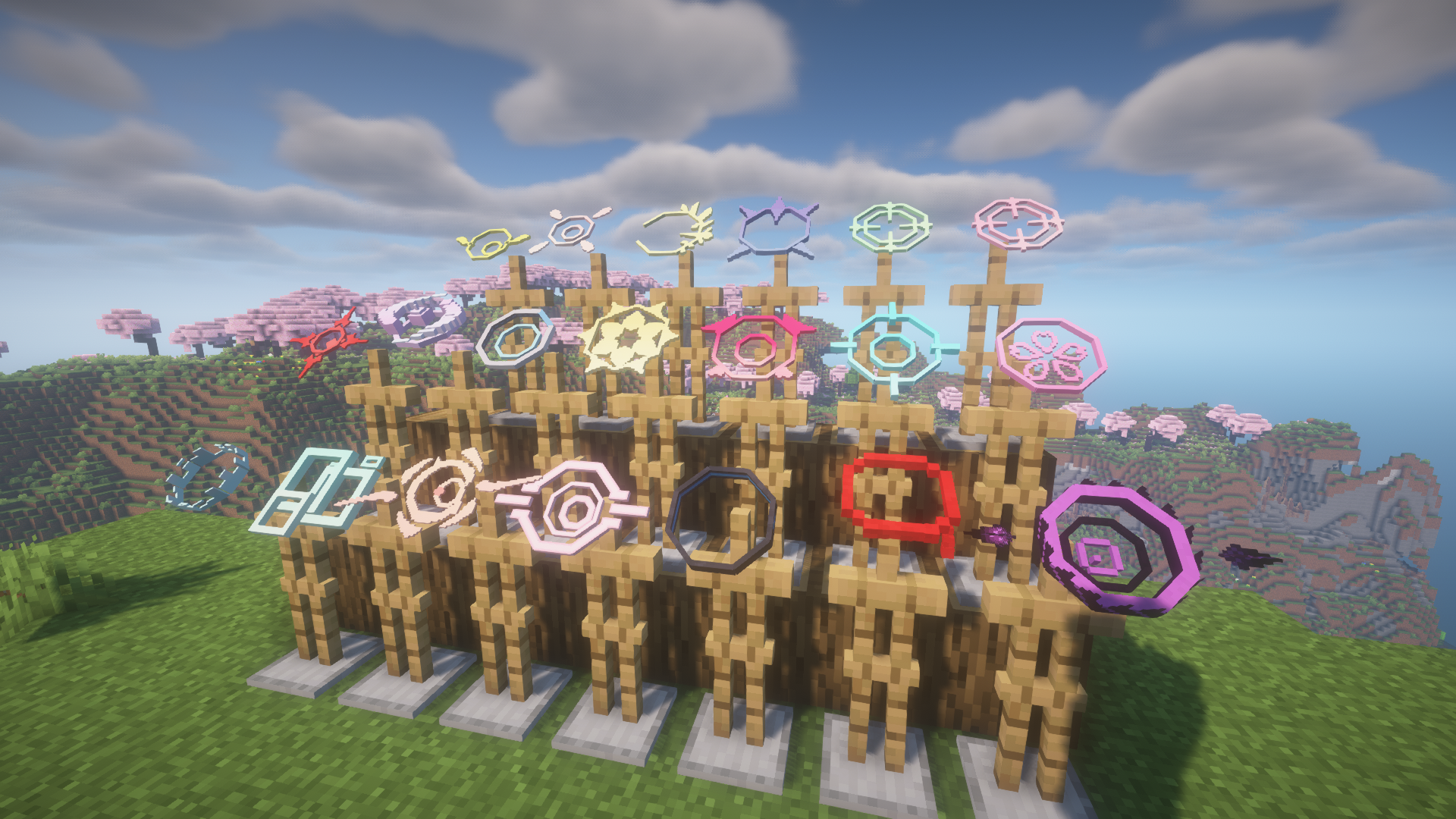
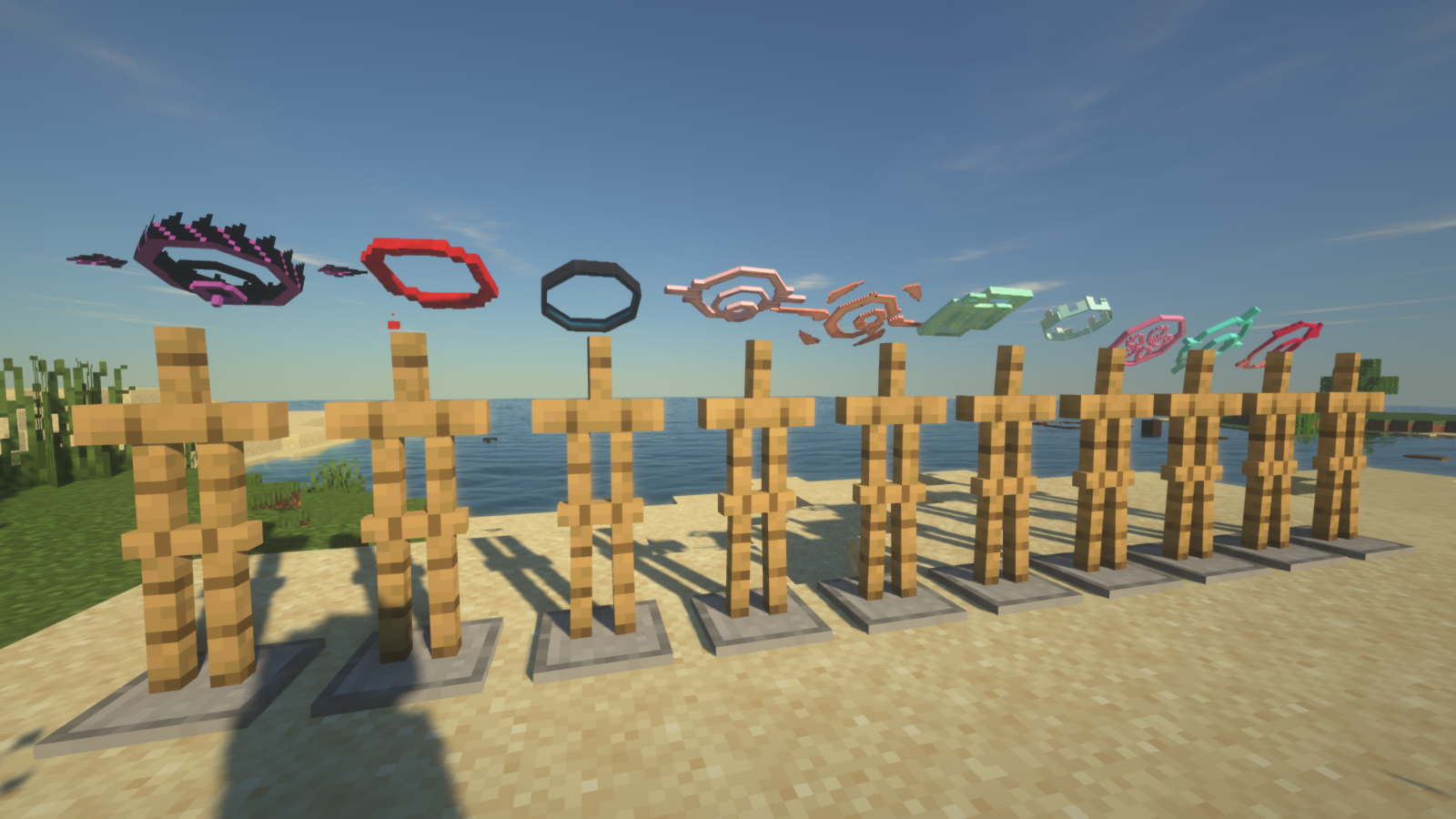
Blue Archive Halos
Description
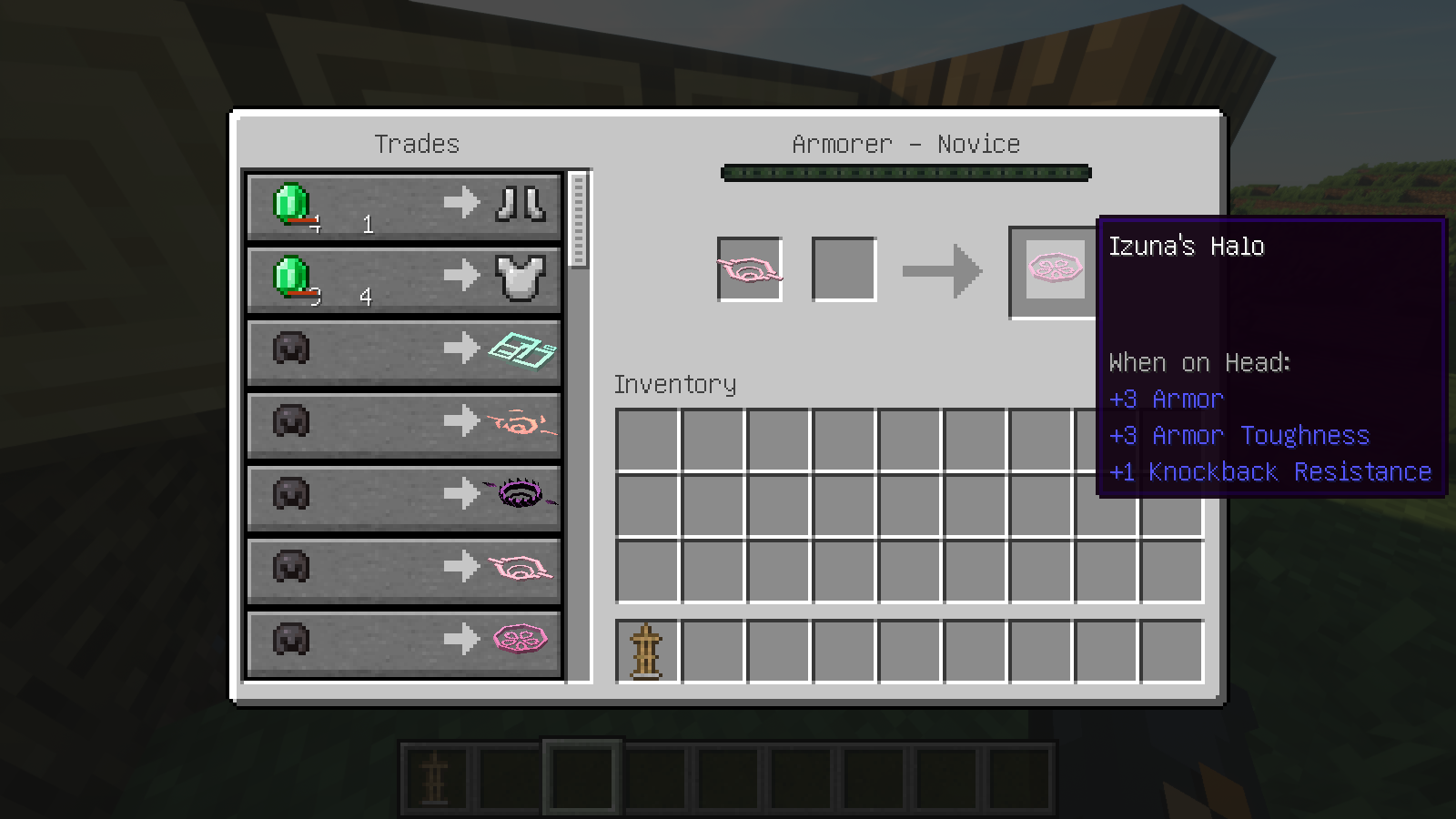
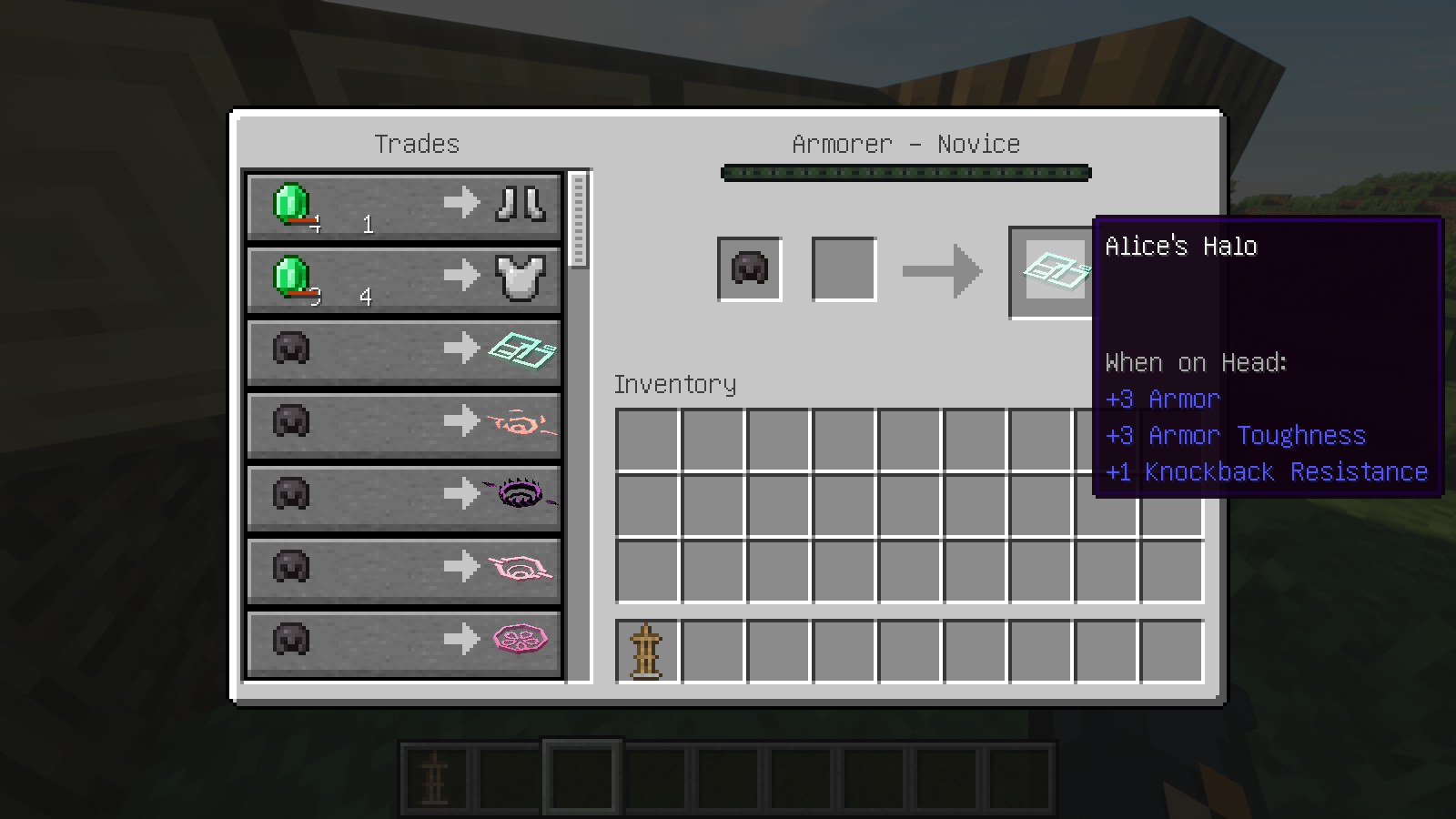
This mod brings student halos from Blue Archive to Minecraft. Halos can be traded from the armorer.
Halos have been modelled and animated to be as close as possible to the original Blue Archive game and to the Minecraft style.
Mods dependencies
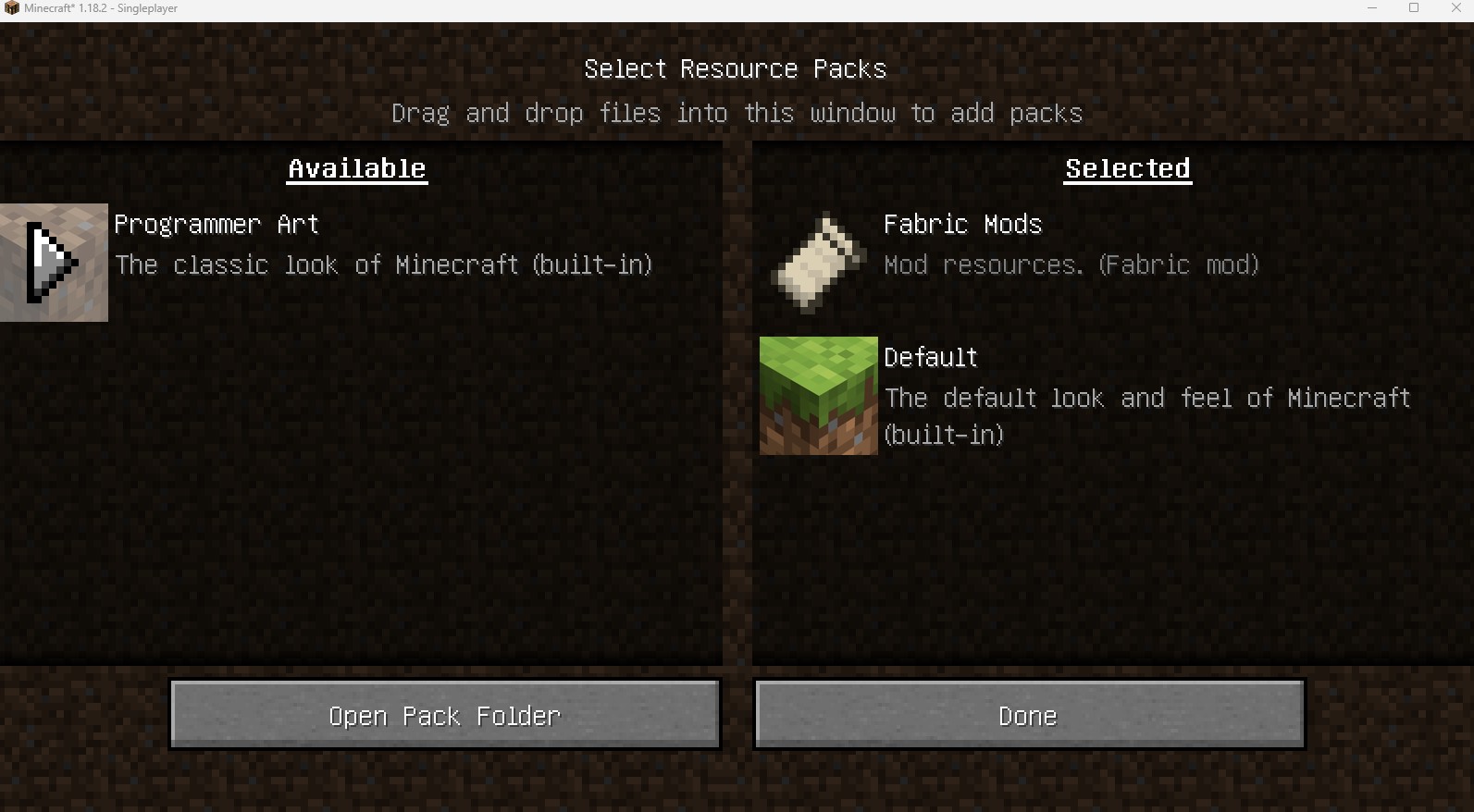
geckolib download link: https://www.curseforge.com/minecraft/mc-mods/geckolib
Note: not geckolib3!
How to install
- Make sure forge/fabric is installed properly
- Based on the forge/fabric version, download the geckolib mod. e.g. if you are using forge 1.9.3, then geckolib 4.0.3+ should install
- Download the jar file and copy it to the game `mods` folder
Spigot support
https://www.curseforge.com/minecraft/bukkit-plugins/blue-archive-halos-spigot-plugin
How to use
- Find an Armorer, then trade by using netherite helmet.
- No need to use emerald!
- You can also use a halo to get a different one since everyone knows "netherite ingots" are rare.
Caution! After trading, enchantments will be removed!
Configuration
For 1.19.3+, the halos can glow in dark. This feature is off by default and can toggle on in the "minecraftbluearchivehalo-client" file. This file can be found in the config folder.
Known issue
- These halo models are not fully compatible with Optifine shaders, especially in the night or in a dark place.
- If the player exchange halos with an Armorer too many times, the price of the other goods will decrease. I don't think this would affect the game balance a lot because a raid farm can give players more discounts.
- The version 1.19.2 and 1.18.2 do not have glowing feature.
Todo
So far, I have only made some of the students' halos. More halos will be added in the future.
Change log
* 1.0.20.0
Add halo glowing effect config
Add Hifumi
Add Midori
Add Momoi
Add Mika
Add Iroha
Add Noa
Add Hanako
Add Mari
* 1.0.12.0
Add Hasumi
Add Azusa
- Edition: Minecraft Java
- File type: .jar
- Minecraft versions listed: 1.20.1, 1.19.4, 1.19.3
- How to install: Install the matching mod loader (Forge, Fabric or NeoForge) for your Minecraft version. → Download the .jar. → Put it in the .minecraft/mods folder and launch that loader profile.
- Where to get it: Opens on CurseForge — not every file is mirrored on our own servers.
Install steps are the general flow for this file type — How to install Minecraft Java mods & modpacks walks through it step by step.
Blue Archive Halos is a free Minecraft Java mod. Compatible with Minecraft 1.20.1, 1.19.4, 1.19.3, 1.19.2 and newer. Downloaded 59,099 times (via CurseForge). Download it and open it directly in the game.