Tech Lights
Java mod listed for Minecraft 1.18–1.21. Downloads from the MC Java Mods app on Android.
I don't know my version or loader
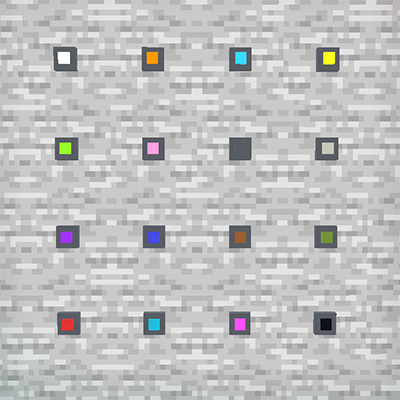
Color up your world with high-tech colored lights!
Available in all 16 of the base Minecraft colors.
Can be controlled via redstone.

If you want to color these lights in game you will need to add Shimmer (1.20.1 and before)
If you are using neoforge you will need to add Colorful Lighting
The 2.0 releases can all use Colorful Lighting. There will soon be a shader option for all 2.0 versions.
Adding shimmer/colorful lighting will make your lights glow in color automatically. No need to do anything else.
If you're looking for a shader only option Just Colored Lighting works great and looks beautiful.

- Edition: Minecraft Java
- File type: .jar
- Minecraft versions listed: 1.21.1, 1.21.8, 1.20.1
- How to install: Install the matching mod loader (Forge, Fabric or NeoForge) for your Minecraft version. → Download the .jar. → Put it in the .minecraft/mods folder and launch that loader profile.
- Where to get it: Opens on CurseForge — not every file is mirrored on our own servers.
Install steps are the general flow for this file type — How to install Minecraft Java mods & modpacks walks through it step by step.
- Ships as techlights-2.0.0-forge-1.20.1.jar — drop this file into the mods folder
- Download size: 1016 KB
- Download link checked 27 Sept 2026 — working
These come from our own check of the pack file, not from the source page.