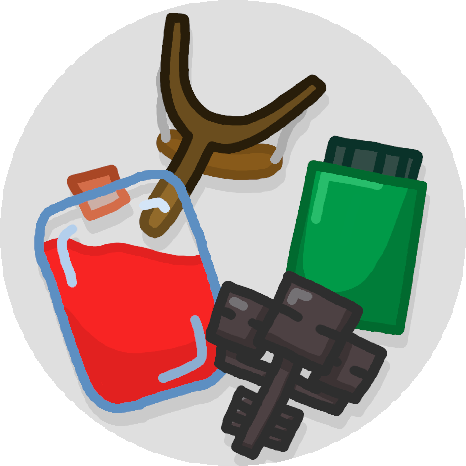
Alchemy Gadgetry
Java mod listed for Minecraft 1.18–1.20. Downloads from the MC Java Mods app on Android.
I don't know my version or loader
Intended to augment the vanilla mechanics of potions, encouraging use of lackluster features. In the creative inventory, all items are in the vanilla "Brewing" tab.
Potion Flasks:
Recipe unlocked by picking up a potion.
Right-click on a potion flask in your inventory with a drinkable potion, water bottle, or water bucket to decant it into the flask. Flasks can also be decanted into other flasks or effigies. Adding multiple potions will make each sip from the flask give the effects of each.
The strength of each added potion will persist, but the duration will be diluted. If you take the time to drink the entire flask, you will get the original duration of the potions added.
Drinking from a flask will add to your current effect durations, if they are the same level.
Potion Slingshot:
Recipe unlocked by picking up a splash potion.
Holding right click with a potion slingshot in your hand to charge it, similarly to a bow. It will fire the first throwable potion in your inventory (splash or lingering), with more distance than when thrown by hand.
Effigies:
Right-click on an effigy in your inventory with a drinkable potion, water bottle, water bucket, or potion flask to decant it into the effigy. Effigies may have a "resetting" condition, but will be unable to reset until their cooldown has expired.
Death Effigy: Gives all potions on death. Must be held. 30s cooldown.
Recipe unlocked by picking up a totem of undying.
Applies ALL of the potions contained within the effigy upon being dealt lethal damage. Adding healing of some kind (instant health, regeneration, or absorption) to the effigy will prevent the triggering damage from killing you.
Note: if this damage occurs in multiple stages, it is possible that the effigy will not save you. Will not work against unblockable sources, such as /kill.
Air Effigy: Gives one dose when falling. 5s cooldown.
Recipe unlocked by picking up a phantom membrane.
Activates upon falling more than 10 blocks. Resets upon fall distance being reset, such as being grounded, touching water, cobwebs, etc.
Fire Effigy: Gives one dose when burning. 15s cooldown.
Recipe unlocked by picking up a wither skeleton skull.
Activates upon being hurt by fire damage. Resets when not on fire, or when you have fire resistance.
Water Effigy: Gives one dose when drowning. 15s cooldown.
Recipe unlocked by picking up a nautilus shell.
Activates upon taking damage due to drowning. Resets when you have a full breath meter, have water breathing, or conduit power.
Medicines:
Brewed with the stated ingredient added to an awkward potion. Stacks to 16.
Antidote: Removes poison. Brewed with a honeycomb.
Black Tea: Removes slowness, resistance. Brewed with azalea leaves.
Elixir: Removes weakness, mining fatigue. Brewed with glowstone dust.
Eye Drops: Removes blindness. Brewed with a carrot.
Iron Supplements: Removes levitation, slow falling. Brewed with an iron nugget.
Salve: Removes wither. Brewed with a brown or red mushroom.
Tonic: Removes nausea. Brewed with redstone dust.
Vitamins: Removes hunger. Brewed with an apple.
Mod Compatibility:
Potion Bundles: works as ammo for the potion slingshot
- Edition: Minecraft Java
- File type: .jar
- Minecraft versions listed: 1.20.1, 1.18.2, 1.19.2
- How to install: Install the matching mod loader (Forge, Fabric or NeoForge) for your Minecraft version. → Download the .jar. → Put it in the .minecraft/mods folder and launch that loader profile.
- Where to get it: Opens on CurseForge — not every file is mirrored on our own servers.
Install steps are the general flow for this file type — How to install Minecraft Java mods & modpacks walks through it step by step.
- Ships as alchemygadgetry-1.19.2-1.0.4.jar — drop this file into the mods folder
- Download size: 156 KB
- Download link checked 7 Nov 2026 — working
These come from our own check of the pack file, not from the source page.