
AdminShop Overhauled
Java mod listed for Minecraft 1.18–1.21. Downloads from the MC Java Mods app on Android.
Visit our discord for frequent updates: NOTE: Minecraft version 1.18 is no longer supported, and generally not recommended to use the mod on that version…
I don't know my version or loader
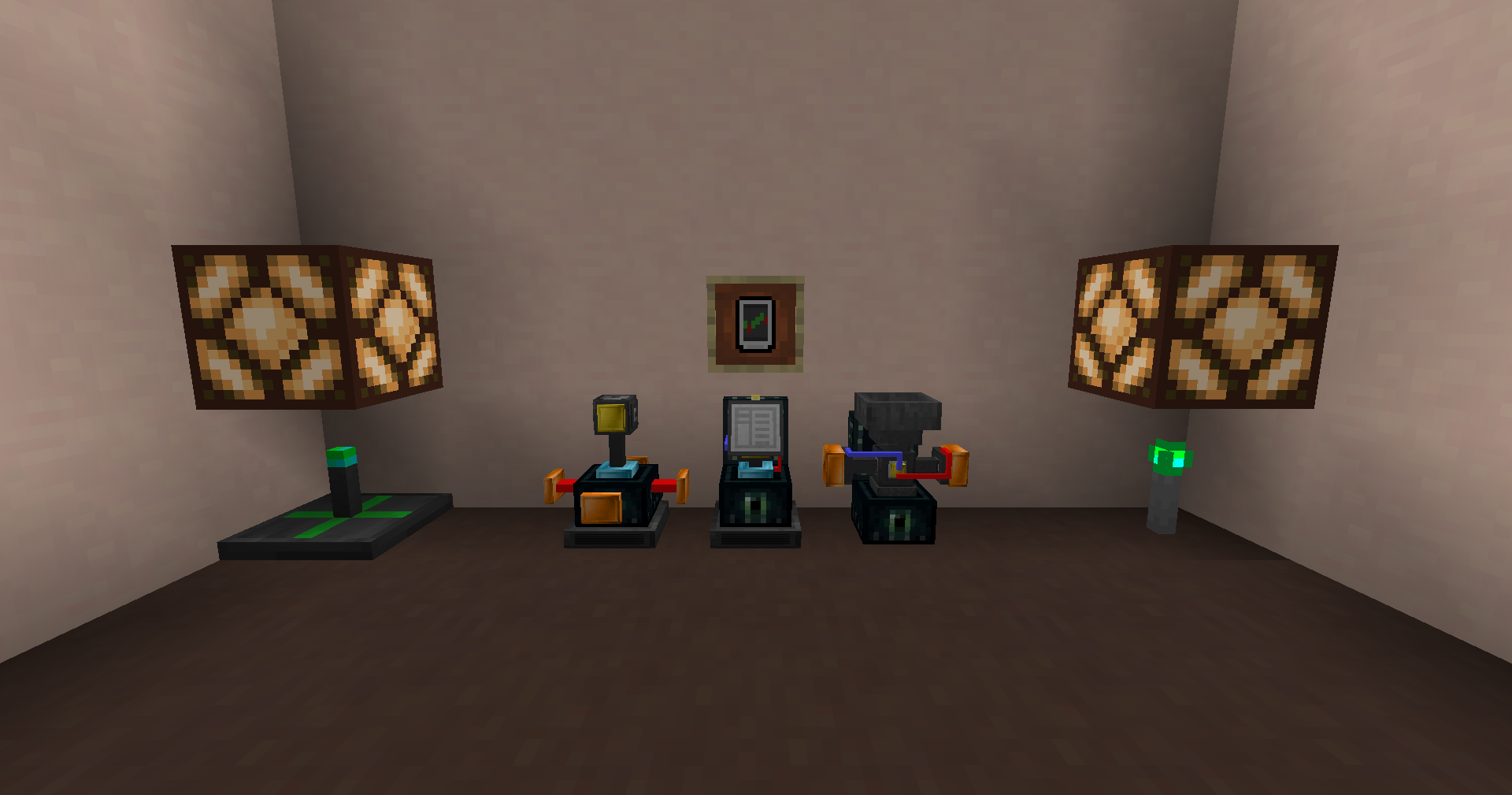
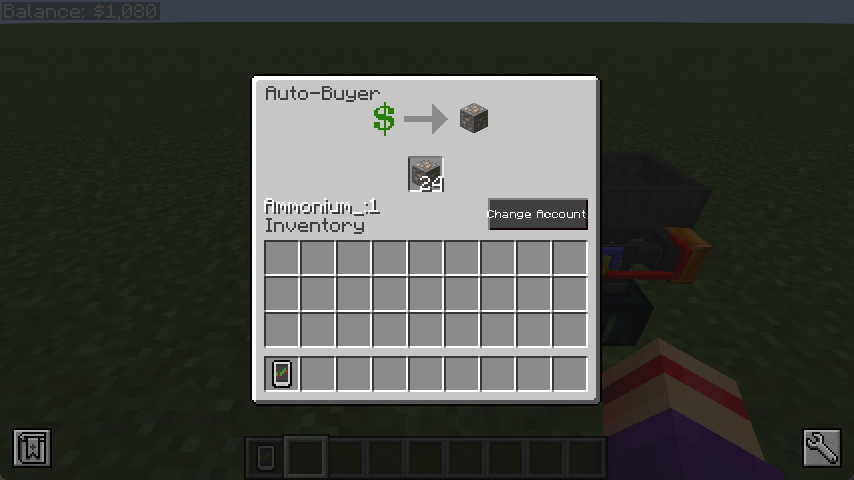
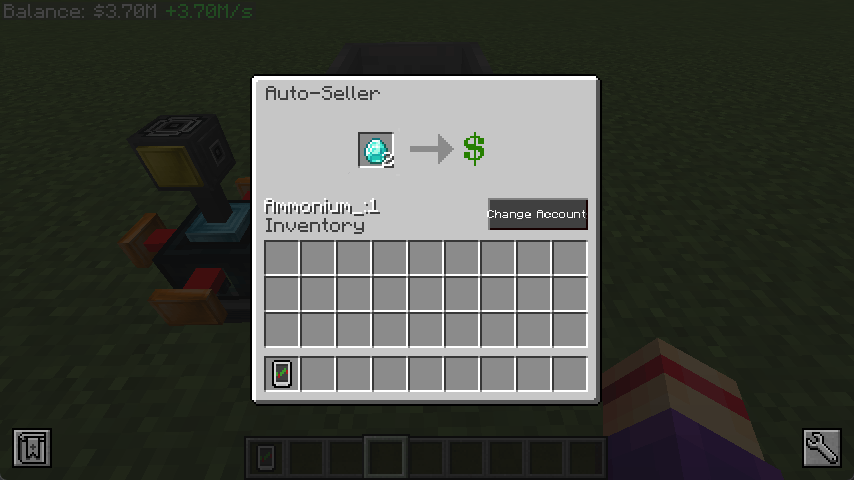
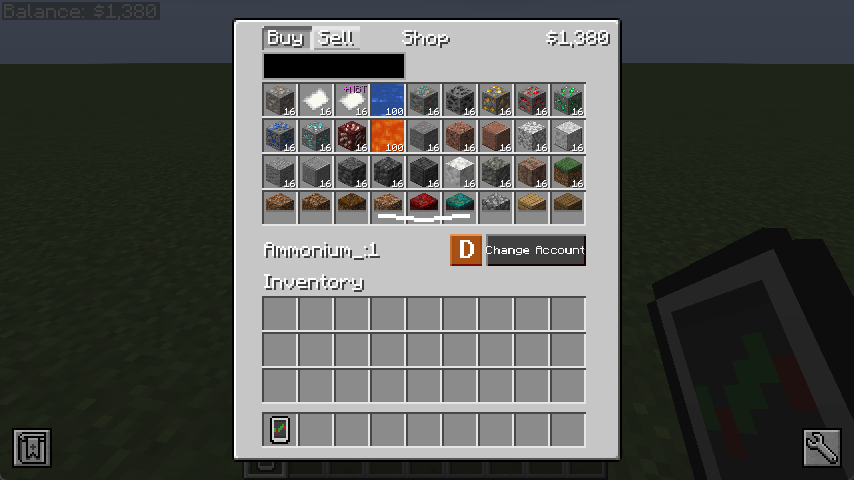
Visit our discord for frequent updates: https://discord.gg/hEaS5EVCH7
NOTE: Minecraft version 1.18 is no longer supported, and generally not recommended to use the mod on that version.
AdminShop is a powerful mod that allows both server administrator and modpack developers to add their fully customizable "shop" into Minecraft, where players can buy and sell items at fixed prices.
The features of AdminShop include:
- Ability to buy and sell fluids and items, with NBT support.
- Fully customizable list of buyable and sellable fluids/items through an editable spreadsheet file.
- Ability to lock specific buying and selling offers behind unlockable "trade permits".
- Automate said buying and selling through auto-buyers and sellers.
- A custom "bank account" system, in which you can either play by yourself, or create shared accounts with other players, allowing Co-Op play in servers.
- Fully functional even while the player is offline, if the chunks are still loaded.
- Control automation with redstone emitting "balance detectors".
- Built-in Patchouli guide.
The mod was originally for 1.12 by Vnator, but it has been forked to newer versions and overhauled by Ammonium.
For more information, such as a setup guide for modpack developers and server admins, please visit https://github.com/AmmoniumX/AdminShop
- Edition: Minecraft Java
- File type: .jar
- Minecraft versions listed: 1.20.1, 1.21.1, 1.19.2
- How to install: Install the matching mod loader (Forge, Fabric or NeoForge) for your Minecraft version. → Download the .jar. → Put it in the .minecraft/mods folder and launch that loader profile.
- Where to get it: Opens on CurseForge — not every file is mirrored on our own servers.
Install steps are the general flow for this file type — How to install Minecraft Java mods & modpacks walks through it step by step.
- Ships as adminshop-1.19.2-2.0BETA2.jar — drop this file into the mods folder
- Download size: 478 KB
- Download link checked 26 Sept 2026 — working
These come from our own check of the pack file, not from the source page.